Introduction
In an age where data breaches and cyber threats loom larger than ever, the significance of a reliable data backup service is paramount. Businesses face staggering risks; statistics reveal that a considerable percentage of companies experiencing data loss may not survive the aftermath. This article explores best practices for selecting a data backup service, offering insights into essential criteria that ensure robust protection and operational continuity. As organizations navigate an increasingly complex digital landscape, the pressing question remains: how can they effectively safeguard their critical information against unforeseen disasters and cyberattacks?
Understand the Importance of Data Backup
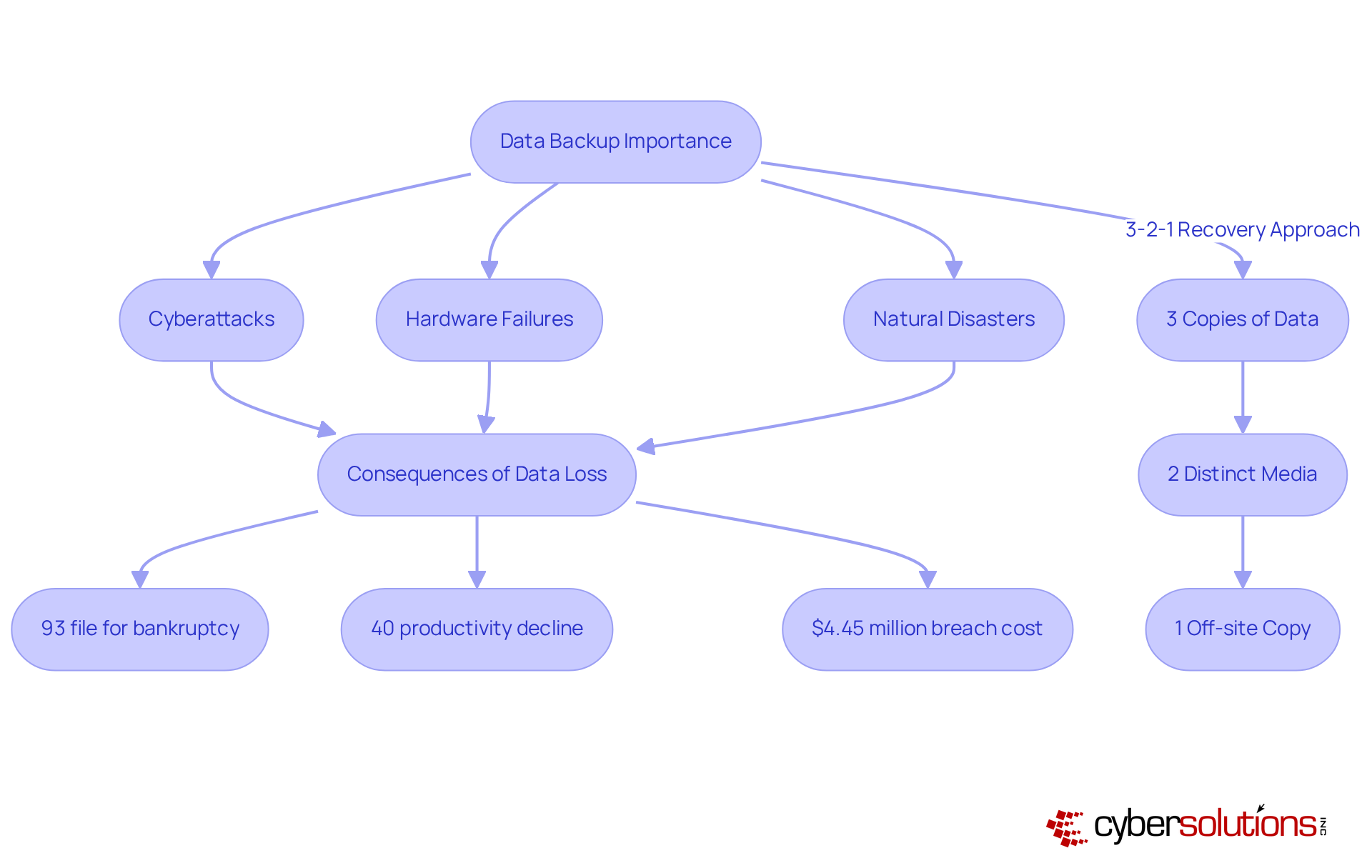
The backup process stands as a pivotal component of any business's IT strategy, serving as a safeguard against hardware failures and natural disasters. Alarmingly, 93% of companies that experience file loss file for bankruptcy within a year. This statistic underscores the severe repercussions of inadequate information protection. Furthermore, organizations facing significant information loss may suffer productivity declines of up to 40% during recovery phases, a factor that can severely impact operational effectiveness and financial stability. In 2023, the average cost of a data breach reached $4.45 million, illuminating the risks involved.
A well-structured recovery plan, such as the 3-2-1 strategy—which involves maintaining three copies of data on two distinct media, with one copy stored off-site—not only minimizes downtime and facilitates swift restoration but also ensures compliance, thereby shielding the organization from potential legal ramifications.
At Cyber Solutions, we provide comprehensive services tailored specifically for small to medium enterprises, including:
By prioritizing a robust backup strategy and effective recovery solutions, organizations can protect and safeguard their financial health in an increasingly volatile digital landscape.
Evaluate Key Criteria for Data Backup Services
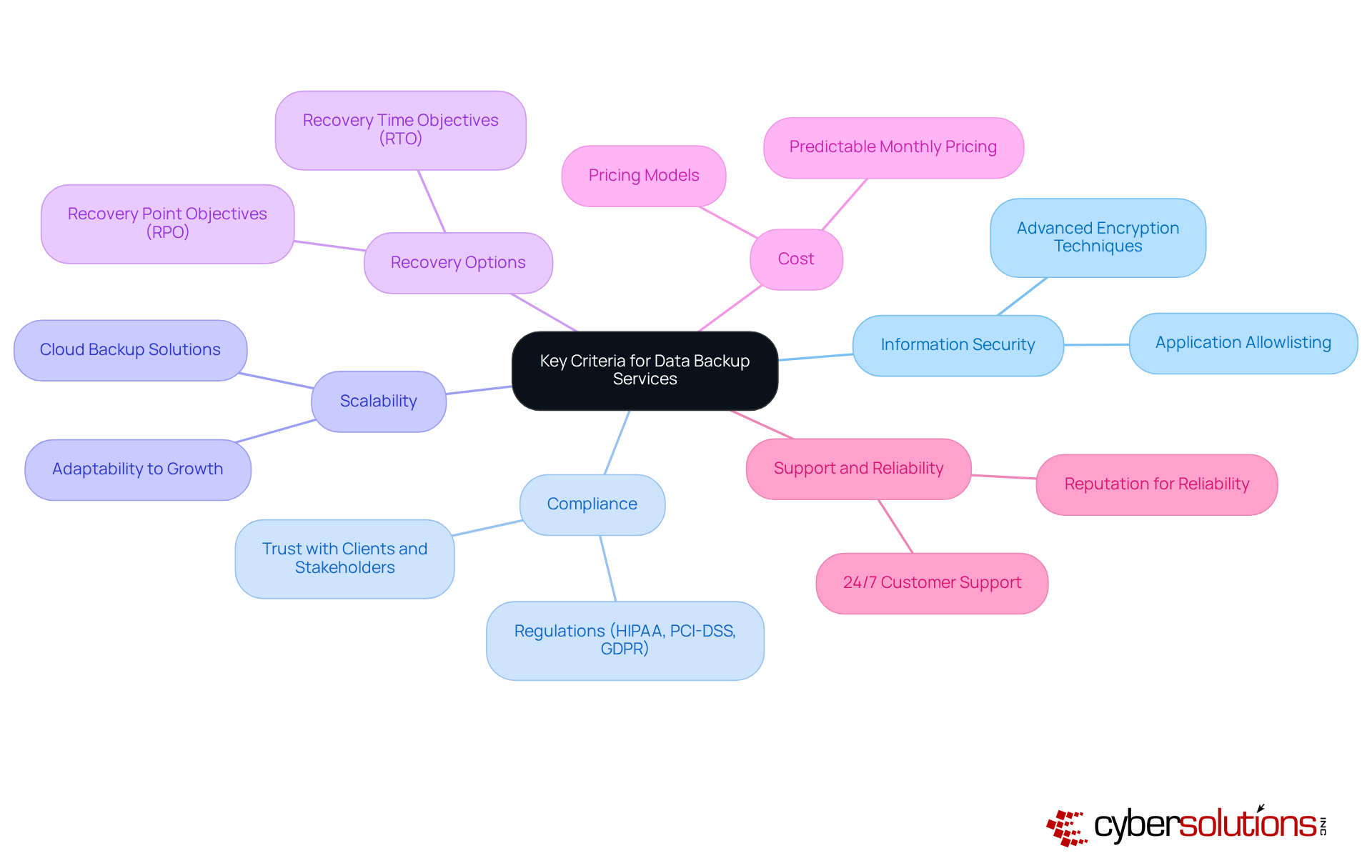
In today's digital landscape, choosing a data backup service is crucial for businesses seeking to guarantee robust protection and compliance. The stakes are high; with 91% of organizations involving data theft and 88% of SMB breaches linked to extortion malware, a strong defense is non-negotiable. Therefore, prioritizing the following criteria is essential.
- Information Security is the cornerstone of any reliable backup service. Choose a provider that employs encryption methods to safeguard information both during transmission and while stored. Application allowlisting further fortifies security by permitting only approved applications to run, significantly mitigating the risk of malware and unauthorized software execution.
- Compliance with regulations such as GDPR is not merely a legal obligation; it fosters trust with clients and stakeholders. Organizations utilizing compliant services, such as Atlantic.Net, have reported enhanced security and operational efficiency. Moreover, adherence to federal information protection standards is essential for maintaining eligibility for government contracts.
- Scalability is another crucial factor. Opt for a service that can seamlessly adapt to your company's growth, managing increasing information volumes without incurring significant cost escalations. A flexible solution can serve as a platform that offers the flexibility needed to meet evolving information requirements efficiently.
- Recovery Options must align with your business needs. Assess recovery time objectives (RTO) and recovery point objectives (RPO) to ensure swift data restoration—especially critical since 67.7% of entities experienced a significant data-loss incident in the past year.
- Cost considerations are equally important. Evaluate the pricing model to ensure it fits within your budget while delivering essential features. A transparent pricing structure can aid organizations in managing IT expenses effectively. For instance, a predictable billing model simplifies budgeting and enhances operational efficiency, eliminating unexpected IT costs.
- Finally, Support and Reliability are vital. Seek a provider with a strong reputation for customer support and service reliability. Downtime can be detrimental for maintaining business continuity. Reputable providers ensure robust encryption of information in transit and at rest, further enhancing the reliability of their support services.
By focusing on these criteria, organizations can significantly enhance their information protection strategies, positioning themselves to effectively confront the evolving landscape of cyber threats.
Implement the Selected Data Backup Solution Effectively
To effectively implement your chosen data backup solution, consider the following steps:
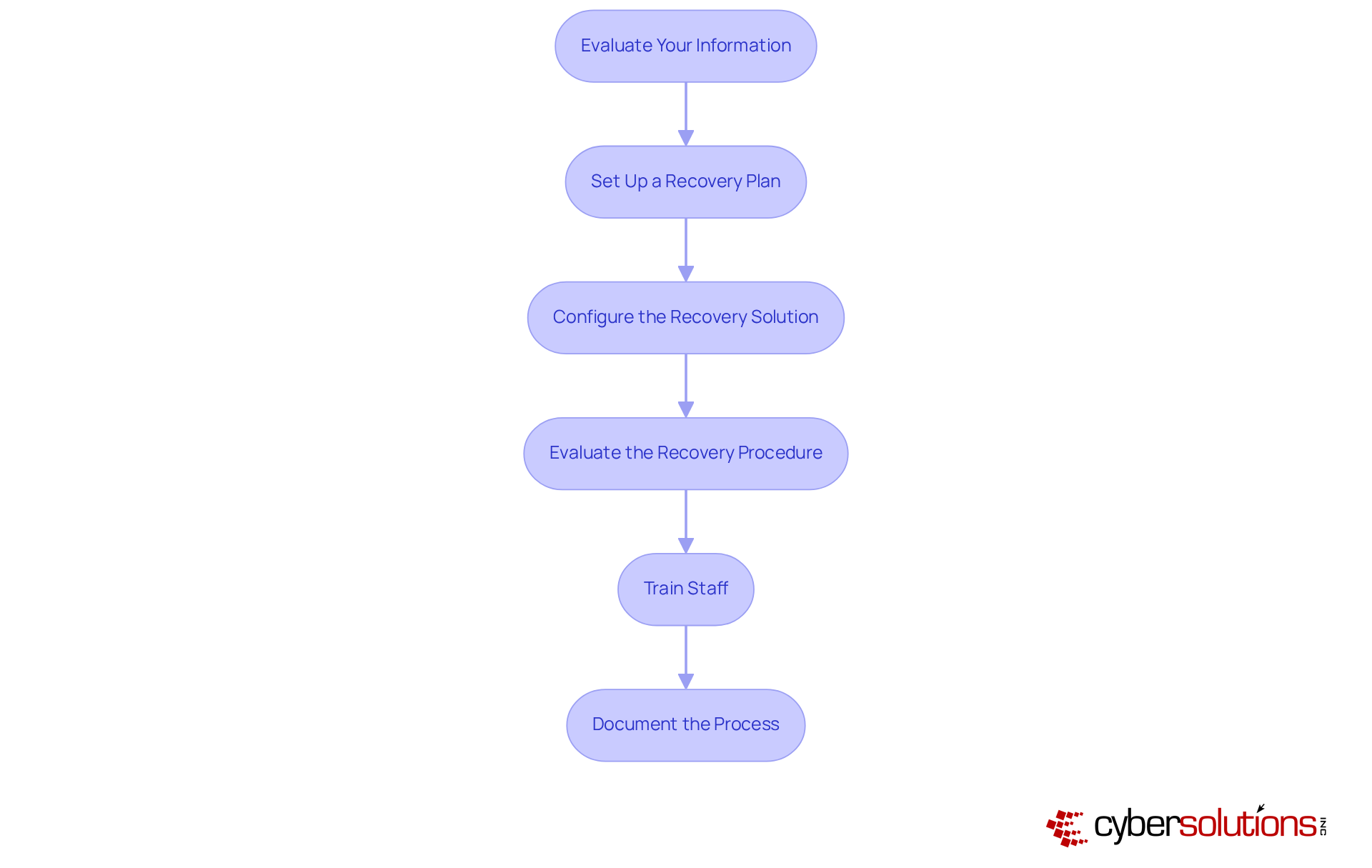
- Evaluate Your Information: Begin by identifying which information is critical to your operations. This prioritization is essential, as not all information carries the same weight. For example, organizations in regulated sectors often categorize information based on sensitivity, ensuring that mission-critical details receive backup attention first.
- Set Up a Backup Schedule: Determine the frequency of backups based on the importance of the information and the potential impact of downtime. Companies managing confidential information may require hourly backups, while less critical data might be saved weekly. Regular assessments of recovery frequency can help meet operational needs and mitigate risks associated with data loss. Following the industry-standard 3-2-1 storage guideline—maintaining three copies of data in two different formats, with one copy stored off-site—can further enhance your protection strategy.
- Configure the Recovery Solution: Set up the recovery software in accordance with the provider's guidelines, ensuring that all identified essential information is included. This configuration should also take into account various data types and their specific recovery needs, facilitating a tailored approach to data protection.
- Evaluate the Recovery Procedure: Routine testing is vital to confirm that backups are completed successfully and that data can be retrieved without issues. Automated testing tools can help identify potential problems early, ensuring your recovery strategy remains reliable and effective. Automating data preservation testing and verification can enhance dependability and minimize human error.
- Train Staff: Educate employees on the importance of data backup and the efficient use of the backup system. Training fosters a culture of awareness, reducing the likelihood of human error, a significant contributor to incidents. Additionally, emphasize the importance of encryption during data transfer and storage to protect sensitive information and ensure compliance.
- Document the Process: Maintain comprehensive documentation of procedures to ensure consistency and accountability. This documentation should encompass details on backup methods, recovery steps, and recovery protocols, serving as a reference for staff and aiding in compliance efforts. Incorporating monitoring tools to track data restoration activities and alert users to issues can further bolster your recovery strategy.
By adhering to these steps, organizations can establish a robust backup strategy that incorporates a comprehensive plan to safeguard essential information and enhance overall operational resilience. As Kyle Andrise points out, "A successful information preservation strategy requires careful planning," and integrating these best practices will ensure your organization is well-prepared.
Manage and Monitor Your Data Backup Strategy
Managing and monitoring your data backup strategy is critical in today’s digital landscape, and it involves several essential practices:
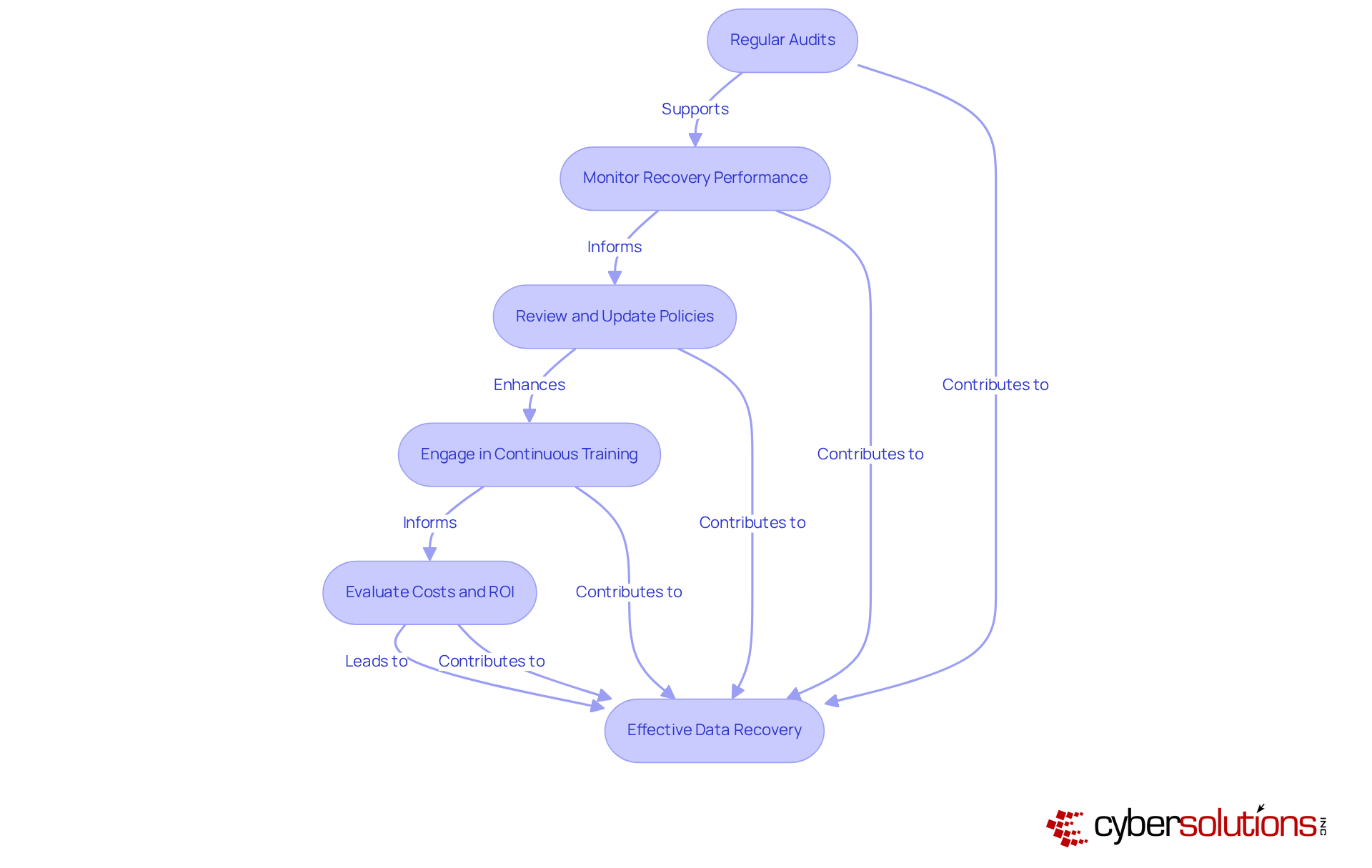
- Documentation: Having a documented plan is vital for ensuring compliance with policies and regulations. Alarmingly, only 54% of entities possess a documented plan, with many testing them infrequently. This underscores the necessity for organizations to identify gaps and enhance readiness.
- Monitoring Tools: Implementing robust monitoring tools is essential for tracking the success of recovery operations. These tools can detect anomalies and alert administrators to failures, enabling swift responses to potential issues. Ongoing observation is crucial for preserving the reliability of recovery systems, ensuring that information is retrievable when required.
- Review and Update Policies: Regularly examining policies ensures alignment with current business needs and technological advancements. As the information landscape evolves, organizations must adapt their strategies to effectively tackle emerging threats and vulnerabilities.
- Engage in Continuous Training: Providing regular training for staff is crucial to keep them informed about best practices and any changes in the recovery process. Fostering a culture of information security awareness significantly reduces the likelihood of accidental loss, as human error remains a considerable factor in incidents.
- Evaluate Costs and ROI: Weighing costs against the potential hazards of information loss is essential. An effective backup solution minimizes downtime and safeguards operations against disruptions, providing a strategic advantage in today’s fast-paced business environment. Organizations must consider the financial repercussions of failing to retrieve critical data promptly, as the loss in productivity and customer trust can lead to significant losses.
Conclusion
Choosing the right data backup service is not merely a decision; it is a critical imperative for any business intent on safeguarding its vital information and ensuring operational continuity. A robust backup strategy not only mitigates the risks associated with data loss but also fortifies the organization against potential financial repercussions. By prioritizing data backup, businesses can effectively safeguard their assets and maintain trust with clients and stakeholders in an increasingly digital world.
This article underscores several key criteria for selecting a data backup service. It emphasizes the importance of:
- Information security
- Compliance
- Scalability
- Effective recovery options
These factors contribute to a comprehensive data protection strategy. Moreover, the implementation steps outlined ensure that businesses can seamlessly integrate their chosen backup solutions into their existing operations, thereby enhancing resilience against data loss incidents.
Ultimately, a proactive approach to data backup management is essential. Regular audits, performance monitoring, and continuous staff training are vital practices that empower organizations to stay ahead of potential threats. By embracing these best practices and prioritizing data backup, businesses can not only protect their information but also position themselves for long-term success in a rapidly evolving digital landscape. Taking decisive action today to evaluate and enhance backup strategies will ensure that organizations are well-prepared for the challenges of tomorrow.
Frequently Asked Questions
Why is data backup important for businesses?
Data backup is crucial for businesses as it protects against losses from cyberattacks, hardware failures, and natural disasters. Without proper data protection, organizations face severe consequences, including potential bankruptcy and significant productivity declines during recovery.
What are the risks of inadequate data protection?
Inadequate data protection can lead to severe repercussions, including bankruptcy for 93% of companies that experience prolonged information loss exceeding ten days. Additionally, organizations may suffer productivity declines of up to 40% during recovery phases.
How much did the average cost of a data breach reach in 2023?
In 2023, the average cost of a data breach reached $4.45 million, highlighting the financial risks associated with information loss.
What is the 3-2-1 Data Recovery Approach?
The 3-2-1 Data Recovery Approach involves maintaining three copies of data on two distinct media, with one copy stored off-site. This strategy minimizes downtime, facilitates swift restoration, and enhances compliance with industry standards.
What services does Cyber Solutions provide related to data backup?
Cyber Solutions offers comprehensive managed IT and cybersecurity services tailored for small to medium enterprises, including 24/7 IT support and proactive monitoring.
How can organizations ensure operational continuity and financial health?
By prioritizing a data backup service and implementing robust information protection strategies, organizations can safeguard their operational continuity and financial health in a volatile digital landscape.
List of Sources
- Understand the Importance of Data Backup
- Why Should Your Business Have A Data Backup Strategy? (https://smacna.org/news/news-archive/article/2025/03/25/why-should-your-business-have-a-data-backup-strategy)
- techtron.co.za (https://techtron.co.za/importance-of-data-backup-2025)
- frameworkit.com (https://frameworkit.com/cybersecurity/startling-statistics-about-data-loss)
- invenioit.com (https://invenioit.com/continuity/data-loss-statistics?srsltid=AfmBOoqC1QzBPQ8nXeO9LFKfypAOKlsqOn7f6Iv0ifvUYXW8jLU9YiRk)
- objectfirst.com (https://objectfirst.com/blog/world-backup-day-2025)
- Evaluate Key Criteria for Data Backup Services
- atlantic.net (https://atlantic.net/managed-services/top-backup-services-in-2025-discover-the-best-options-for-your-data-security)
- invenioit.com (https://invenioit.com/continuity/data-loss-statistics?srsltid=AfmBOorKlvmoBlKiYcLmSd58n4QL8Fj_m4pN63uIHtb1RI7w9OO9GEI4)
- techtarget.com (https://techtarget.com/searchdatabackup/feature/9-backup-as-a-service-BaaS-providers-in-2025)
- pcmag.com (https://pcmag.com/picks/the-best-cloud-backup-services-for-business)
- news10.com (https://news10.com/business/press-releases/ein-presswire/820774050/new-report-reveals-critical-security-risks-in-enterprise-storage-and-backup-systems)
- Implement the Selected Data Backup Solution Effectively
- veeam.com (https://veeam.com/blog/enterprise-backup-strategy.html)
- Data Backup Best Practices & Backup Strategy | ConnectWise (https://connectwise.com/blog/backup-strategy-best-practices)
- agileit.com (https://agileit.com/news/data-backup-best-practices)
- ais-now.com (https://ais-now.com/blog/data-backup-best-practices-2024)
- isaca.org (https://isaca.org/resources/news-and-trends/industry-news/2024/ensuring-data-security-the-importance-of-cloud-backups-and-drill-testing)
- Manage and Monitor Your Data Backup Strategy
- Data Backup Best Practices & Backup Strategy | ConnectWise (https://connectwise.com/blog/backup-strategy-best-practices)
- agileit.com (https://agileit.com/news/data-backup-best-practices)
- gitprotect.io (https://gitprotect.io/blog/data-protection-and-backup-predictions-for-2025-and-beyond)
- expertinsights.com (https://expertinsights.com/backup-and-recovery/cloud-backup-stats)
- ais-now.com (https://ais-now.com/blog/data-backup-best-practices-2024)