

Introduction
The shift towards cloud-based solutions is transforming how organizations manage their documents. Projections indicate that by 2025, half of global data will reside in the cloud. This transition brings numerous benefits, including:
- Enhanced accessibility
- Cost efficiency
- Improved security
- Better collaboration
However, implementing a Cloud Document Management System (CDMS) can be complex and challenging.
What best practices can organizations adopt to ensure effective management of their cloud document systems? It's crucial to maximize operational efficiency while safeguarding sensitive information. By addressing these challenges head-on, organizations can harness the full potential of cloud technology.
Define Cloud Document Management Systems
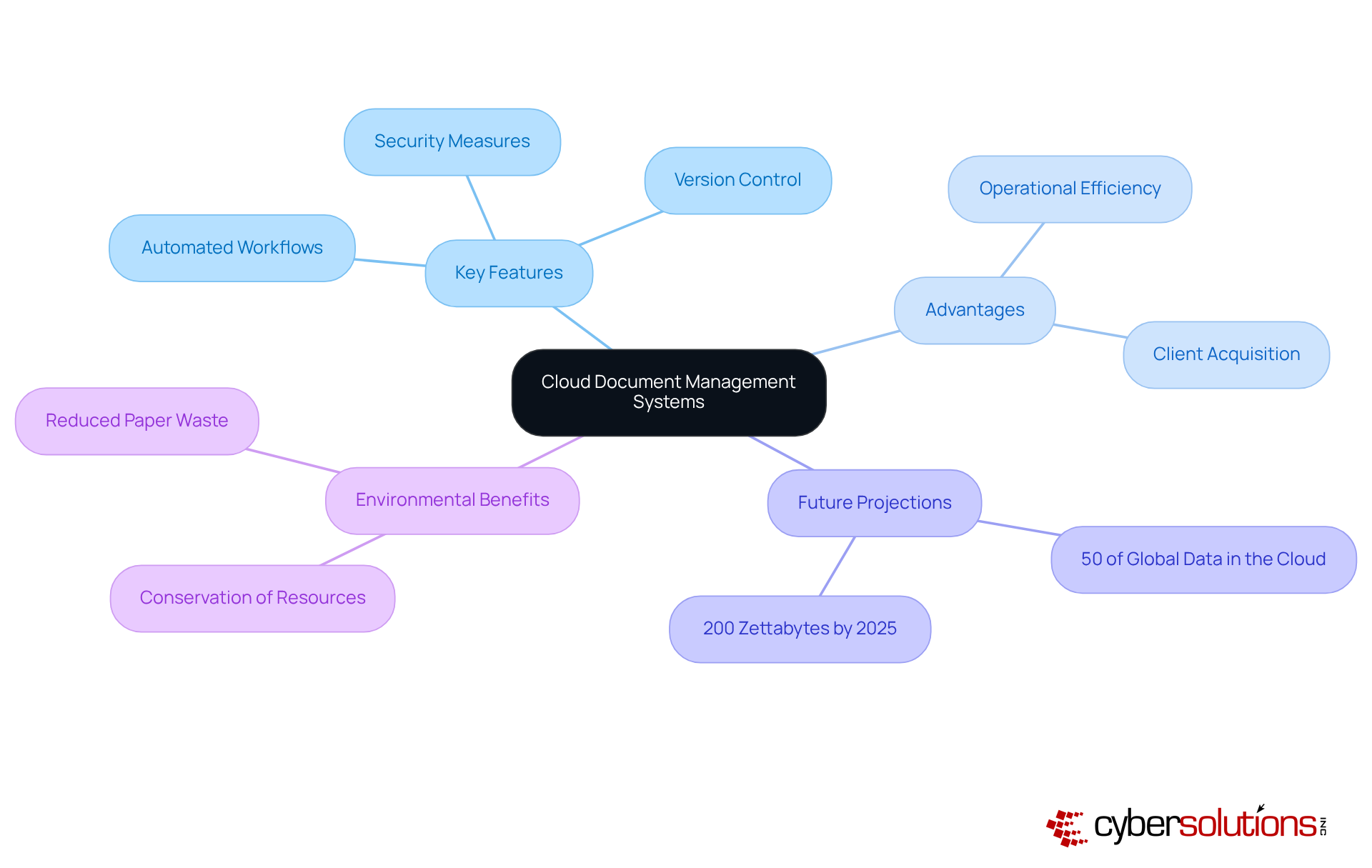
A Cloud Document Management System (CDMS) serves as a pivotal digital platform, enabling organizations to securely store, manage documents, and track electronic records and files in a virtual environment. In contrast to traditional systems that depend on local servers, a CDMS leverages online computing technology, offering flexibility, scalability, and enhanced collaboration.
Key features of a CDMS include:
- tools that streamline processes
- Version control that maintains a comprehensive history of changes
- security measures such as encryption and access controls
These elements are crucial for protecting sensitive information and ensuring compliance. As we look ahead to 2025, projections indicate that 50% of global data will be stored in the cloud, with the total global data volume anticipated to reach 200 zettabytes. This underscores the growing reliance on cloud solutions to manage cloud information effectively.
Organizations that adopt CDMS experience significant advantages, including improved efficiency and reduced risks tied to paper-based processes, which can siphon off up to 9% of revenue due to inefficiencies. Notably, 47% of companies that have digitized their record processes reported gaining new clients, showcasing the strategic benefits of CDMS. Industry leaders like Toshendra Sharma advocate for the transition to digital systems as a 'gateway to innovation.' Moreover, the environmental benefits such as conserving water and reducing landfill waste further emphasize the importance of embracing CDMS.
In conclusion, these factors position CDMS as essential tools for modern businesses, driving both operational success and sustainability.
Highlight Benefits of Cloud Document Management
(DMS) offer a transformative array of benefits that can significantly enhance organizational operations:
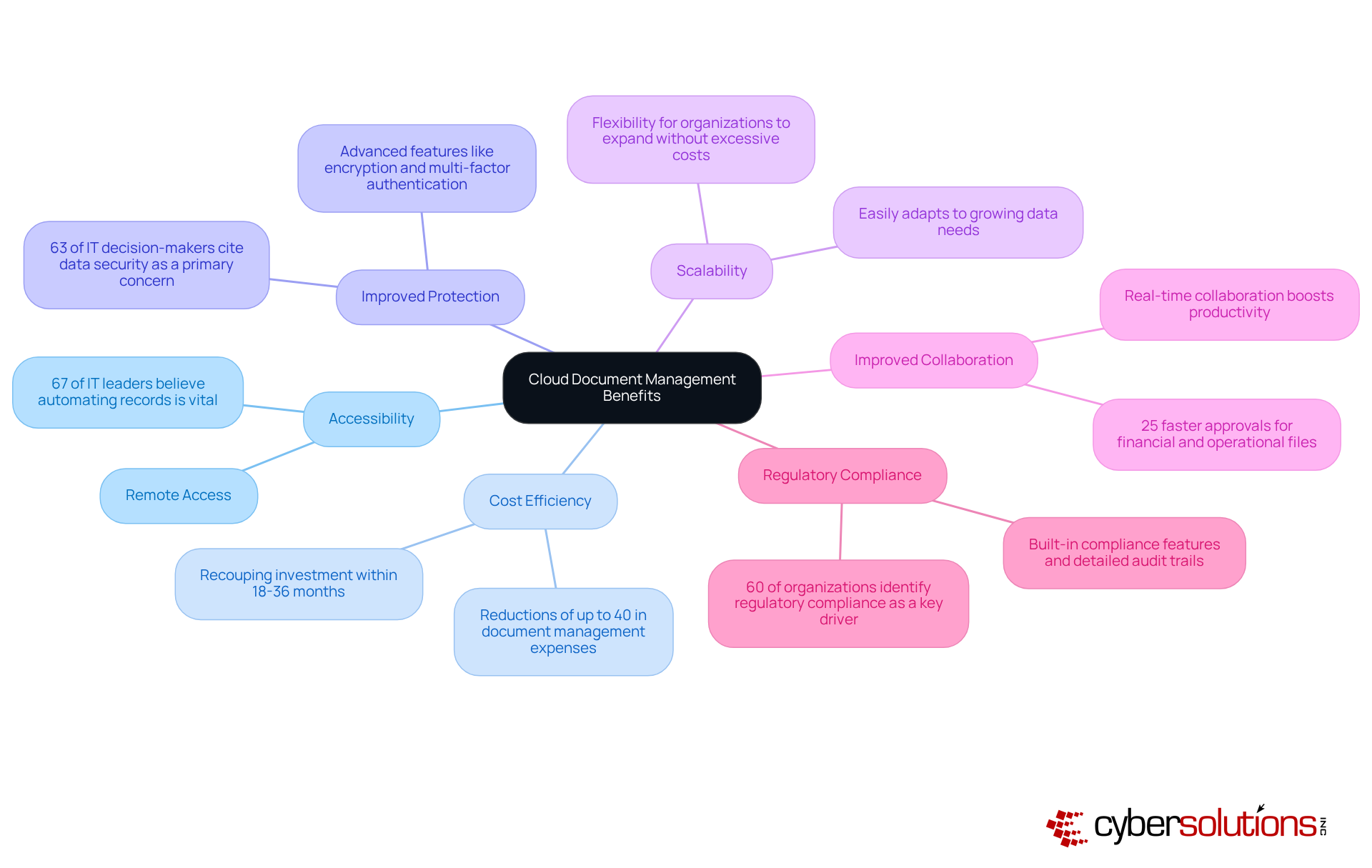
- Accessibility: Imagine being able to access your files from anywhere. This capability is essential for remote work and fosters collaboration among distributed teams. As remote work becomes the norm, it’s crucial to note that 67% of IT leaders believe automating records is vital for supporting this shift.
- Cost Efficiency: By reducing the need for physical storage and cutting down on maintenance costs tied to on-premises servers, organizations can realize substantial savings. In fact, those who adopt online DMS often see significant returns, with many recouping their initial investment within 18-36 months due to improved efficiency.
- Improved Protection: With encryption and multi-factor authentication, data is well-protected against unauthorized access and breaches. Given that data breaches are on the rise, it’s no wonder that solutions that manage cloud DMS are increasingly favored for their robust security measures.
- Scalability: As your data needs grow, you can manage cloud DMS to adapt easily without requiring significant infrastructure changes. This flexibility is essential for organizations looking to expand without incurring excessive costs.
- Improved Collaboration: Real-time collaboration boosts productivity and speeds up project timelines. Businesses that automate paperwork enjoy 25% faster approvals for financial and operational files, showcasing how enhanced collaboration can accelerate decision-making.
- Cloud DMS helps organizations manage cloud compliance to meet regulatory requirements through built-in features and detailed audit trails. With a growing demand for adopting document automation technologies, the ability to streamline processes is a significant advantage.
In conclusion, integrating cloud DMS not only boosts operational efficiency but also equips organizations to navigate the complexities of modern regulatory environments effectively.
Identify Key Features for Selection
When selecting a cloud document management system, organizations must prioritize key features that not only enhance security but also streamline operations. In today’s digital landscape, where data breaches are common, understanding these features is crucial for safeguarding sensitive information.
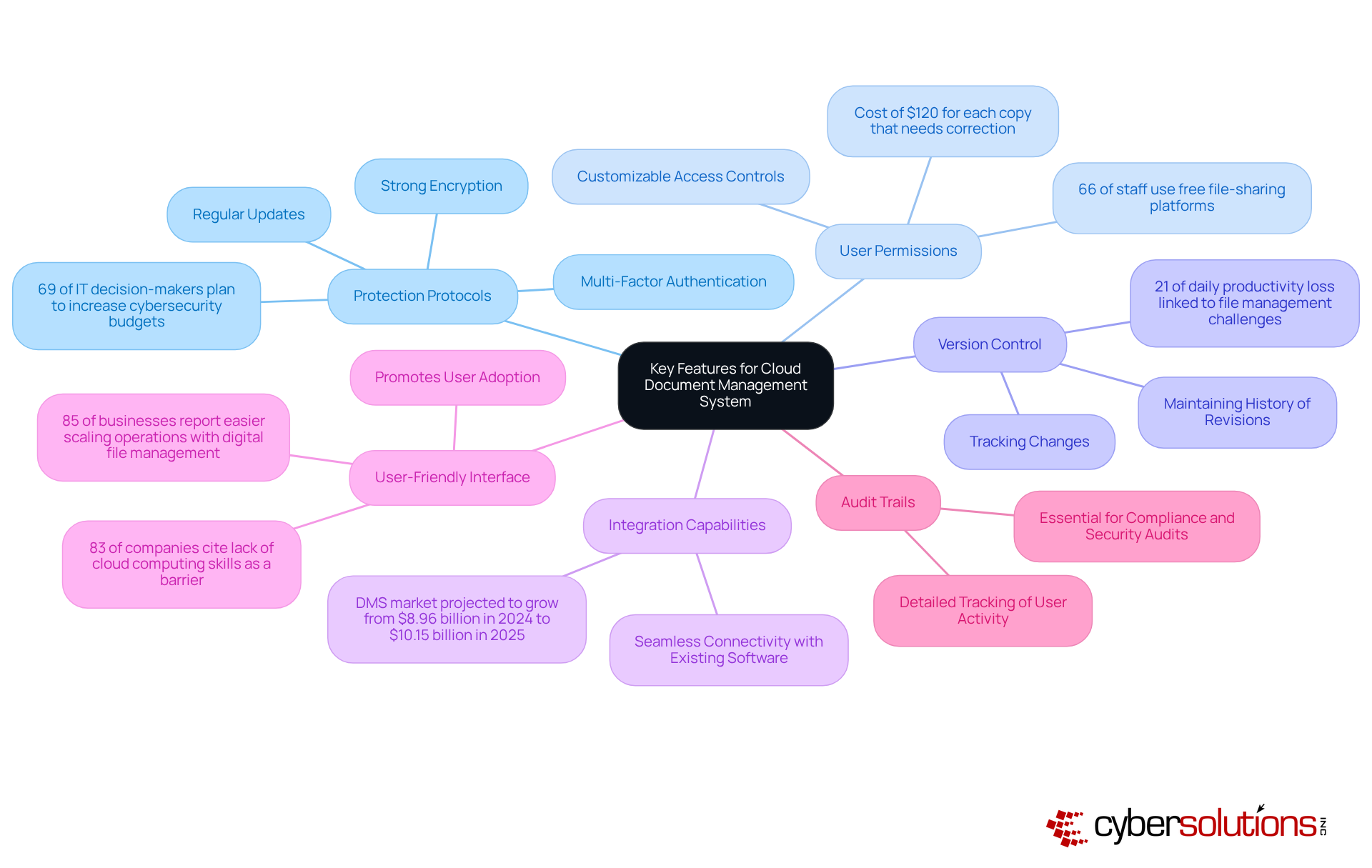
- Protection Protocols: Strong encryption, multi-factor authentication, and regular updates are non-negotiable. With 69% of IT decision-makers planning to increase security measures, prioritizing protection is essential. Are you prepared to protect your organization’s data?
- Access Controls: Customizable access controls are vital for effectively safeguarding sensitive information. Given that 66% of staff use free file-sharing platforms, which heighten cybersecurity risks, this feature is indispensable. Moreover, businesses face a staggering cost of $120 for each copy that needs correction, underscoring the importance of data integrity.
- Version Control: This feature is critical for tracking changes and maintaining a history of revisions, preventing data loss and ensuring accountability. With 21% of daily productivity loss linked to file management challenges, strong version control is not just beneficial; it’s essential.
- Integration Capabilities: Seamless connectivity with existing software enhances workflow efficiency, making collaboration easier for teams. The DMS market is projected to grow from $8.96 billion in 2024 to $10.15 billion in 2025, highlighting the increasing significance of effective online file management systems.
- User-Friendly Interface: An intuitive interface promotes user adoption and minimizes training time. This is particularly important as 83% of companies cite a lack of cloud computing skills as a barrier to embracing cloud-based file management. Furthermore, 85% of businesses report that adopting a digital file management approach has made scaling operations easier.
- Audit Trails: Detailed tracking of user activity is essential for compliance and security audits, providing transparency and accountability in file handling. For C-suite executives, adherence to regulatory standards is paramount when selecting a management system.
In conclusion, choosing the right cloud document management system is not just about features; it’s about ensuring your organization is equipped to face the evolving cybersecurity landscape.
Implement Cloud Document Management Systems Effectively
To implement a Cloud Document Management System (CDMS) effectively, organizations must recognize its critical role in streamlining operations and enhancing collaboration.
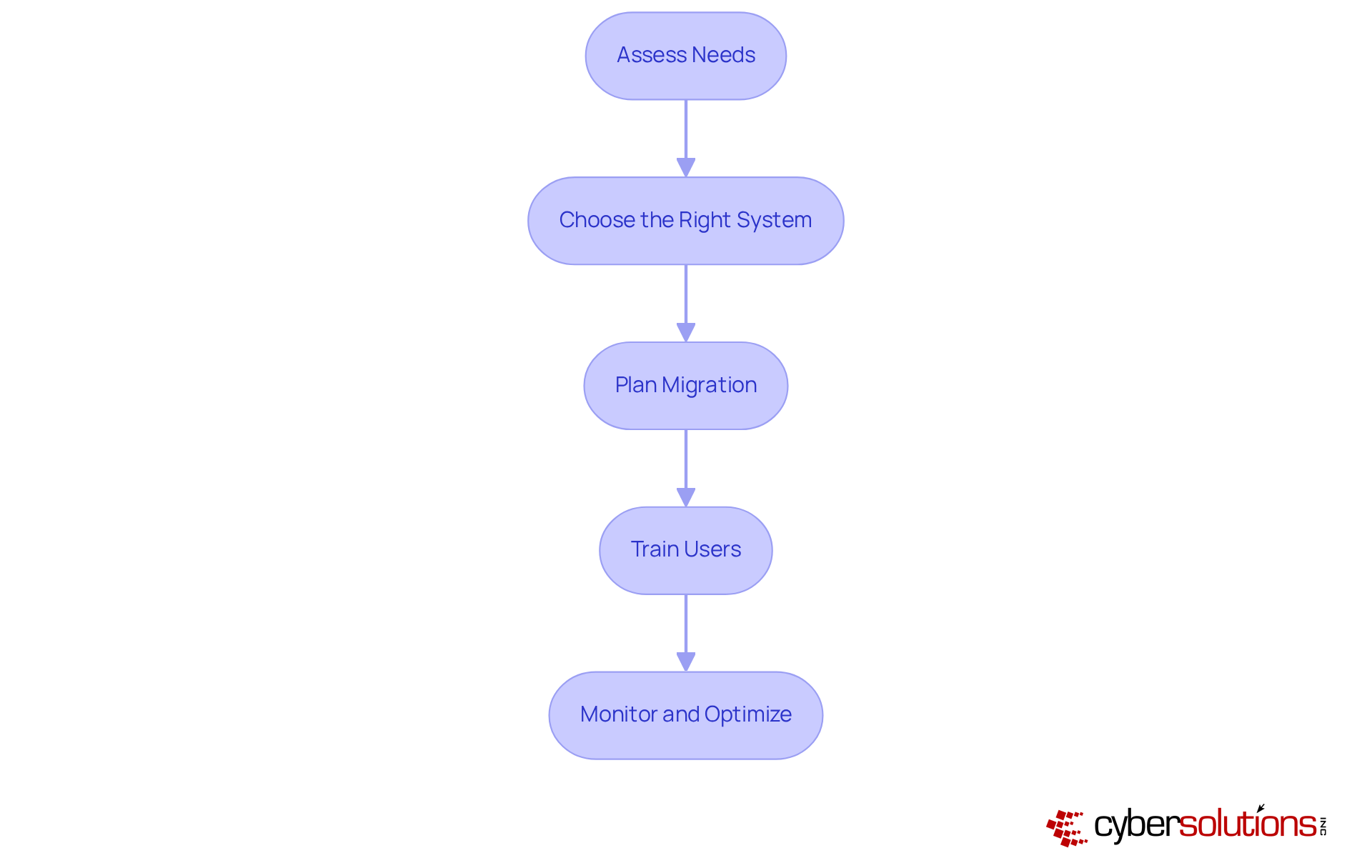
- Assess Needs: Begin with a thorough evaluation of current information management processes. Identify specific requirements and pain points. This step is crucial, as it highlights the need for a tailored approach. Moreover, establishing a strong governance framework for records is vital to manage cloud documents throughout their lifecycle.
- Choose the Right System: Selecting a CDMS that aligns with organizational goals is essential. Look for features like automated workflows, role-based access controls, and advanced search capabilities. A well-chosen system not only boosts operational efficiency but also reduces administrative burdens, breaking down silos and fostering collaboration.
- Plan Migration: Develop a strategy that covers data transfer, user training, and system configuration. Statistics reveal that 57% of organizations abandon projects due to integration issues, highlighting the necessity to effectively manage cloud resources with a well-structured plan.
- Train Users: Implement a program to ensure all users are proficient with the new system. Consistent training on best practices for data safety is crucial. Organizations that prioritize user education can significantly reduce risks associated with file management. Notably, 34% of organizations have recognized improved data protection and compliance as a primary advantage of digitizing documents.
- Monitor and Optimize: After implementation, continuously monitor system performance and gather user feedback to pinpoint areas for improvement. This iterative process is essential for maximizing the effectiveness of the CDMS and ensuring it adapts to evolving organizational needs.
Select the Right Cloud Document Management Vendor
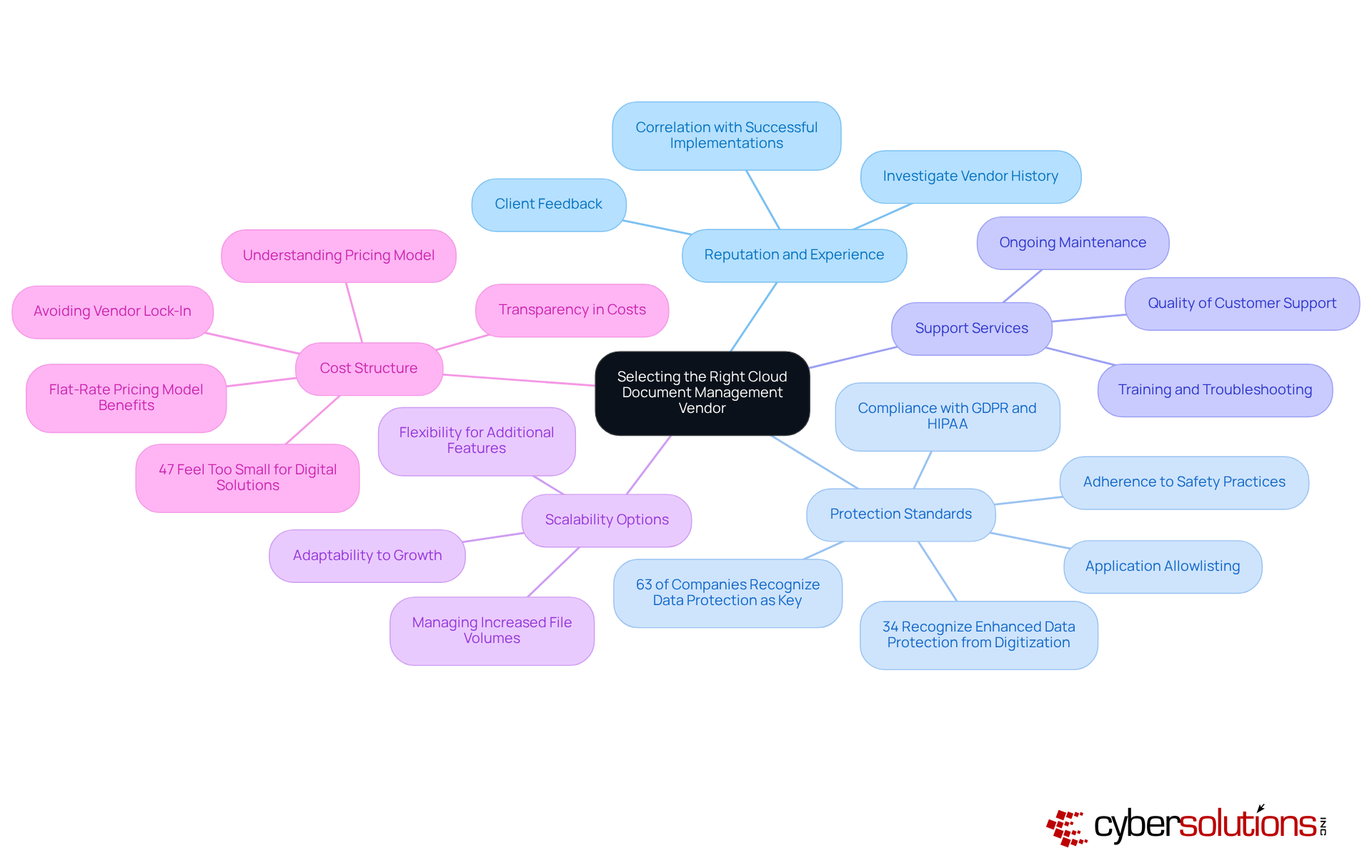
Choosing the right vendor to manage a Document Management System (CDMS) is crucial for ensuring data protection and security. In today’s digital landscape, where data breaches are increasingly common, making an informed decision is more important than ever. Here are the key considerations:
- Reputation and Experience: Investigate the vendor's history and client feedback to assess their reliability. A strong reputation often correlates with successful implementations and satisfied clients.
- Protection Standards: Confirm that the vendor adheres to industry-standard safety practices and relevant regulations, such as GDPR and HIPAA. In 2025, 63% of companies recognized data protection as a key issue when choosing solutions to manage documents, emphasizing the significance of robust protective measures. Antivirus software is a critical component of this, as it proactively prevents unauthorized software from executing, thereby reducing vulnerabilities and ensuring data integrity. Moreover, 34% of entities recognized enhanced data protection as a significant advantage of digitizing files, further highlighting the necessity to manage documents for secure data handling.
- Support Services: Assess the quality of support services, including training, troubleshooting, and ongoing maintenance. Reliable support is essential for minimizing downtime and ensuring smooth operations.
- Scalability Options: Ensure the vendor can adapt to your organization's growth and evolving needs. A scalable solution can help manage cloud resources for increased file volumes and additional features as needed.
- Cost Structure: Understand the pricing model, including potential hidden fees. Transparency in costs is vital, as 47% of businesses report feeling too small to need a comprehensive solution, which can lead to underestimating the value of investing in a comprehensive CDMS. Opting for a flat-rate pricing model can simplify budgeting and eliminate unexpected IT expenses, providing peace of mind. Moreover, 47% of companies prioritize avoiding vendor lock-in when choosing service providers, highlighting the significance of flexibility in supplier relationships.
By carefully evaluating these factors, companies can select a vendor that not only meets their current needs but also supports their long-term strategic goals. As Marc Benioff mentioned, "The online services firms of all sizes…The network is for everyone. The cloud is a democracy," reinforcing the accessibility and importance of cloud solutions for all organizations.
Conclusion
Embracing Cloud Document Management Systems (CDMS) is not just a choice; it’s a necessity for organizations aiming to boost operational efficiency and safeguard data in today’s digital landscape. With the power of cloud technology, businesses can streamline processes, enhance collaboration, and cut costs - all while ensuring compliance with regulatory standards.
Consider the critical factors in selecting the right system: robust features like encryption, version control, and user permissions are essential. The advantages of cloud document management go beyond operational enhancements; they encompass significant cost savings, improved accessibility, and the flexibility to scale as organizational needs change. Moreover, choosing the right vendor is vital for effectively managing cloud resources and upholding high security standards.
Ultimately, transitioning to a Cloud Document Management System represents more than just a technological upgrade; it’s a strategic initiative that positions organizations for future success. As data volumes continue to surge, adopting best practices for managing cloud document systems becomes crucial for navigating the complexities of the modern business environment.
Organizations must act decisively - evaluate current processes, select appropriate systems, and invest in training to fully leverage the benefits of cloud document management. The time to embrace this transformation is now.
Frequently Asked Questions
What is a Cloud Document Management System (CDMS)?
A CDMS is a digital platform that allows organizations to securely store, manage, and track electronic records and files in a virtual environment, utilizing online computing technology for remote access, scalability, and enhanced collaboration.
What are the key features of a CDMS?
Key features of a CDMS include automated workflows, version control, and robust security measures such as encryption and access controls.
How does a CDMS improve operational efficiency?
Organizations that adopt a CDMS experience improved operational efficiency by reducing risks associated with paper-based processes, which can lead to significant revenue losses due to inefficiencies.
What benefits do organizations gain from using a CDMS?
Benefits include improved accessibility, cost efficiency, enhanced data protection, scalability, improved collaboration, and streamlined compliance with regulatory requirements.
How does a CDMS enhance accessibility for remote work?
A CDMS allows users to access files from anywhere, which is essential for remote work and promotes collaboration among distributed teams.
What cost savings can organizations expect from implementing a CDMS?
Organizations can see reductions of up to 40% in document management expenses and often recoup their initial investment within 18-36 months due to improved efficiency.
What security measures are included in a CDMS?
A CDMS includes advanced security features like encryption and multi-factor authentication to protect sensitive data from unauthorized access and breaches.
How does a CDMS support scalability for organizations?
A CDMS can easily adapt to growing data needs without requiring significant infrastructure changes, allowing organizations to expand without incurring excessive costs.
What impact does a CDMS have on collaboration within teams?
A CDMS enhances collaboration by enabling real-time collaboration, which boosts productivity and speeds up project timelines, resulting in faster approvals for financial and operational files.
How does a CDMS help with regulatory compliance?
A CDMS includes built-in compliance features and detailed audit trails, helping organizations streamline compliance processes to meet regulatory requirements effectively.
List of Sources
- Define Cloud Document Management Systems
- stratixsystems.com (https://stratixsystems.com/benefits-of-cloud-document-management-systems)
- n2ws.com (https://n2ws.com/blog/cloud-computing-statistics)
- filecenter.com (https://filecenter.com/blog/document-management-statistics)
- recordskeeper.ai (https://recordskeeper.ai/document-management-cloud-business)
- quickbase.com (https://quickbase.com/blog/benefits-of-cloud-based-document-management-systems)
- Highlight Benefits of Cloud Document Management
- filecenter.com (https://filecenter.com/blog/document-management-statistics)
- sensetask.com (https://sensetask.com/blog/document-processing-statistics-2025)
- 1800officesolutions.com (https://1800officesolutions.com/document-management-system-benefits-2)
- statsmarketresearch.com (https://statsmarketresearch.com/global-document-storage-management-services-forecast-market-8056851)
- solutionsreview.com (https://solutionsreview.com/business-process-management/modern-edms-and-the-cloud-revolution)
- Identify Key Features for Selection
- pdfreaderpro.com (https://pdfreaderpro.com/blog/document-management-statistics)
- docupace.com (https://docupace.com/blog/a-buyers-guide-to-selecting-a-document-management-system)
- tiny.cloud (https://tiny.cloud/blog/document-management-trends)
- filecenter.com (https://filecenter.com/blog/document-management-statistics)
- terralogic.com (https://terralogic.com/essential-document-management-system-features-2025)
- Implement Cloud Document Management Systems Effectively
- cloudvara.com (https://cloudvara.com/cloud-based-document-management-systems)
- documind.chat (https://documind.chat/blog/document-management-best-practices)
- cloudfuze.com (https://cloudfuze.com/press-releases)
- filecenter.com (https://filecenter.com/blog/document-management-statistics)
- Rethinking Your Document Management (https://business.com/articles/7-statistics-that-will-make-you-rethink-your-document-management-strategy)
- Select the Right Cloud Document Management Vendor
- softdocs.com (https://softdocs.com/blog/3-reasons-why-organizations-are-updating-their-document-management-partner)
- statsmarketresearch.com (https://statsmarketresearch.com/global-document-storage-management-services-forecast-market-8056851)
- filecenter.com (https://filecenter.com/blog/document-management-statistics)
- forbes.com (https://forbes.com/sites/joemckendrick/2013/03/24/10-quotes-on-cloud-computing-that-really-say-it-all)
- 10 Best Cloud Computing Quotes of the Best Industry Experts - Blazeclan (https://blazeclan.com/blog/10-best-cloud-computing-quotes-of-the-best-industry-experts)
