

Introduction
In an age where digital interactions are integral to business operations, the concept of secure browsing has emerged as a cornerstone of online safety. This practice not only protects users from threats like identity theft and data breaches but also ensures that organizations comply with stringent regulations, safeguarding their integrity and reputation.
However, as cyber threats evolve, how can businesses effectively implement robust secure browsing strategies that keep pace with these challenges?
Exploring this question reveals the critical importance of proactive measures and best practices in creating a safer online environment.
Define Secure Browsing: Understanding the Concept
What is secure browsing is a critical aspect of online safety, as it encompasses a range of techniques and tools that protect users' online activities and personal information. This practice employs protected connections (HTTPS), trusted browsers, and various protective measures to illustrate what is secure browsing by mitigating risks such as malware, phishing, and identity theft. As the landscape of the internet continues to evolve, so too do the threats, necessitating increasingly robust security protocols to safeguard sensitive information and uphold user privacy.
In 2025, the imperative for secure browsing extends beyond personal safety; it is vital for organizational integrity. Ensuring adherence to regulations while safeguarding data is non-negotiable. Notably, a significant proportion of organizations have adopted HTTPS, reflecting a growing commitment to safe online practices. Practical examples abound, showcasing how leading firms implement security measures, underscoring the importance of these actions in maintaining trust and protection in digital exchanges.
We emphasize that as online dangers evolve, organizations must adopt best practices. These strategies should integrate technical safeguards with comprehensive user training to effectively address emerging risks. Are your organizations keeping pace with the threats? The time to act is now.

Explain the Importance of Secure Browsing: Protecting Users Online
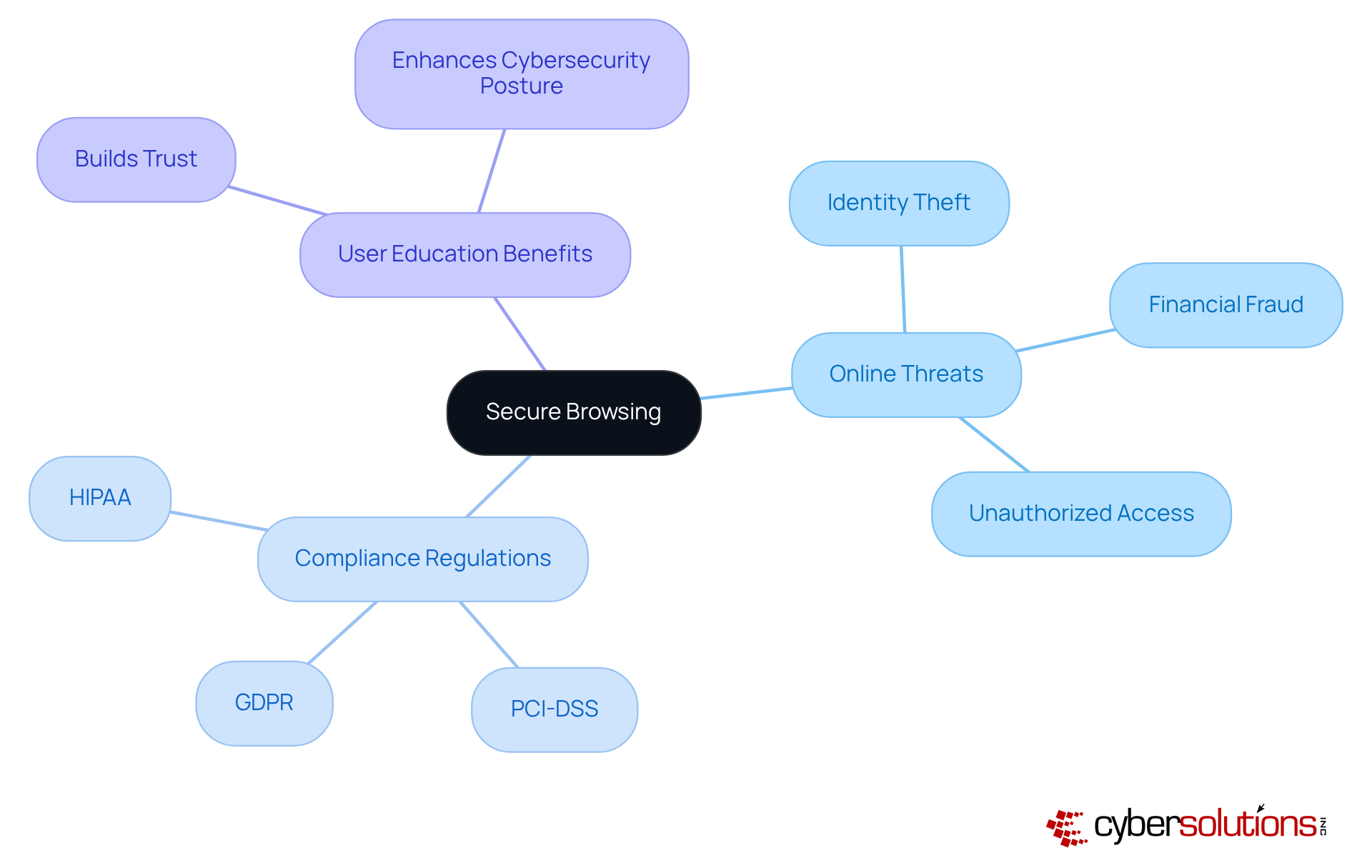
In today's environment, where cyber threats are on the rise, knowing what is secure browsing is crucial for ensuring online safety. It serves as a frontline defense, illustrating what is secure browsing by protecting individuals from threats such as:
- Identity theft
- Financial fraud
- Unauthorized access to sensitive data
For organizations, understanding what is secure browsing is not merely a precaution; it is crucial for compliance with regulations like GDPR and CCPA. These frameworks mandate the protection of personal and financial data, with non-compliance potentially resulting in significant penalties.
Moreover, secure browsing instills confidence among customers and stakeholders, showcasing an organization's commitment to security. In a competitive landscape, companies that prioritize safe internet practices not only enhance their cybersecurity posture but also distinguish themselves by demonstrating a proactive approach. This proactive strategy is essential in maintaining trust and ensuring resilience against the ever-evolving cyber threats that organizations face today.
Identify Key Characteristics and Best Practices for Secure Browsing
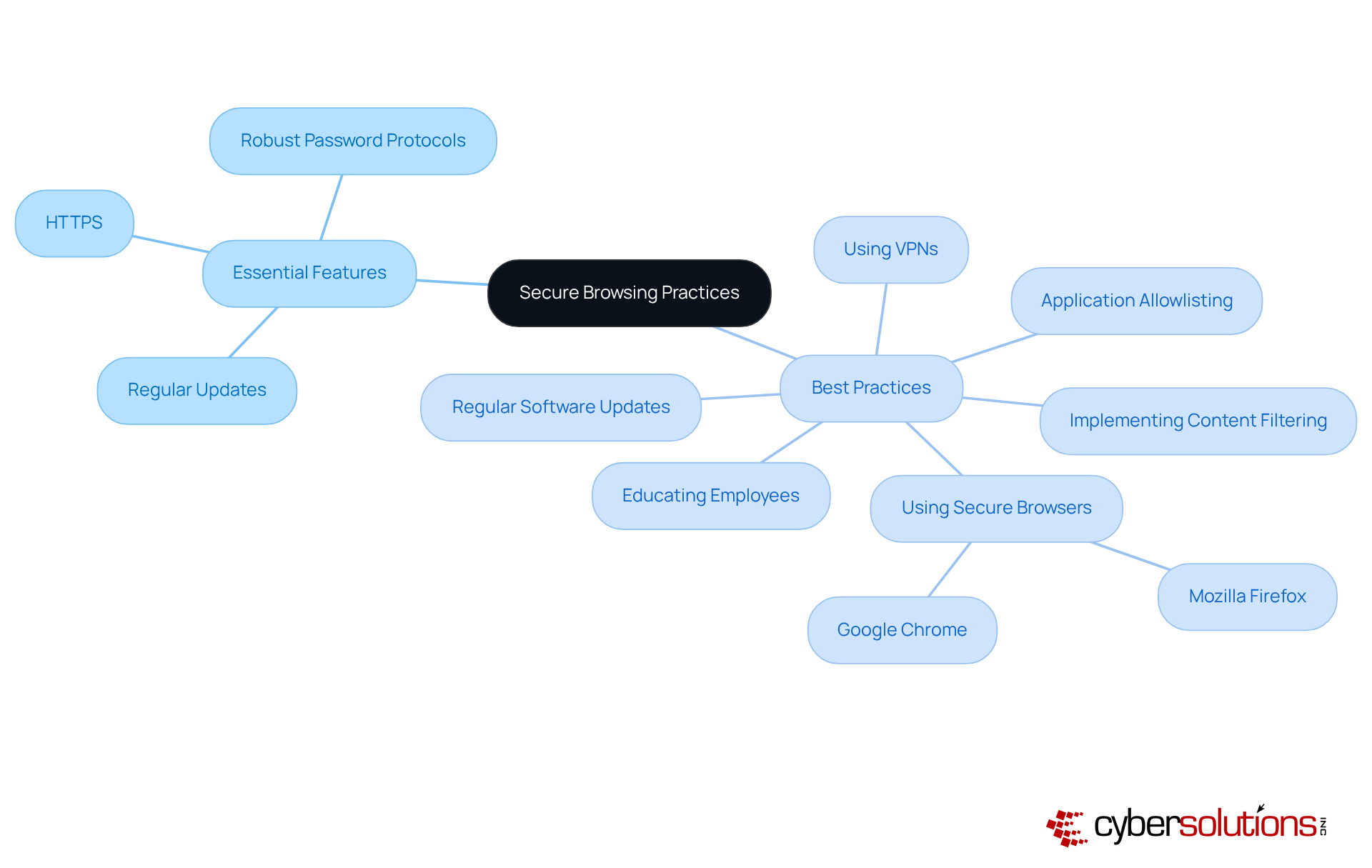
Essential features of safe online activity involve the use of HTTPS for protected connections, regular updates of web browsers and extensions, and the adoption of robust password protocols. These practices include:
- Selecting browsers that prioritize security features, such as Google Chrome or Mozilla Firefox, which provide built-in protections against phishing and malware. These browsers are designed to adapt to evolving threats, ensuring users have the latest defenses.
- Keeping browsers and protective software up to date is crucial for shielding against newly discovered vulnerabilities. Frequent updates not only boost protection but also enhance performance and user experience.
- Using VPNs: Virtual Private Networks (VPNs) encrypt internet traffic, providing an additional layer of protection, especially when connecting to public Wi-Fi. This practice is essential as cybercrime is anticipated to result in $9.5 trillion in damages worldwide by 2025, making strong protective measures necessary.
- Training staff to recognize phishing attempts and adopt safe browsing habits can significantly mitigate the risk of cyber incidents. Organizations that invest in employee education report a marked decrease in data breaches, as informed employees are less likely to fall victim to social engineering attacks.
- Organizations can deploy content filtering tools to block access to known malicious websites, further enhancing security. This proactive step aids in identifying possible risks, strengthening the organization's overall cybersecurity stance.
- Implementing application whitelisting: This powerful tool enhances cybersecurity by ensuring that only approved applications can run on your network. By preventing unauthorized or malicious software from executing, it reduces the risk of malware, ransomware, and zero-day attacks. It also helps organizations meet compliance requirements, ensuring strict control over software usage.
By implementing these practices, organizations can enhance their approach to secure browsing for their users and safeguard sensitive information from possible dangers. As emphasized by cybersecurity experts, implementing a comprehensive security strategy is vital for maintaining robust defenses against the ever-evolving landscape of cyber threats.
Conclusion
Understanding secure browsing is essential for both individuals and organizations; it serves as a crucial line of defense against the myriad of cyber threats that permeate the online landscape. By employing techniques such as HTTPS, utilizing trusted browsers, and implementing comprehensive security measures, users can significantly mitigate risks to their personal information and corporate data. This commitment to secure browsing is not merely a technical necessity; it is a fundamental aspect of maintaining trust and integrity in digital interactions.
Key insights into secure browsing include:
- Its role in protecting against identity theft, financial fraud, and unauthorized data access.
- Organizations must navigate stringent regulations like HIPAA and GDPR, which mandate robust data protection efforts.
- The importance of educating users and implementing best practices—such as using secure browsers, regular software updates, and employee training—cannot be overstated.
These proactive measures are vital for fostering a culture of security that enhances overall resilience against evolving cyber threats.
In a world where cybercrime is projected to inflict trillions in damages, the significance of secure browsing extends beyond mere compliance; it is a strategic imperative for any organization aiming to safeguard its assets and maintain stakeholder confidence. By prioritizing secure browsing practices, businesses can not only protect their sensitive information but also position themselves as leaders in the commitment to online safety. The call to action is clear: investing in secure browsing is investing in the future of organizational integrity and user trust.
Frequently Asked Questions
What is secure browsing?
Secure browsing is a critical aspect of online safety that involves techniques and tools designed to protect users' online activities and personal information. It includes using protected connections (HTTPS), trusted browsers, and various protective measures to mitigate risks such as malware, phishing, and data breaches.
Why is secure browsing important for organizations?
Secure browsing is vital for organizational integrity as it ensures adherence to regulations while safeguarding corporate data. It helps maintain trust and protection in digital exchanges, which is essential for both personal and organizational safety.
How are organizations implementing secure browsing practices?
Many organizations have adopted HTTPS as part of their commitment to safe online practices. They implement secure online strategies that reflect a growing awareness of the importance of protecting sensitive information.
What do cybersecurity specialists recommend for addressing online threats?
Cybersecurity specialists recommend that organizations adopt layered security approaches that integrate technical safeguards with comprehensive user training to effectively address emerging online risks.
What are some common threats that secure browsing aims to mitigate?
Secure browsing aims to mitigate various online threats, including malware, phishing attacks, and data breaches, which can compromise users' personal information and online safety.
How does the landscape of online threats affect secure browsing practices?
As the landscape of the internet evolves, so do the threats, necessitating increasingly robust security protocols to safeguard sensitive information and uphold user privacy.
List of Sources
- Define Secure Browsing: Understanding the Concept
- stationx.net (https://stationx.net/data-privacy-statistics)
- thehackernews.com (https://thehackernews.com/2025/09/when-browsers-become-attack-surface.html)
- Key Cyber Security Statistics for 2026 (https://sentinelone.com/cybersecurity-101/cybersecurity/cyber-security-statistics)
- 65+ Data Privacy Statistics 2026 | Key Breaches & Insights (https://data.folio3.com/blog/data-privacy-stats)
- expertinsights.com (https://expertinsights.com/web-security/50-web-security-stats-you-should-know)
- Explain the Importance of Secure Browsing: Protecting Users Online
- digitaldefynd.com (https://digitaldefynd.com/IQ/inspirational-cybersecurity-quotes)
- hitrustalliance.net (https://hitrustalliance.net/news)
- cooley.com (https://cooley.com/news/insight/2025/2025-07-30-rhode-island-enacts-new-financial-institutions-cybersecurity-law-with-immediate-effect)
- atera.com (https://atera.com/blog/best-cybersecurity-quotes)
- hipaajournal.com (https://hipaajournal.com/new-hipaa-regulations)
- Identify Key Characteristics and Best Practices for Secure Browsing
- tealtech.com (https://tealtech.com/it-resources/business-checklists/15-best-practices-for-safer-internet-browsing)
- milesit.com (https://milesit.com/security-best-practices)
- blog.scalefusion.com (https://blog.scalefusion.com/cybersecurity-best-practices)
- 110+ Data Privacy Statistics: The Facts You Need To Know In 2026 (https://secureframe.com/blog/data-privacy-statistics)
- Cybersecurity Best Practices | Cybersecurity and Infrastructure Security Agency CISA (https://cisa.gov/topics/cybersecurity-best-practices)
