

Introduction
In an era where data is the lifeblood of organizations, grasping the nuances between backup and archiving is more crucial than ever. Backups act as a safety net for immediate data recovery, while archiving is essential for long-term data preservation and compliance. This article explores the vital distinctions between these two approaches, demonstrating how C-suite leaders can refine their data management strategies. As organizations face escalating data volumes and regulatory pressures, the pressing question is: how can executives effectively balance the need for swift recovery with the imperative of maintaining long-term data integrity?
Define Backup and Archiving: Core Concepts in Data Management
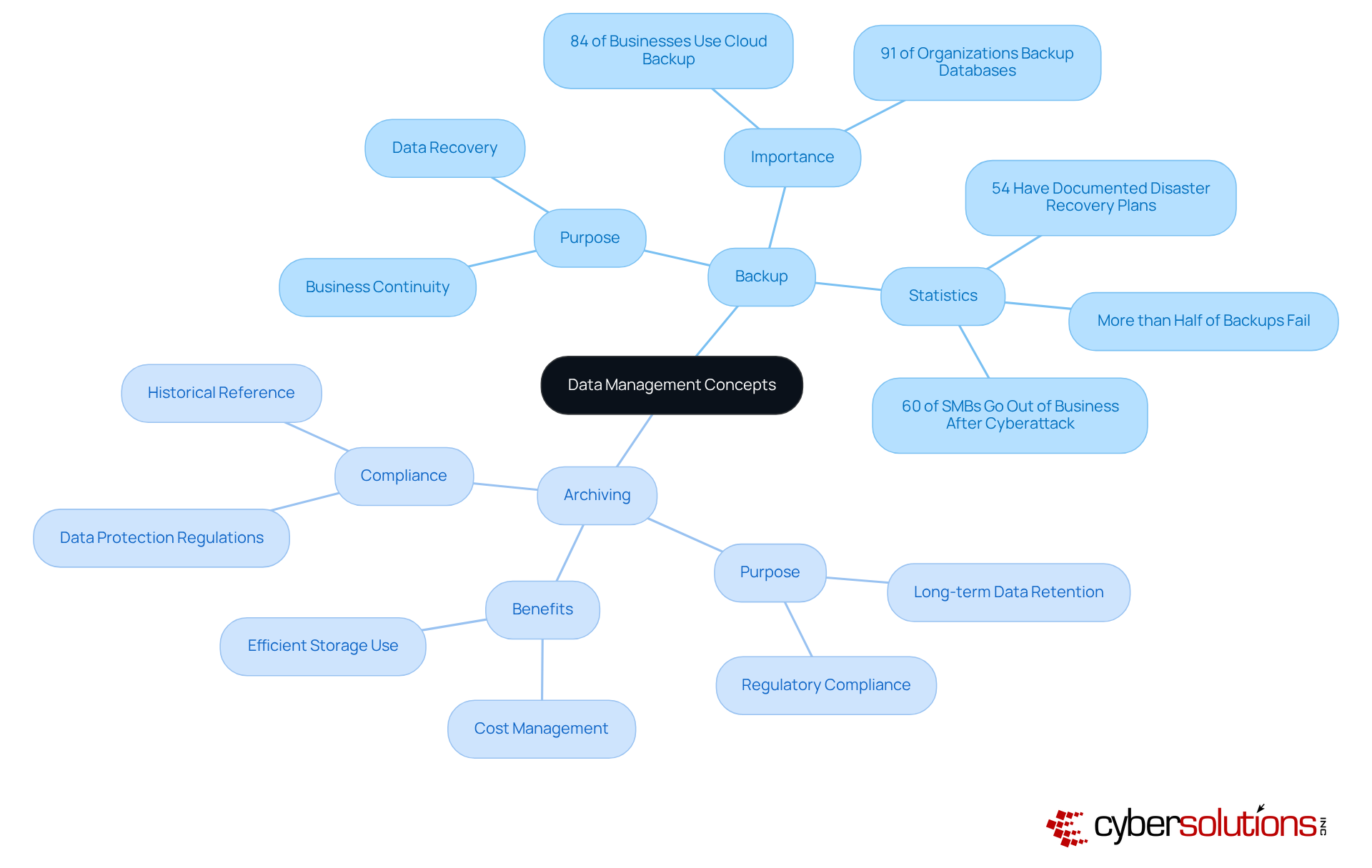
ensuring restoration in cases of loss, corruption, or disaster. This process serves as a vital short-term solution for maintaining data integrity. With 84% of businesses now leveraging backup solutions, it’s clear that regular backups are becoming the norm. Furthermore, a striking number of organizations invest in backup strategies to safeguard their databases, underscoring the widespread acknowledgment of its significance.
In contrast, archiving involves transferring information that is no longer actively used to a separate storage system for long-term retention. This archived data is typically preserved for compliance or historical reference, not for frequent access. By archiving, organizations can efficiently manage storage costs while ensuring data security, protecting essential information without overburdening active systems.
Understanding the distinction of backup vs archiving is essential for developing a robust data management strategy. Dale Shulmistra, co-founder of Invenio IT, points out that "the sheer amount of information being stored, processed, and managed every day is staggering," which highlights the necessity for effective information management practices.
Despite 91% of organizations utilizing some form of backup support, only a small percentage have comprehensive recovery plans in place, and more than half of these recovery efforts fail. This illustrates a significant gap in comprehensive information protection strategies. Real-world examples show that companies prioritizing both storage and preservation can mitigate risks associated with information loss and ensure business continuity.
Contrast Backup and Archiving: Key Differences Explained
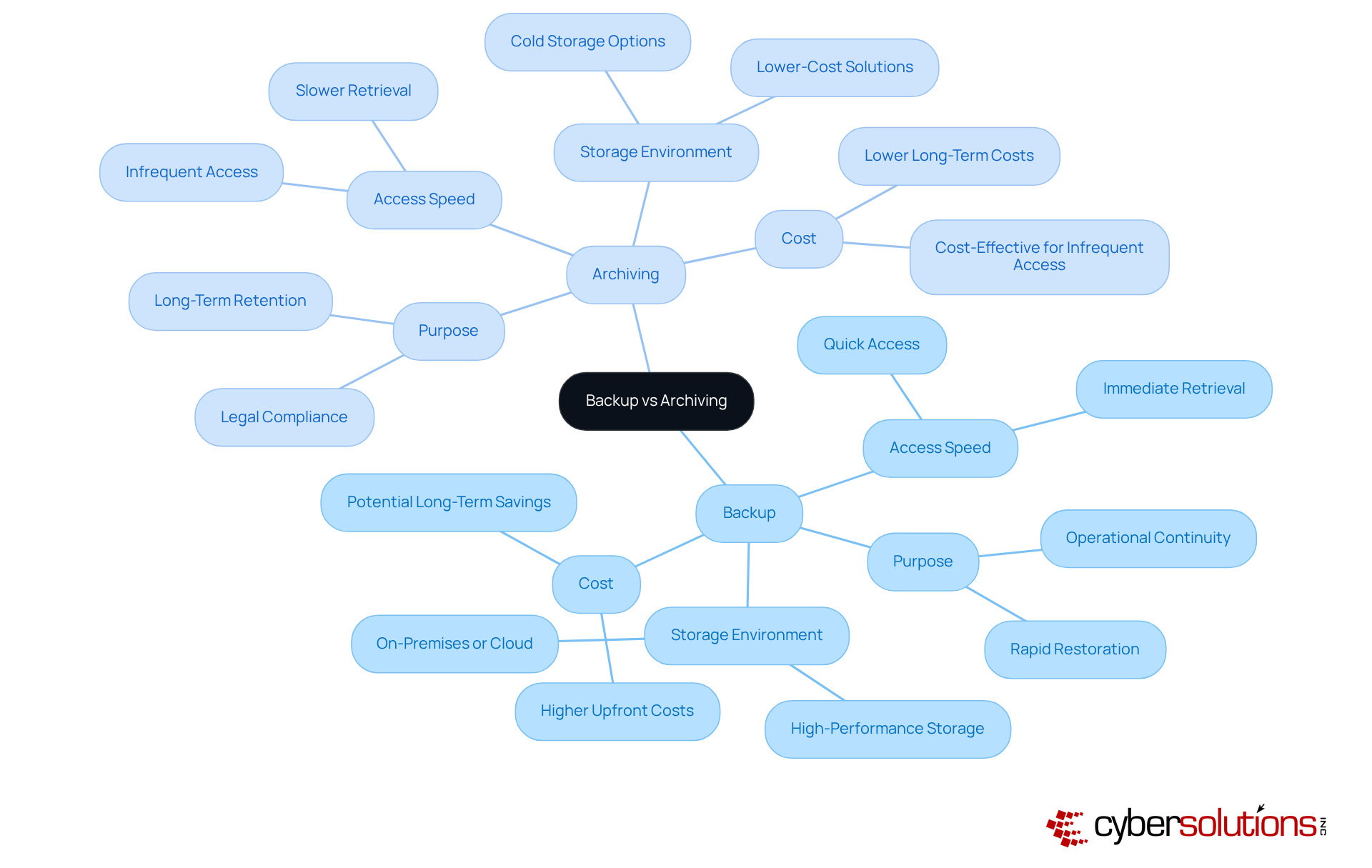
Understanding the difference between backup and archiving is crucial for organizations, especially in today’s cybersecurity landscape. Backups are primarily designed for the rapid restoration of information after a loss, ensuring operational continuity. They are structured for quick access, often stored in environments that facilitate immediate retrieval. In contrast, the discussion of archiving emphasizes that archiving focuses on long-term data retention, typically involving data that is accessed infrequently. Archived information is generally stored in lower-cost, slower-access solutions, making it less suitable for urgent retrieval needs. While backup copies undergo routine overwrite cycles to maintain up-to-date information, the concept of archiving highlights that archives are static, often dictated by legal requirements.
Cybersecurity experts stress the significance of grasping these distinctions. For instance, a report indicates that organizations with a robust recovery strategy can save an average of $2.66 million during disasters, highlighting the financial benefits of effective data management. Conversely, the average cost of a data breach in the U.S. reached $4.9 million in 2024, underscoring the risks tied to inadequate data management practices. Alarmingly, only one in four firms routinely evaluates their disaster recovery plan, a critical step in ensuring that restoration strategies are effective.
Organizations must carefully evaluate their needs when choosing between backup solutions and archiving solutions. For example, a healthcare provider may prioritize redundancy to guarantee patient data availability, while a financial institution might focus on storage solutions to comply with stringent regulatory requirements regarding data retention. Understanding the typical costs associated with these options is vital; while recovery solutions may entail higher upfront costs due to their need for quick access, archiving can lead to long-term storage cost reductions. Notably, 42% of medium-sized companies lack off-site data storage, posing significant risks to business continuity.
Ultimately, both redundancy and archiving are essential for business continuity. A comprehensive strategy that integrates both elements can help organizations mitigate risks related to data loss and ensure operational resilience, thereby safeguarding their operational integrity. As Sabrina Hafner aptly states, "In 2025, a contemporary data protection and archiving strategy is your most crucial line of defense against downtime, disruption, and disaster."
Evaluate Practical Considerations: Choosing Between Backup and Archiving
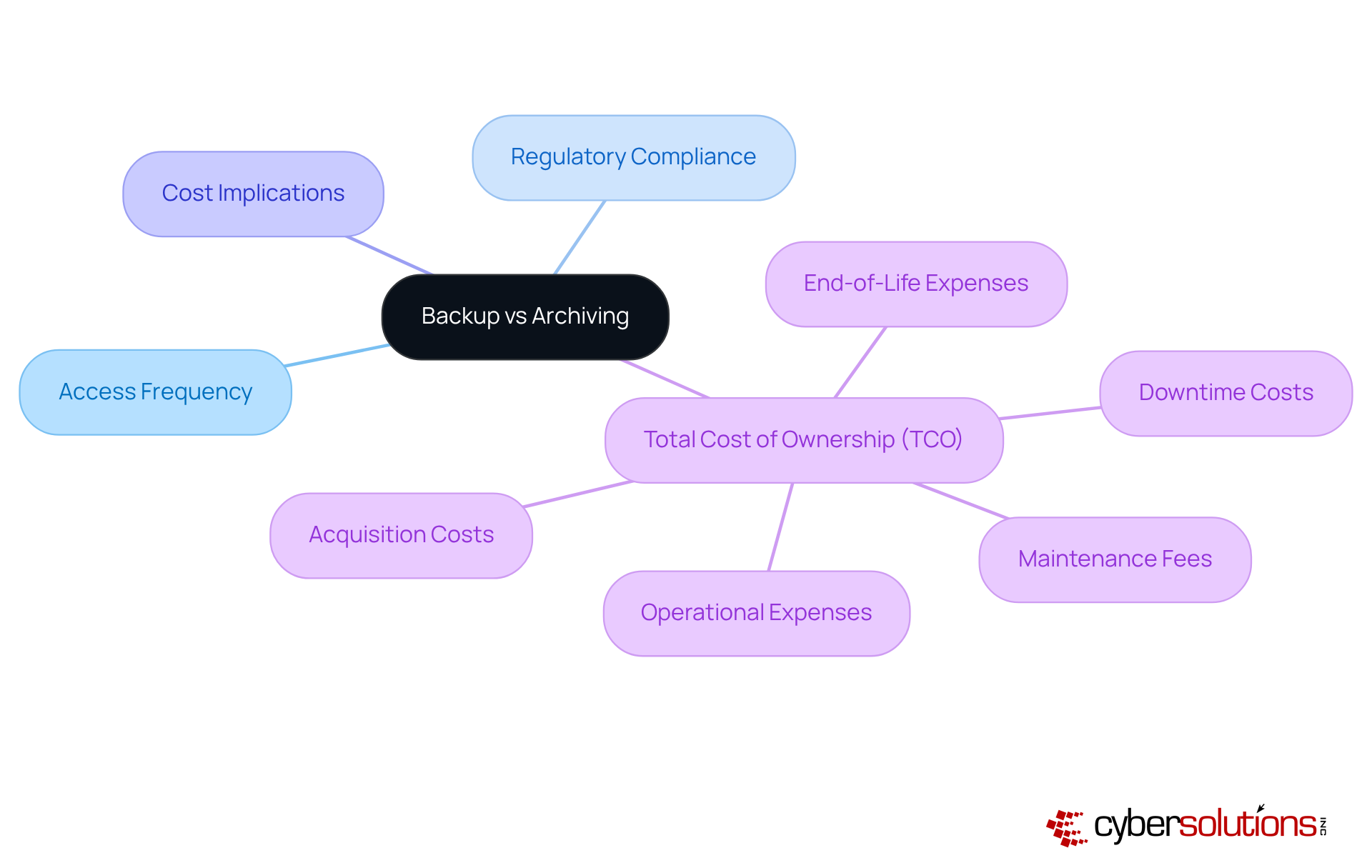
When it comes to storage and preservation options, organizations face critical decisions about strategies that can significantly impact their operations. Key factors such as access frequency, data security, and cost implications must be carefully weighed. For information that demands frequent access and rapid recovery, understanding the differences between backup solutions is essential, making a decision not just beneficial but crucial. On the other hand, when considering options for data that is rarely accessed but must be retained for compliance, archiving emerges as the more suitable choice.
The total cost of ownership for both solutions is a pivotal consideration. TCO encompasses not only storage expenses but also management overhead and the potential risks associated with data loss or non-compliance. It includes various elements such as:
- Acquisition costs
- Operational expenses
- Maintenance fees
- Downtime costs
- End-of-life expenses
Organizations that underestimate the total cost of ownership often find themselves facing unexpected expenditures, highlighting the necessity of a thorough TCO analysis.
A strategy for operational information while utilizing archives for compliance records often strikes the best balance when considering business needs. This strategy not only ensures business continuity but also aligns with regulatory requirements, protecting against the substantial financial penalties, which can average $14.8 million annually in regulated industries. By adopting a framework that considers deployment models-be it public, private, or hybrid-organizations can bolster their operational resilience while effectively managing expenses.
Assess Pros and Cons: Backup vs. Archiving for Business Needs
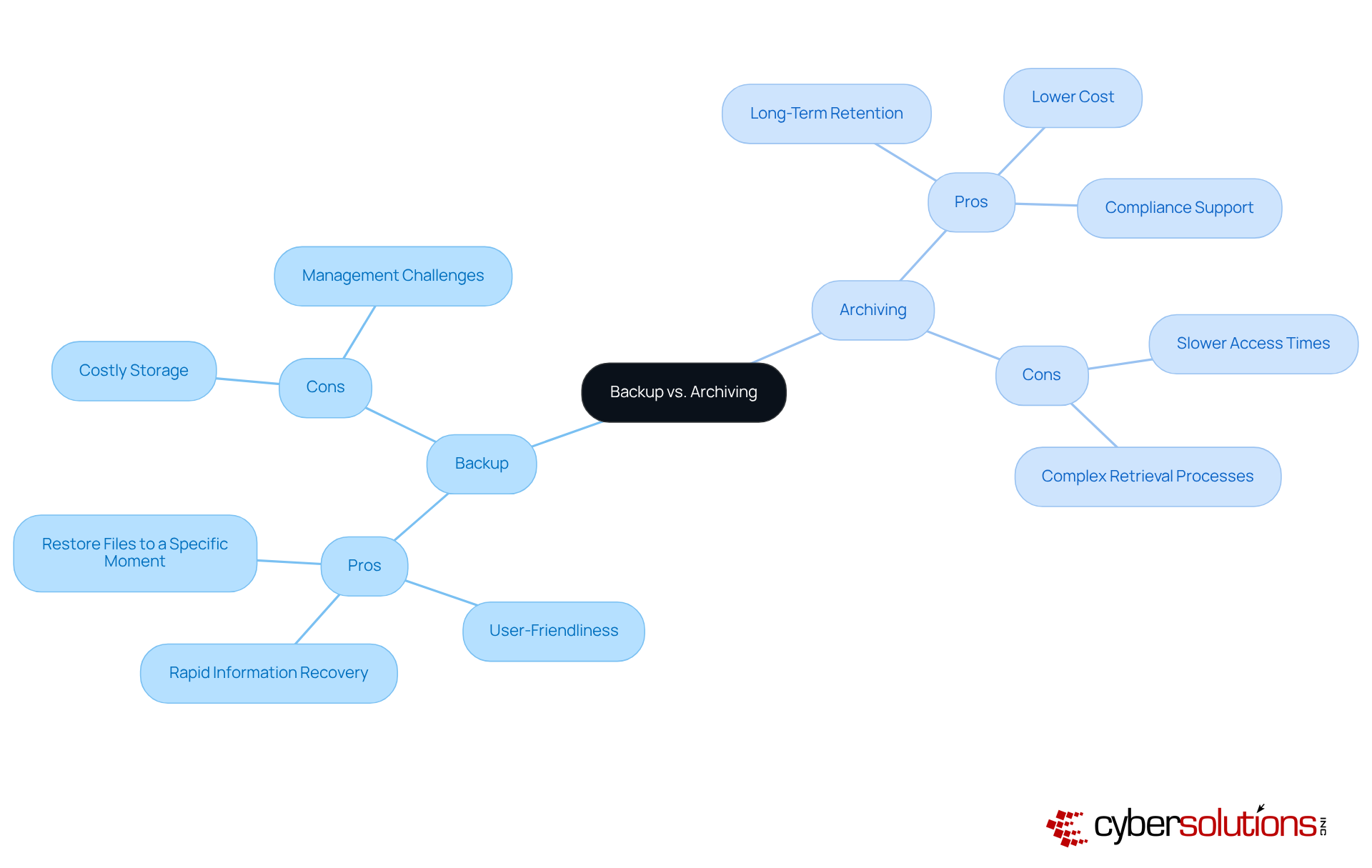
In today's data-driven landscape, effective data management is crucial for organizations. Backups offer key benefits, such as:
- Rapid information recovery
- User-friendliness
- The ability to restore files to a specific moment in time
However, they can also be costly in terms of storage and management, especially when dealing with large volumes of data.
On the other hand, archiving data ensures long-term data retention, alleviating the strain on primary storage systems and helping organizations meet compliance requirements. Yet, this approach may come with:
- Slower access times
So, how should organizations decide between backup and archiving? The answer lies in understanding their specific needs, including:
- Regulatory obligations
- The nature of the data
By carefully evaluating these factors, organizations can make informed decisions that align with their operational goals.
Conclusion
Understanding the nuances between backup and archiving is crucial for organizations looking to enhance their data management strategies. Why is this distinction so important? Backup solutions focus on ensuring quick recovery and business continuity, while archiving is essential for long-term data retention and compliance. Recognizing these differences empowers C-suite leaders to implement effective information management practices tailored to their operational needs.
Both strategies are vital in today’s data landscape. Backups are indispensable for immediate data recovery, whereas archiving offers a cost-effective solution for managing infrequently accessed information. Did you know that a significant portion of organizations still lack comprehensive disaster recovery plans? This statistic underscores the necessity for a balanced approach that integrates both backup and archiving, helping to mitigate risks and ensure regulatory compliance.
Ultimately, the choice between backup and archiving should be guided by an organization’s specific requirements, including data access patterns, compliance needs, and budget constraints. By adopting a hybrid strategy that leverages both methods, businesses can safeguard their data integrity, enhance operational resilience, and avoid the costly repercussions of data loss or non-compliance. Embracing these best practices not only fortifies an organization’s data management framework but also positions it for success in an increasingly data-driven landscape.
Frequently Asked Questions
What is the purpose of data backup?
Data backup is crucial for creating copies of data to ensure restoration in cases of loss, corruption, or disaster, serving as a vital short-term solution for maintaining business continuity.
How common is the use of cloud storage for backups?
Currently, 84% of businesses are leveraging cloud storage solutions for regular backups, indicating that this practice is becoming the norm.
What percentage of organizations employ some form of backup?
A striking 91% of organizations utilize some form of backup to safeguard their databases.
What is the primary function of data archiving?
Archiving involves transferring information that is no longer actively used to a separate storage system for long-term retention, typically for compliance or historical reference.
How does archiving benefit organizations?
By archiving, organizations can efficiently manage storage costs while ensuring regulatory compliance and protecting essential information without overburdening active systems.
Why is it important to understand the distinction between backup and archiving?
Understanding the distinction between backup and archiving is essential for developing a robust information management strategy.
What is the current state of disaster recovery planning among organizations?
Despite 91% of organizations utilizing some form of support, only 54% have documented disaster recovery plans, with more than half of these recovery efforts failing.
What can organizations do to mitigate risks associated with information loss?
Companies that prioritize both storage and preservation can mitigate risks associated with information loss and ensure compliance with regulatory frameworks.
List of Sources
- Define Backup and Archiving: Core Concepts in Data Management
- tech-arrow.com (https://tech-arrow.com/2025/01/08/forecasts-for-data-archiving-in-2025)
- solutionsreview.com (https://solutionsreview.com/backup-disaster-recovery/storage-and-data-protection-news-for-the-week-of-november-14-updates-from-datadog-dell-druva-more)
- invenioit.com (https://invenioit.com/continuity/disaster-recovery-statistics?srsltid=AfmBOooh2zMCw9Kf8rGCuorE3s4A91QDcY7XBkMgYlXt3fhKq_meienM)
- electroiq.com (https://electroiq.com/stats/backup-statistics)
- riskandresiliencehub.com (https://riskandresiliencehub.com/data-loss-statistics-that-prove-every-business-needs-a-backup-solution)
- Contrast Backup and Archiving: Key Differences Explained
- expertinsights.com (https://expertinsights.com/backup-and-recovery/cloud-backup-stats)
- Disaster Recovery Statistics Every Business Should Know (https://phoenixnap.com/blog/disaster-recovery-statistics)
- spanning.com (https://spanning.com/blog/backup-vs-archive)
- ntgit.com (https://ntgit.com/why-every-business-needs-a-smart-backup-and-disaster-recovery-strategy-in-2025)
- invenioit.com (https://invenioit.com/continuity/data-loss-statistics?srsltid=AfmBOooESdfpPOcd-cqEGKor8JMo69trIu_sErVlnz3QOf2u73dZIqzF)
- Evaluate Practical Considerations: Choosing Between Backup and Archiving
- cloudoptimo.com (https://cloudoptimo.com/blog/understanding-total-cost-of-ownership-tco-in-cloud-computing)
- biomedion.com (https://biomedion.com/biomedion-news-events-blog/backup-vs-archive-why-you-need-both-for-true-data-integrity)
- documentation.commvault.com (https://documentation.commvault.com/11.40/software/assess_total_cost_of_ownership_tco_for_vm_backups_using_commvault.html)
- How to calculate TCO for enterprise software (https://cio.com/article/242681/calculating-the-total-cost-of-ownership-for-enterprise-software.html)
- eluminoustechnologies.com (https://eluminoustechnologies.com/blog/total-cost-of-ownership)
- Assess Pros and Cons: Backup vs. Archiving for Business Needs
- tech-arrow.com (https://tech-arrow.com/2025/10/06/costs-and-benefits-of-archiving)
- sharearchiver.com (https://sharearchiver.com/blog/data-archiving-vs-data-backup-the-difference-and-importance)
- n2ws.com (https://n2ws.com/blog/data-archiving)
- seagate.com (https://seagate.com/blog/backup-vs-archiving-the-key-differences-between-the-both)
- globalrelay.com (https://globalrelay.com/resources/the-compliance-hub/compliance-insights/why-message-archiving-is-critical-for-compliance-in-2025)
