

Introduction
In today's healthcare landscape, the threat of cyberattacks looms larger than ever, demanding immediate attention and action from organizations. With the potential for devastating impacts on sensitive information and operational continuity, healthcare leaders must prioritize comprehensive disaster recovery strategies. These strategies not only protect critical data but also ensure the swift restoration of services in the face of unexpected disasters.
Let’s explore ten essential strategies for information technology disaster recovery that can help organizations prepare for and respond to crises effectively:
- Conduct regular risk assessments.
- Develop a comprehensive disaster recovery plan.
- Implement data backup solutions.
- Test disaster recovery plans frequently.
- Train staff on disaster recovery protocols.
- Establish communication plans for crises.
- Utilize cloud-based recovery solutions.
- Ensure compliance with regulations.
- Monitor and update recovery strategies regularly.
- Collaborate with external partners for support.
Failing to implement these strategies can lead to prolonged downtime and compliance issues, jeopardizing patient care and organizational integrity.
Define Recovery Time Objective (RTO) and Recovery Point Objective (RPO)
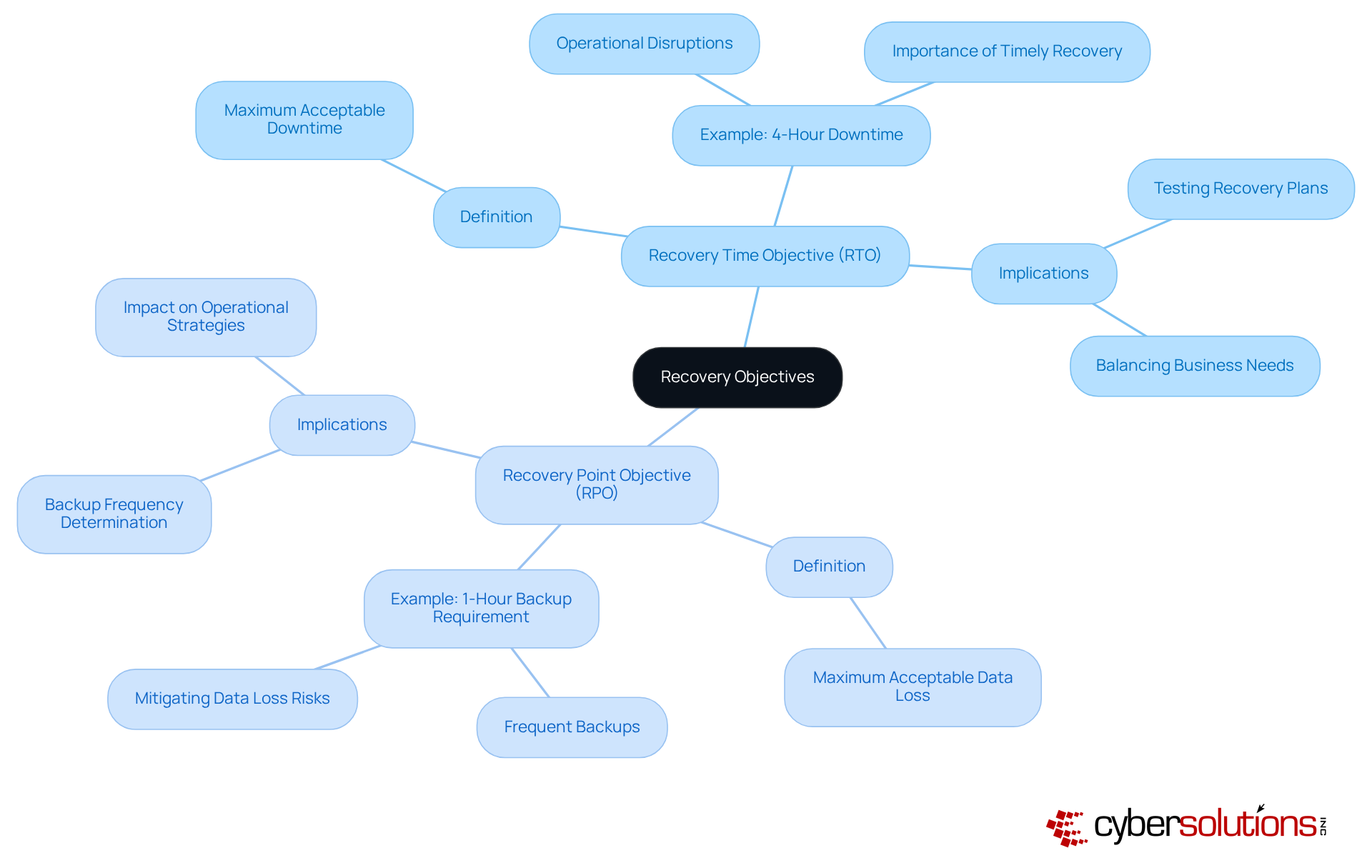
In the high-stakes world of healthcare, understanding Recovery Time Objective (RTO) and Recovery Point Objective (RPO) is crucial for safeguarding operations against cyber threats. RTO refers to the maximum acceptable downtime after an event, while RPO indicates the maximum acceptable amount of information loss measured in time.
Consider this:
- If your RTO is set at 4 hours, failing to restore systems within that window can lead to severe operational disruptions.
- Likewise, with an RPO of 1 hour, it's imperative to conduct data backups at least every hour to mitigate the risk of data loss.
By establishing these objectives, organizations can craft a focused response plan that meets their operational needs and risk tolerance.
Maintain Hardware and Software Inventory
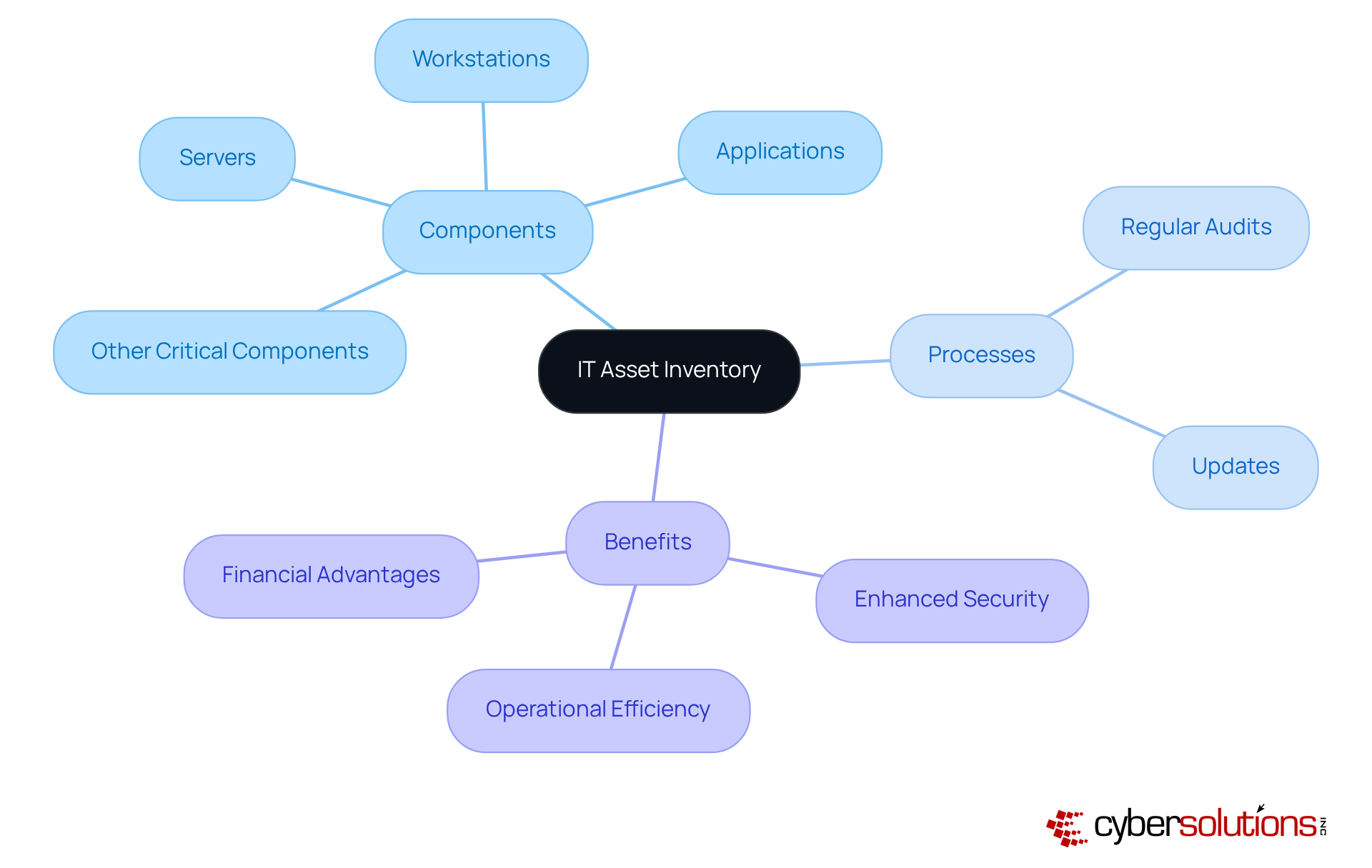
In an era where cybersecurity threats loom large, a comprehensive inventory of hardware and software assets is not just beneficial; it's essential for effective disaster management. This inventory should encompass:
- Servers
- Workstations
- Applications
- Other critical components
Frequent updates to this inventory are crucial, as they provide clear insight into the IT environment, enabling quick restoration during incidents. Additionally, an accurate inventory helps pinpoint outdated or vulnerable systems needing upgrades or replacements. This process enhances overall security and boosts operational efficiency.
Statistics show that entities with automated processes incur 45% lower yearly expenses from customer-facing outages. This highlights the financial advantages of efficient asset management. Yet, 93% of leaders express concern about outages, while only 20% feel completely prepared. This emphasizes the essential need for strong inventory practices that directly aid efforts in information technology disaster recovery. How prepared is your organization for unexpected outages?
To create and maintain an effective IT asset inventory, entities should implement a structured approach that includes:
- Regular audits
- Updates
This process not only guarantees that all assets are accounted for but also aligns with recovery time objectives (RTOs) for critical systems, minimizing downtime and operational disruption.
Case studies show that entities emphasizing asset inventory management significantly enhance their information technology disaster recovery capabilities. For example, a healthcare entity that established a detailed inventory and conducted regular updates was able to recover from a major outage within hours, compared to days for those without such practices. This proactive approach, which includes isolating endpoints and eliminating malware as part of a layered cybersecurity strategy, not only improves restoration speed but also strengthens adherence to regulatory requirements. Ultimately, the strength of your information technology disaster recovery hinges on the accuracy of your asset inventory, making it a critical component of your cybersecurity strategy.
Identify Personnel Roles and Responsibilities
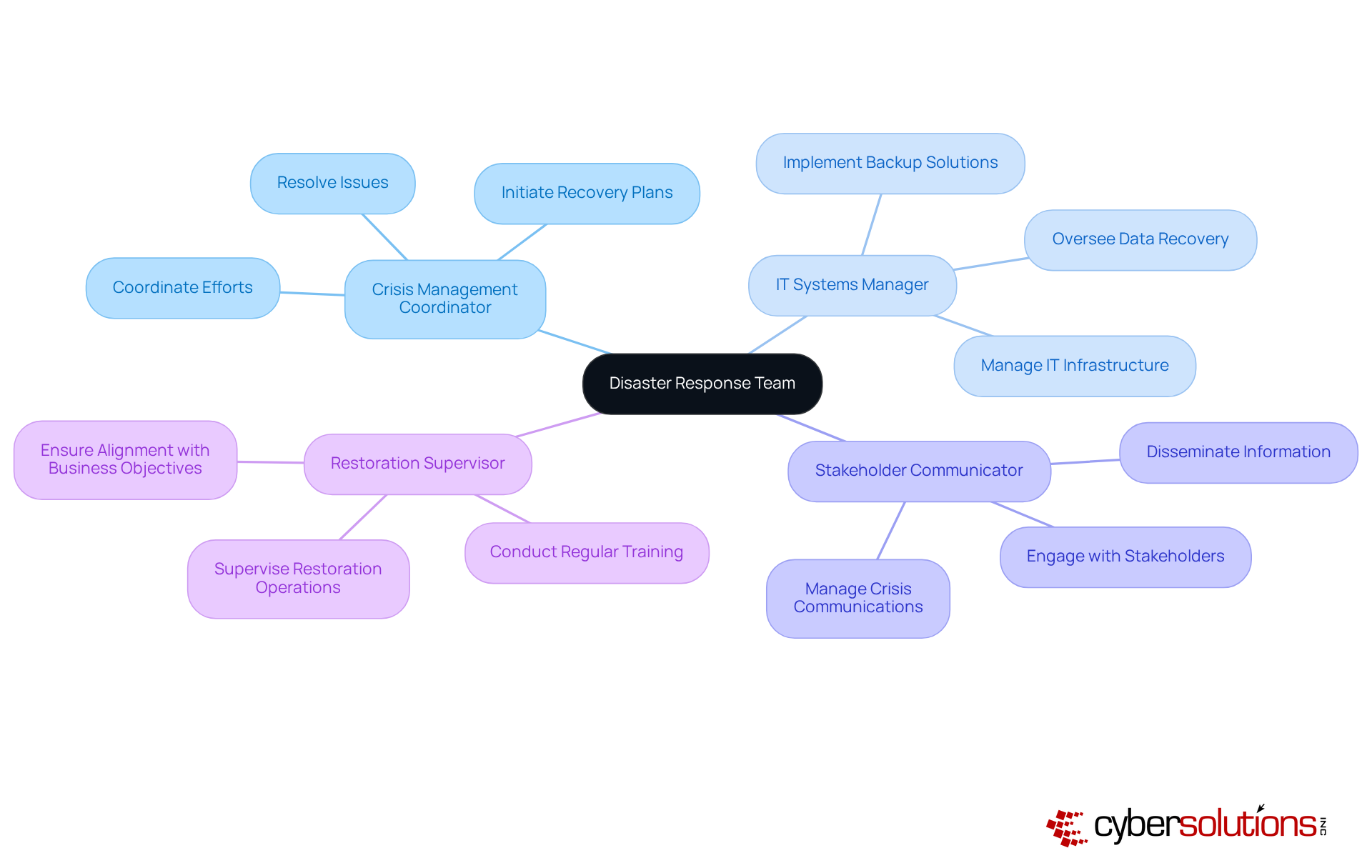
In the face of escalating cybersecurity threats, a well-structured disaster response team is not just beneficial; it's essential for survival. Establishing a clear hierarchy and defining roles within your disaster response team ensures effective crisis management. Each member must understand their specific duties, whether it involves managing IT systems, communicating with stakeholders, or supervising restoration operations. For instance, a crisis management coordinator plays a vital role in initiating recovery plans and coordinating efforts, ensuring alignment with business objectives.
Cyber Solutions' advanced cybersecurity offerings, including endpoint protection, email security, firewalls, and threat detection, empower these roles by providing the essential tools to protect systems and sensitive information during an emergency. Regular training and simulations are vital for empowering team members to act decisively during crises. Organizations that implement structured crisis response frameworks consistently achieve higher success rates in restoration efforts. By clearly defining responsibilities and engaging in realistic training scenarios, teams minimize confusion and boost operational efficiency during unexpected disruptions. This proactive approach not only safeguards critical operations but also instills confidence among stakeholders regarding the organization's preparedness for unforeseen events.
Establish Disaster Recovery Sites
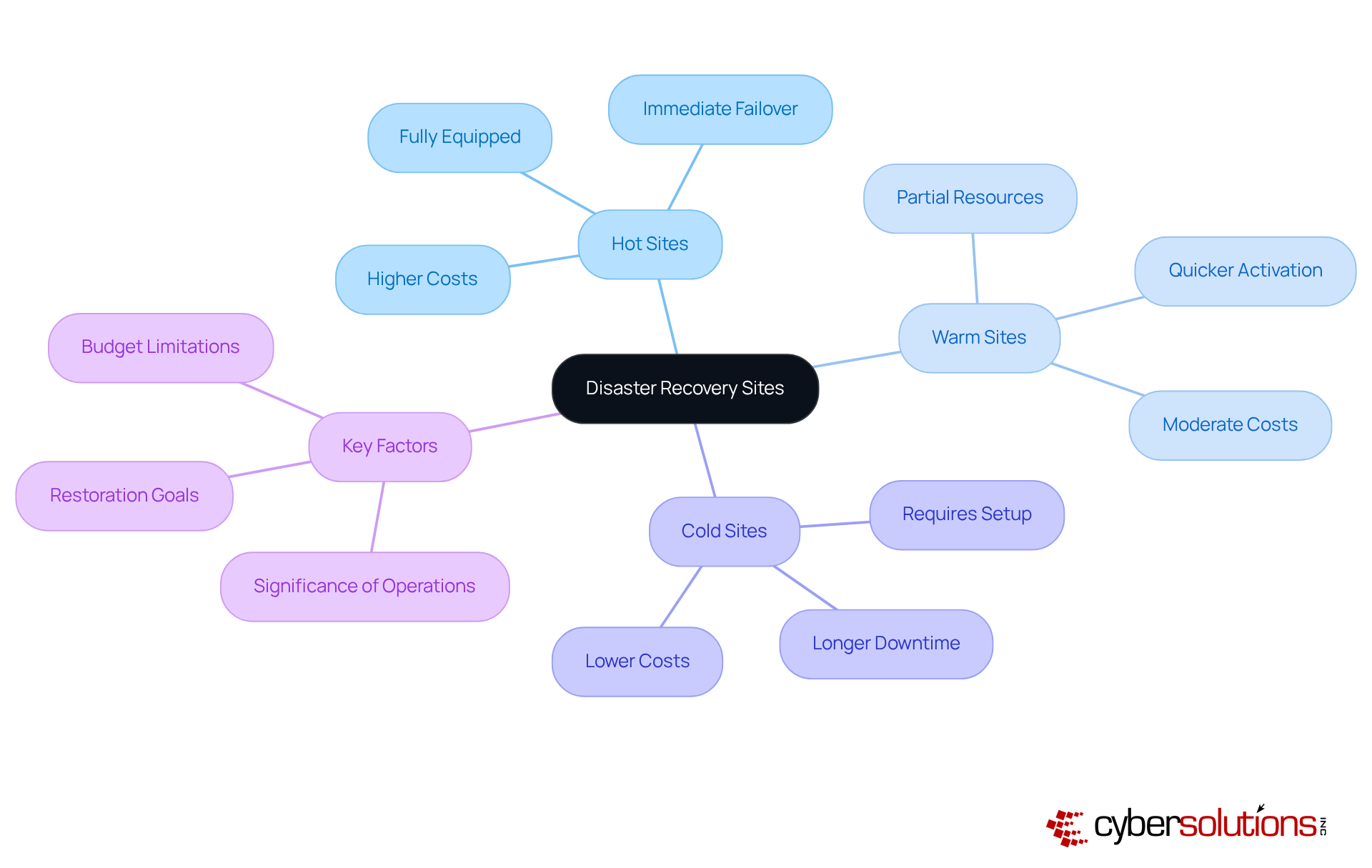
In an era where every second counts, the choice of contingency sites can mean the difference between operational continuity and catastrophic failure. Organizations must effectively pinpoint and establish contingency locations that can be activated in the event of a primary site failure. These sites are categorized as hot, warm, or cold, each varying in readiness and resource availability. A hot site is fully equipped and operational, allowing for immediate failover, while a cold site requires setup before it can be utilized, making it less ideal for critical operations. Warm sites offer a middle ground, with partial resources in place for quicker activation than cold sites but not as immediate as hot sites.
Choosing the right emergency restoration location involves several key factors, including:
- Budget limitations
- Restoration goals
- The significance of operations
For example, while hot locations offer the quickest restoration, they entail greater expenses, which can be a crucial factor for many organizations. In contrast, cold sites, although more economical, may lead to longer downtimes, which can be detrimental in high-stakes environments. Significantly, 35% of US technology leaders lack confidence in their current system's capability to manage emergencies, highlighting the importance of choosing the appropriate contingency site and maintaining it to ensure preparedness.
IT experts emphasize the importance of aligning the type of contingency site with organizational requirements. As one tech leader observed, "Keeping systems updated is one of the most effective methods to ensure that restoration is predictable and downtime is minimized." This sentiment is echoed by the fact that 64% of technology leaders prioritize minimal downtime during system updates, underscoring the importance of not only selecting the right site type but also maintaining it for preparedness.
By 2026, organizations need to conduct a thorough cost assessment of hot versus cold emergency response locations, weighing the potential financial impacts of downtime against the investment in more resilient solution options. Unplanned downtime costs the world's 500 biggest companies $1.4 trillion per year, which is 11% of their revenues, emphasizing the critical nature of this analysis. Ultimately, the right contingency plan not only safeguards operations but also protects the very essence of healthcare delivery.
Implement Remote Storage Solutions
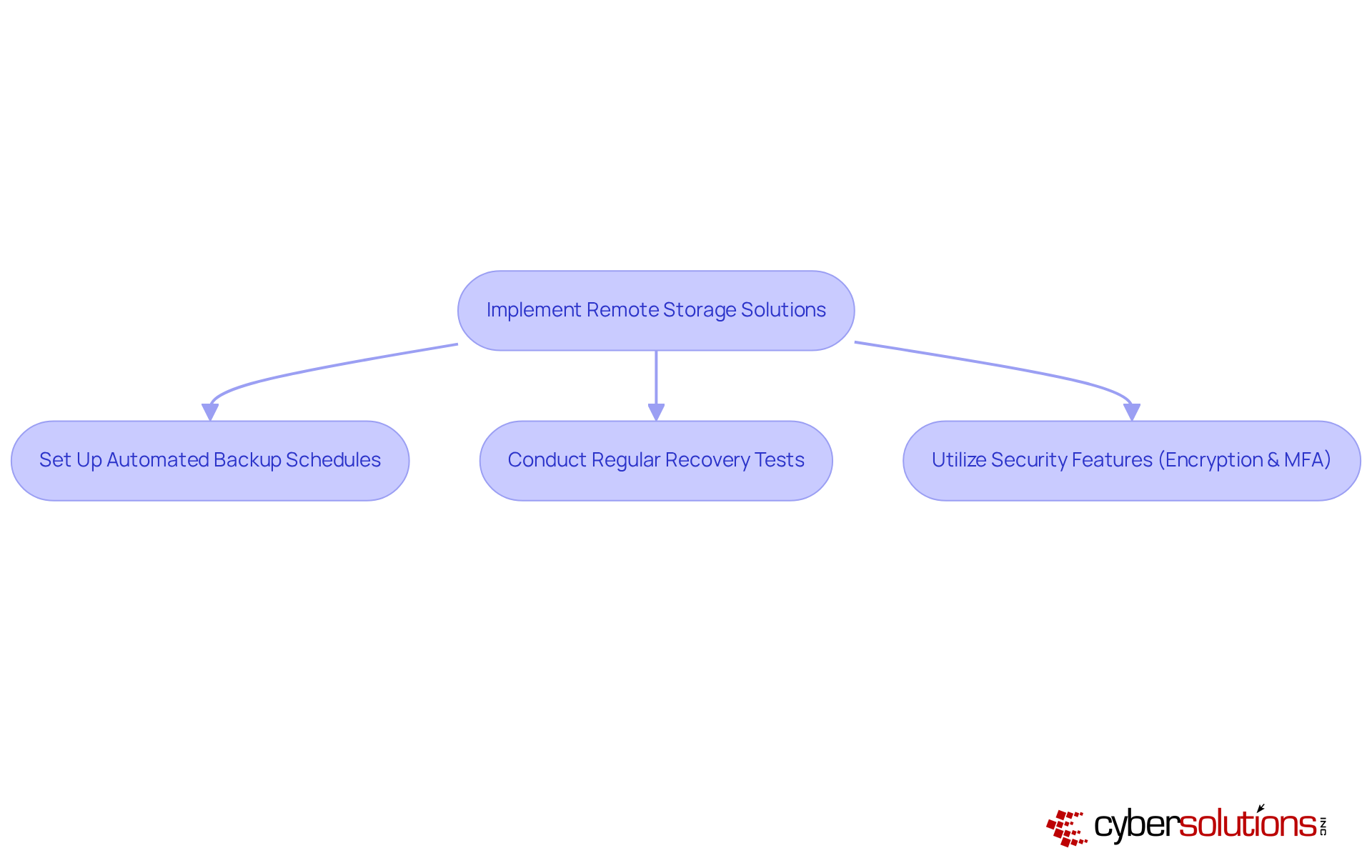
In an era where data breaches and disasters loom large, the importance of robust cybersecurity measures in healthcare cannot be overstated. Implementing remote storage solutions, particularly cloud-based backups, is essential for a strong information technology disaster recovery strategy. These solutions provide secure offsite information storage, significantly reducing the risk of loss from local disasters. Organizations should adopt a proactive approach by regularly backing up their information to these remote locations. This practice not only ensures information integrity but also facilitates swift restoration processes, which are crucial for minimizing downtime.
For instance, a mid-sized healthcare provider effectively utilized cloud backup to securely store patient records, ensuring compliance with HIPAA and avoiding hefty fines. Additionally, an e-commerce platform swiftly restored transaction records after a server crash during peak sales, demonstrating the critical role of cloud backups in maintaining operational continuity.
To boost the efficiency of cloud-based backups, organizations should:
- Set up automated backup schedules.
- Conduct regular recovery tests to confirm that data can be restored effectively when needed in the context of information technology disaster recovery.
- Utilize features such as end-to-end encryption and multi-factor authentication to enhance information security and ensure compliance with industry regulations.
As cloud backup solutions continue to evolve, they remain a cost-effective and scalable option for organizations aiming to safeguard their data against unforeseen disruptions. As the landscape of cybersecurity evolves, embracing cloud solutions is not just an option; it's a necessity for safeguarding sensitive healthcare data.
Develop Disaster Response Procedures
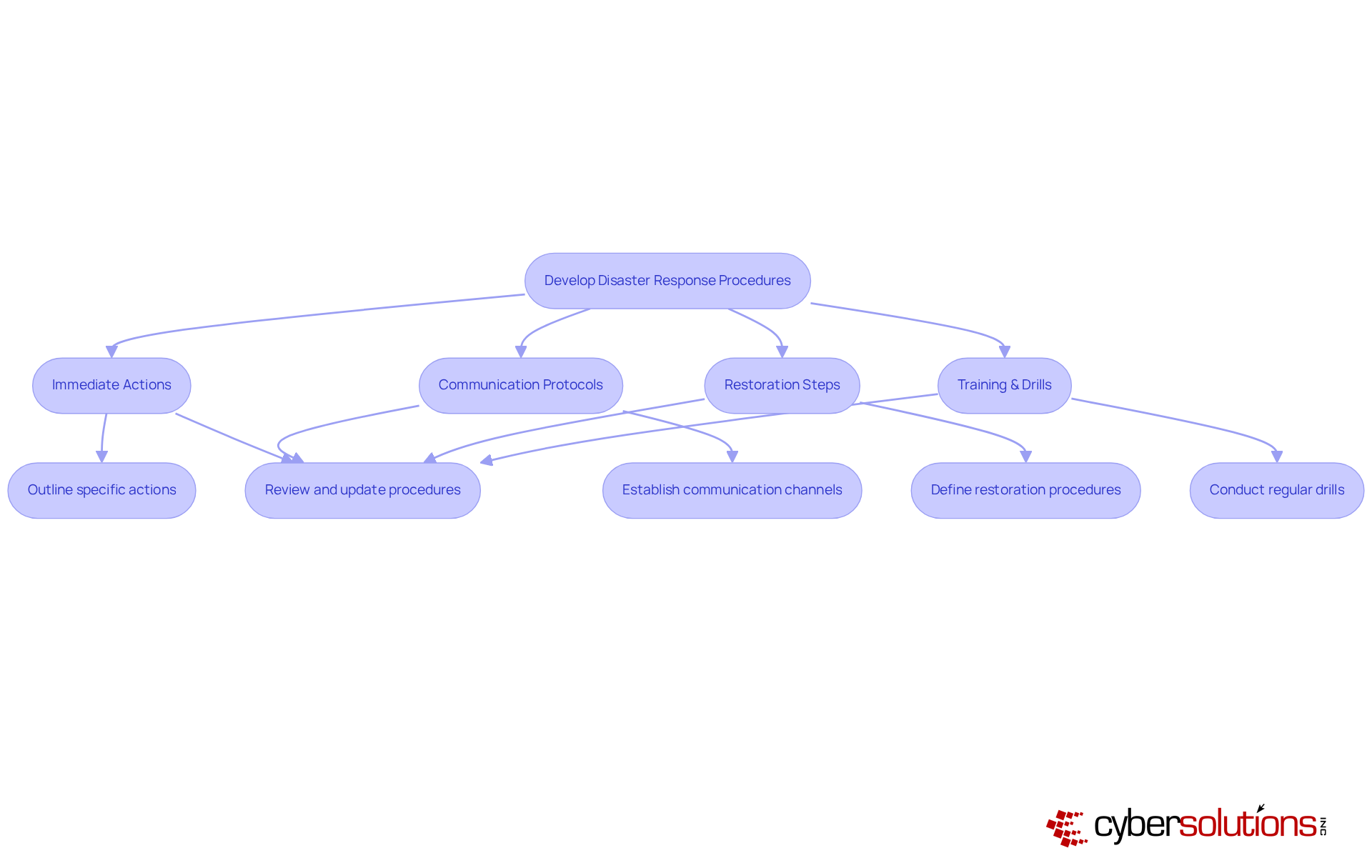
In an era where unexpected disasters can strike at any moment, having robust disaster response procedures is not just beneficial - it's essential. These procedures should clearly outline immediate actions, communication protocols, and steps for restoration tailored to specific incidents. Regular reviews and updates are crucial. They ensure that these plans stay relevant and effective against evolving threats.
Training staff with drills and simulations really boosts preparedness, enabling teams to respond swiftly during actual incidents. Notably, 93% of executives recognize that incidents disrupt their teams, with 9% categorizing them as severely disruptive. This highlights the importance of strong communication protocols; entities that prioritize these measures can lessen the effects of outages.
Moreover, efficient emergency response strategies have shown favorable results, including shorter restoration periods and enhanced team spirit. Yet, many organizations find it challenging to implement these procedures effectively. As organizations increasingly adopt cloud solutions, they must also modify their emergency response strategies to address new vulnerabilities. Neglecting these protocols can lead to prolonged outages and a drop in team morale.
Current best practices emphasize the integration of security and information technology disaster recovery efforts, ensuring a balanced approach that protects both operational integrity and resilience.
Identify and Prioritize Sensitive Data
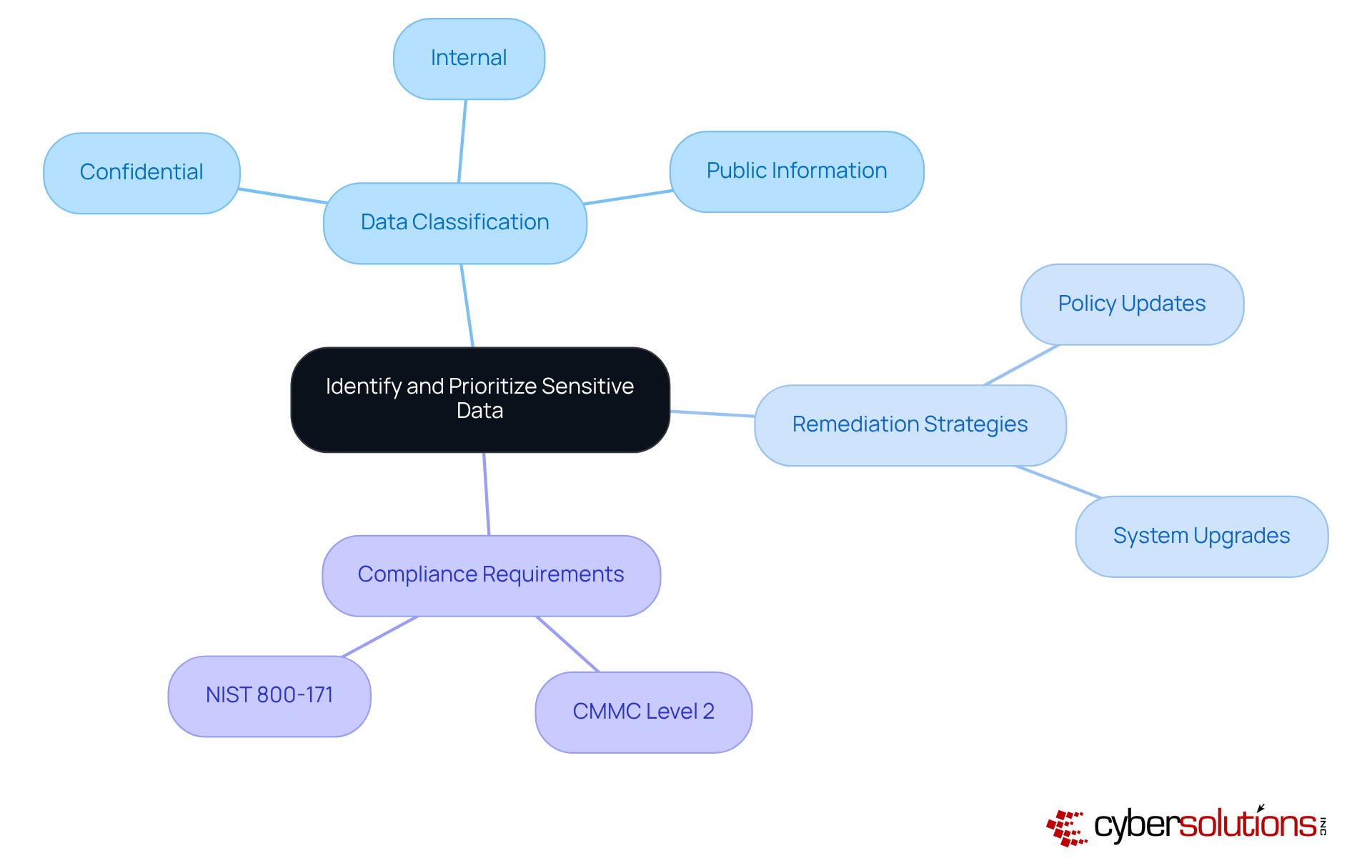
In an era where data breaches can cripple healthcare organizations, understanding the significance of cybersecurity is paramount. Organizations must conduct a thorough evaluation to identify and categorize sensitive information based on its criticality to business operations. This classification can include categories such as:
- Confidential
- Internal
- Public information
By prioritizing sensitive data, organizations can ensure that it is backed up more frequently and restored first during restoration efforts, minimizing the impact of data loss on critical operations.
Additionally, implementing tailored remediation strategies, including necessary policy updates and system upgrades, is essential for addressing compliance gaps. This approach not only streamlines emergency restoration efforts but also ensures compliance with CMMC Level 2 standards, safeguarding Controlled Unclassified Information (CUI) in accordance with NIST 800-171 guidelines. Furthermore, preparing detailed documentation, including security policies and procedures, is crucial for demonstrating compliance during audits.
By taking these proactive steps, organizations not only protect sensitive data but also enhance their operational resilience against future threats.
Define a Communication Plan for Disasters
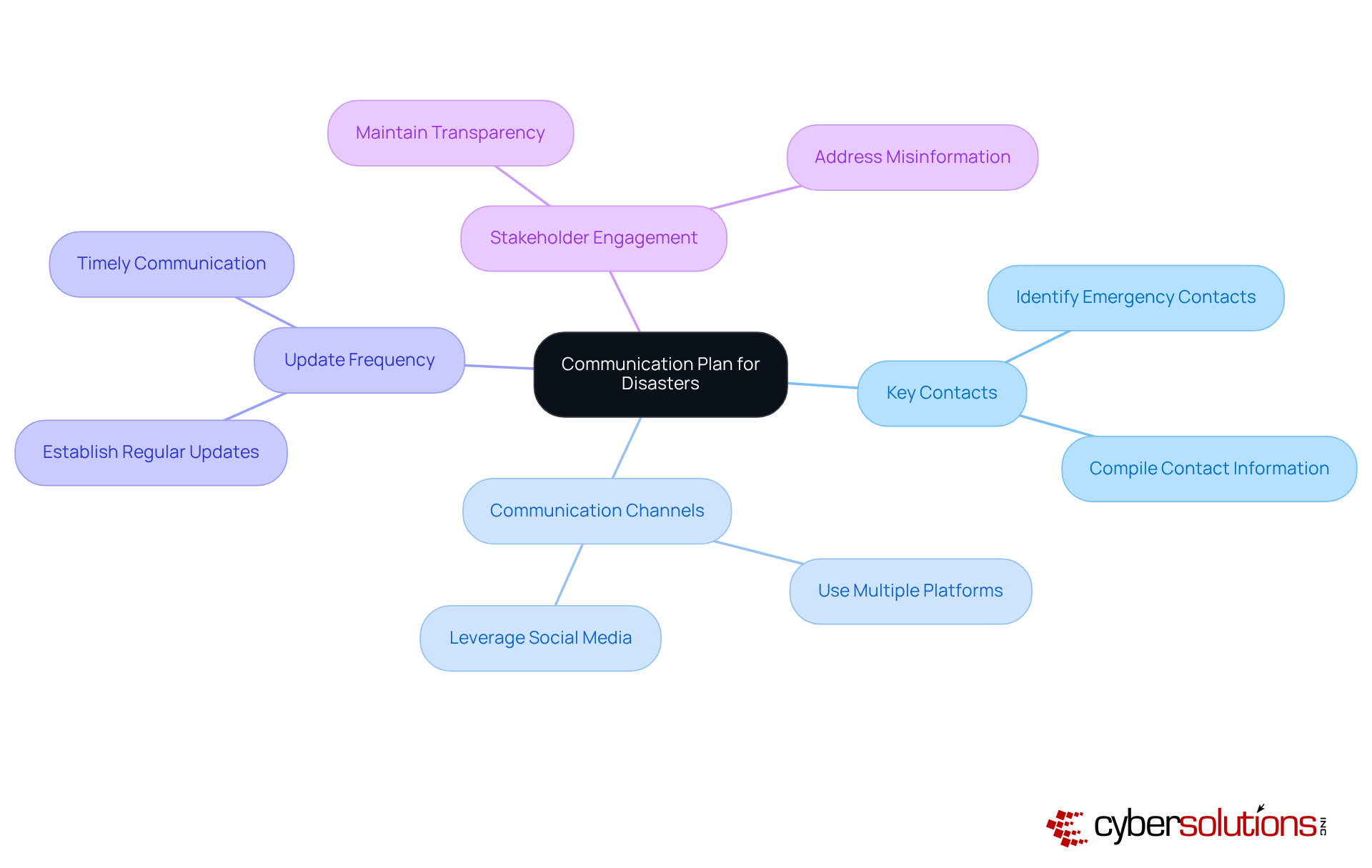
In the high-stakes world of healthcare, a robust communication plan is not just beneficial; it's essential for navigating crises effectively. This plan must pinpoint key contacts and set up clear communication channels, guaranteeing timely and consistent updates.
Establishing the frequency of these updates is crucial to keep all stakeholders informed, including clients and regulatory bodies, about the situation and ongoing restoration efforts. Organizations prioritizing transparency and clarity in their communication often see enhanced outcomes.
Case studies reveal that effective messaging not only reduces confusion but also upholds public trust. For instance, companies that utilize proactive communication strategies frequently observe improved stakeholder confidence and faster recuperation times.
Experts agree: a well-prepared communication strategy tackles immediate concerns while laying the foundation for long-term trust and resilience.
Assess Physical Facility Requirements
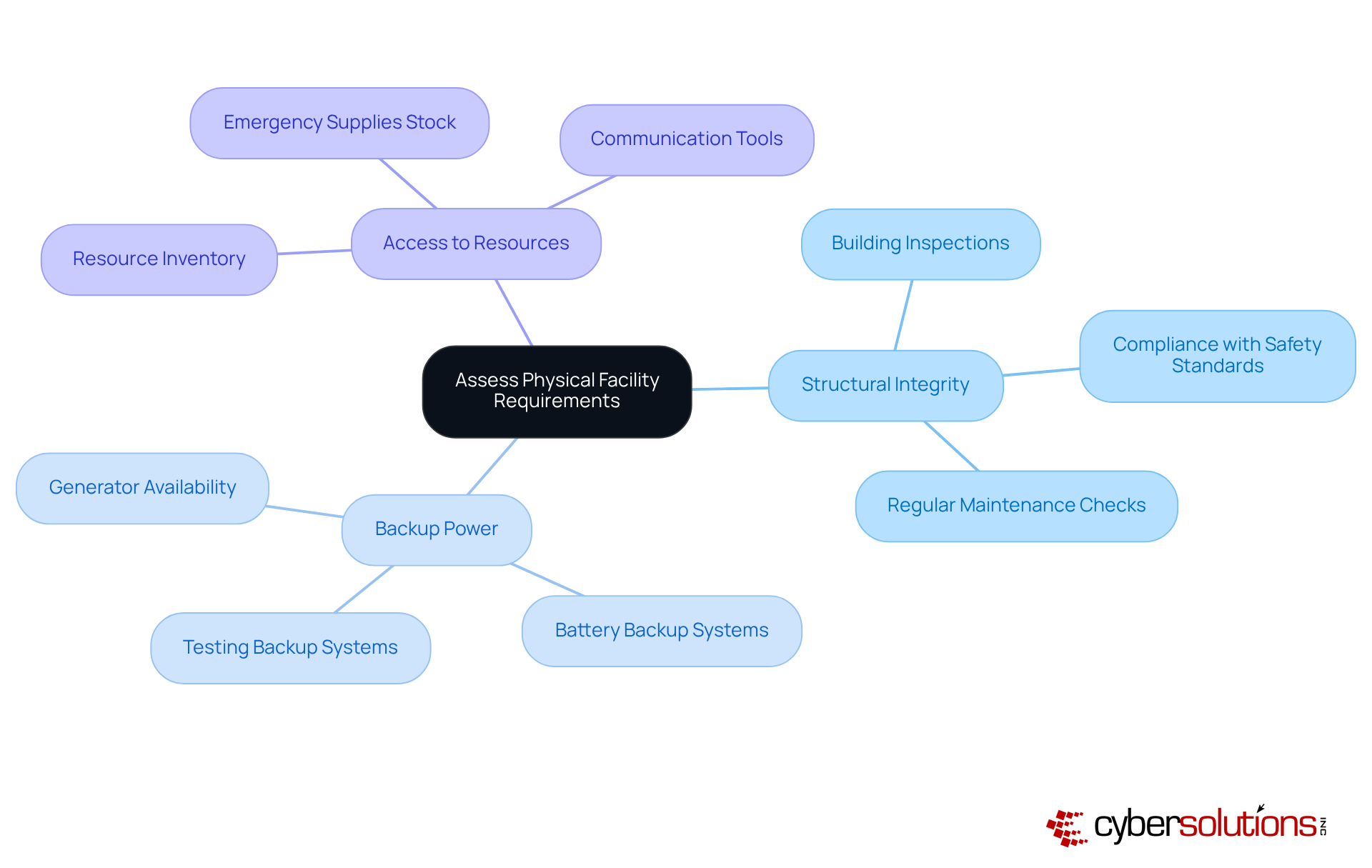
In an era where cybersecurity threats loom large, healthcare organizations must prioritize their emergency restoration strategies to safeguard their operations. This means evaluating the structural integrity of buildings, ensuring backup power is available, and confirming access to essential resources. Understanding these requirements empowers organizations to make informed decisions about facility upgrades or alternative sites for restoration efforts. Failing to address these critical assessments could leave organizations vulnerable during emergencies, jeopardizing patient care and operational continuity.
Conduct Regular Disaster Recovery Drills
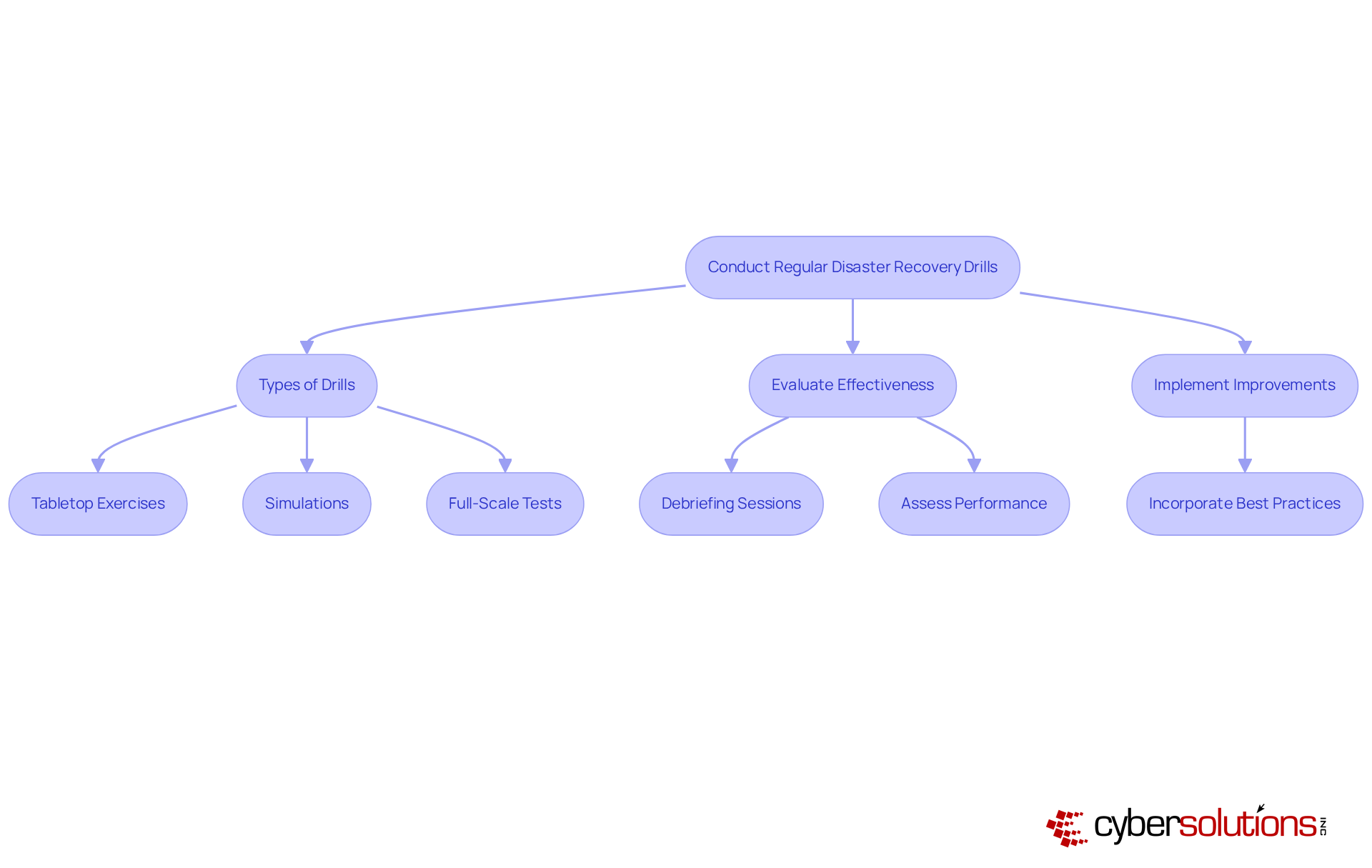
In an era where cyber threats loom large, the importance of disaster restoration drills in healthcare cannot be overstated. Performing regular drills is vital for evaluating the effectiveness of response plans and ensuring that all personnel understand their roles during a crisis. Drills can include tabletop exercises, simulations, or full-scale tests. Did you know that only 20% of organizations feel fully prepared for outages? This statistic underscores the urgent need for effective training through regular drills. Moreover, 71% of entities do not conduct failover testing, which is essential for confirming restoration strategies and ensuring that systems can be reinstated swiftly.
After each drill, groups should conduct debriefing sessions to assess performance, discuss successes, and pinpoint areas for enhancement. This ongoing process helps keep emergency response plans effective and up-to-date. For instance, organizations that regularly conduct drills can surface issues before they escalate into costly disruptions, which average 196 minutes per incident. By prioritizing these exercises, companies can enhance their resilience and readiness, ultimately safeguarding their operations against unforeseen challenges. Furthermore, it is essential to acknowledge that 62% of organizations do not perform routine backup restoration drills, highlighting the necessity for a systematic strategy to handle emergencies. Incorporating insights from disaster recovery trainers can also provide valuable best practices for effective drills and simulations. Without a robust strategy for regular drills, organizations risk facing significant operational setbacks when crises strike.
Conclusion
In an era where cyber threats loom large, the healthcare sector must prioritize cybersecurity to protect not just data, but lives. Establishing a robust information technology disaster recovery plan is paramount for organizations, particularly in sectors like healthcare where operational continuity can significantly impact lives. By defining key objectives such as Recovery Time Objective (RTO) and Recovery Point Objective (RPO), maintaining an accurate inventory of IT assets, and implementing structured response procedures, organizations can effectively mitigate risks associated with unexpected disruptions. These foundational strategies not only enhance preparedness but also foster resilience in the face of evolving cyber threats.
The article outlines ten essential strategies that serve as a comprehensive framework for effective disaster recovery:
- Identifying personnel roles and responsibilities
- Prioritizing sensitive data
- Ensuring clear communication during crises
- Conducting regular drills and assessments
- Adapting and improving recovery plans continuously
By embracing these strategies, organizations can not only safeguard their operations but also emerge as trusted leaders in an increasingly uncertain landscape.
Frequently Asked Questions
What is Recovery Time Objective (RTO)?
Recovery Time Objective (RTO) refers to the maximum acceptable downtime after an event, indicating how quickly systems need to be restored to avoid severe operational disruptions.
What is Recovery Point Objective (RPO)?
Recovery Point Objective (RPO) indicates the maximum acceptable amount of information loss measured in time, determining how frequently data backups should occur to mitigate the risk of data loss.
Why is maintaining a hardware and software inventory important?
A comprehensive inventory of hardware and software assets is essential for effective disaster management, providing insight into the IT environment and enabling quick restoration during incidents.
What components should be included in a hardware and software inventory?
The inventory should encompass servers, workstations, applications, and other critical components.
How can frequent updates to the inventory benefit an organization?
Frequent updates provide clear insight into the IT environment, help identify outdated or vulnerable systems, and enhance overall security and operational efficiency.
What is the impact of automated processes on customer-facing outages?
Entities with automated processes incur 45% lower yearly expenses from customer-facing outages, highlighting the financial advantages of efficient asset management.
What steps should organizations take to maintain an effective IT asset inventory?
Organizations should implement a structured approach that includes regular audits and updates to ensure all assets are accounted for and aligned with recovery time objectives (RTOs).
Why is identifying personnel roles and responsibilities crucial during a disaster?
Establishing a clear hierarchy and defining roles within a disaster response team ensures effective crisis management, allowing each member to understand their specific duties during an emergency.
What role does a crisis management coordinator play in disaster recovery?
A crisis management coordinator initiates recovery plans and coordinates efforts, ensuring alignment with business objectives during a crisis.
How can training and simulations enhance disaster response?
Regular training and simulations empower team members to act decisively during crises, minimizing confusion and boosting operational efficiency during unexpected disruptions.
List of Sources
- Define Recovery Time Objective (RTO) and Recovery Point Objective (RPO)
- splunk.com (https://splunk.com/en_us/blog/learn/rpo-vs-rto.html)
- cohesity.com (https://cohesity.com/deep-dives/role-of-rto-rpo-in-disaster-recovery)
- sentinelone.com (https://sentinelone.com/cybersecurity-101/cloud-security/rto-vs-rpo)
- veeam.com (https://veeam.com/blog/recovery-time-recovery-point-objectives.html)
- Maintain Hardware and Software Inventory
- IT Disaster Recovery Plan (https://ready.gov/business/emergency-plans/recovery-plan)
- Disaster Recovery Plan: 4 Examples & 10 Things You Must Include (https://cloudian.com/guides/disaster-recovery/4-disaster-recovery-plan-examples-and-10-essential-plan-items)
- The Disaster Recovery Gap: 110+ Statistics Revealing Why 80% of Orgs Aren't Prepared & What It’s Costing Them (https://secureframe.com/blog/disaster-recovery-statistics)
- mitratech.com (https://mitratech.com/resource-hub/blog/key-components-of-a-complete-it-disaster-recovery-plan)
- infrascale.com (https://infrascale.com/system-updates-disaster-recovery-statistics-usa)
- Identify Personnel Roles and Responsibilities
- cutover.com (https://cutover.com/blog/it-disaster-recovery-teams-the-heroes-of-crisis-management)
- tierpoint.com (https://tierpoint.com/blog/data-protection/disaster-recovery-team)
- flexential.com (https://flexential.com/resources/blog/what-disaster-recovery-team-and-who-should-be-included)
- Establish Disaster Recovery Sites
- infrascale.com (https://infrascale.com/system-updates-disaster-recovery-statistics-usa)
- The Disaster Recovery Gap: 110+ Statistics Revealing Why 80% of Orgs Aren't Prepared & What It’s Costing Them (https://secureframe.com/blog/disaster-recovery-statistics)
- Implement Remote Storage Solutions
- meegle.com (https://meegle.com/en_us/topics/cloud-backup/cloud-backup-case-studies)
- Develop Disaster Response Procedures
- The Disaster Recovery Gap: 110+ Statistics Revealing Why 80% of Orgs Aren't Prepared & What It’s Costing Them (https://secureframe.com/blog/disaster-recovery-statistics)
- Define a Communication Plan for Disasters
- albany.edu (https://albany.edu/communication/communications/crisis-communication-strategies)
- ready.gov (https://ready.gov/business/emergency-plans/crisis-communications-plans)
- When disaster strikes: 12 tips for developing a crisis communication strategy (https://news.bryant.edu/when-disaster-strikes-12-tips-developing-crisis-communication-strategy)
- Assess Physical Facility Requirements
- The Disaster Recovery Gap: 110+ Statistics Revealing Why 80% of Orgs Aren't Prepared & What It’s Costing Them (https://secureframe.com/blog/disaster-recovery-statistics)
- Disaster Recovery Plan: 4 Examples & 10 Things You Must Include (https://cloudian.com/guides/disaster-recovery/4-disaster-recovery-plan-examples-and-10-essential-plan-items)
- The State of Disaster Recovery Preparedness 2026 (https://drj.com/journal_main/disaster-recovery-preparedness-2026)
- Conduct Regular Disaster Recovery Drills
- The Disaster Recovery Gap: 110+ Statistics Revealing Why 80% of Orgs Aren't Prepared & What It’s Costing Them (https://secureframe.com/blog/disaster-recovery-statistics)
- infrascale.com (https://infrascale.com/system-updates-disaster-recovery-statistics-usa)
