

Introduction
In an era where data breaches and cyber threats are ever-present, C-suite leaders must recognize the critical need for robust data backup strategies. Alarming statistics show that a significant percentage of organizations still overlook optimal data preservation practices, leading to an increased risk of catastrophic losses. This article explores ten essential data backup strategies that not only protect sensitive information but also bolster operational resilience, enabling businesses to navigate the evolving landscape of cyber risks.
Can executives afford to ignore these vital measures, or will they step up to secure their organizations against the inevitable threats on the horizon?
Cyber Solutions: Comprehensive Backup and Disaster Recovery Services
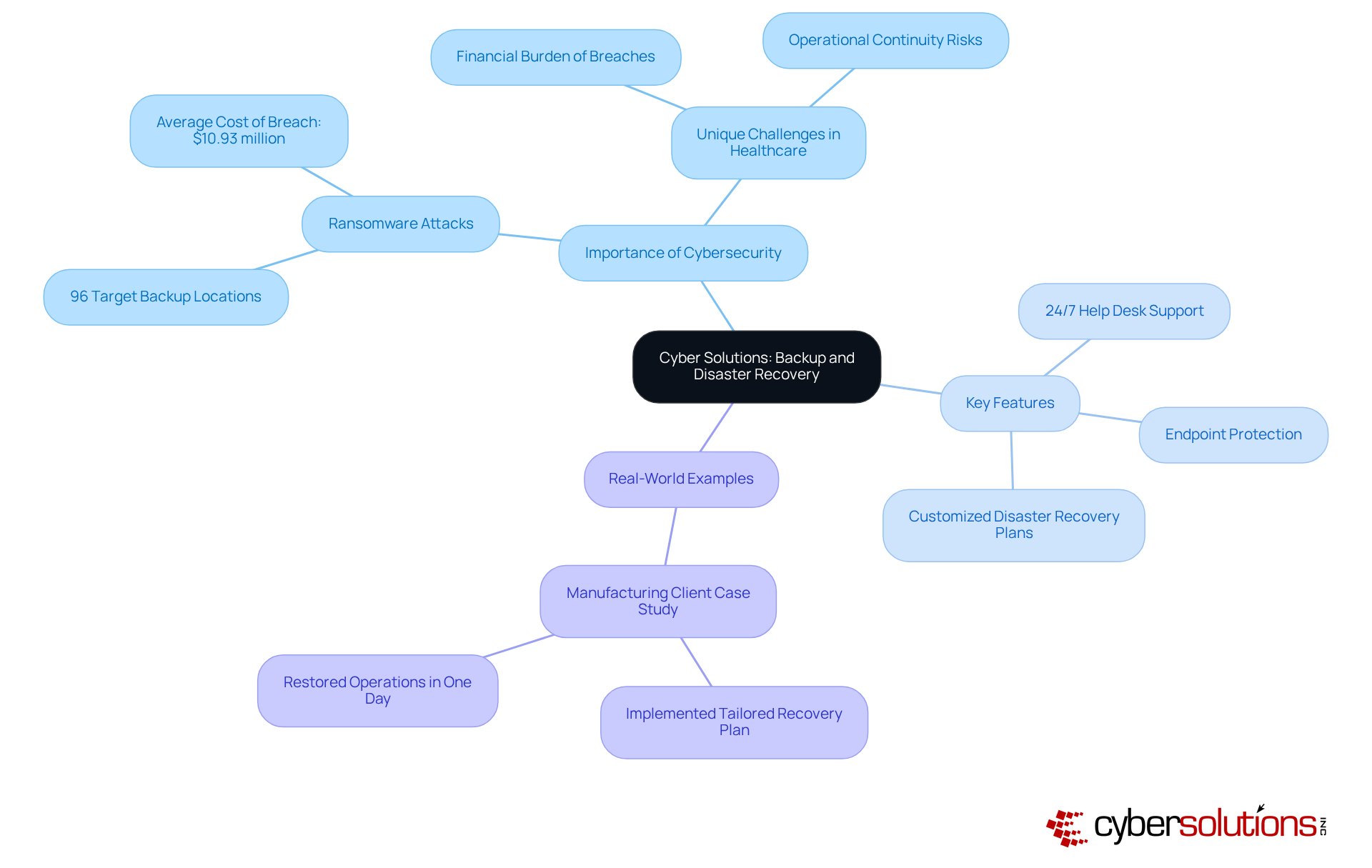
Cyber Solutions Inc. recognizes the urgent need for robust cybersecurity measures, especially in the healthcare sector. With a staggering 96% of organizations targeting storage sites, the stakes have never been higher. Healthcare organizations face unique challenges, including the rising costs of data breaches, which averaged $10.93 million in 2023. This alarming trend underscores the necessity for comprehensive solutions that can safeguard sensitive information and ensure business continuity.
To address these pressing concerns, Cyber Solutions provides an extensive range of services and solutions tailored to the specific needs of various industries. Key features include:
- Customized disaster recovery plans
By leveraging cutting-edge technologies and expert insights, Cyber Solutions empowers organizations to focus on their core operations while maintaining a secure and compliant IT environment.
Real-world examples further illustrate the effectiveness of Cyber Solutions' services. After experiencing a significant data breach, a manufacturing client implemented a tailored recovery plan that included managed server support and data restoration services. Remarkably, they restored operations within just one working day, minimizing downtime and reinforcing their IT infrastructure against future threats.
As the landscape of managed IT recovery solutions evolves, there is an increasing reliance on automated systems and AI-driven technologies to enhance data protection. Cyber Solutions remains at the forefront of these innovations, providing essential services that enable businesses to navigate the complexities of modern IT environments while safeguarding their critical information.
In conclusion, the importance of strong backup strategies cannot be overstated. With Cyber Solutions, organizations can not only protect their data but also ensure their operational resilience in the face of ever-evolving cybersecurity threats.
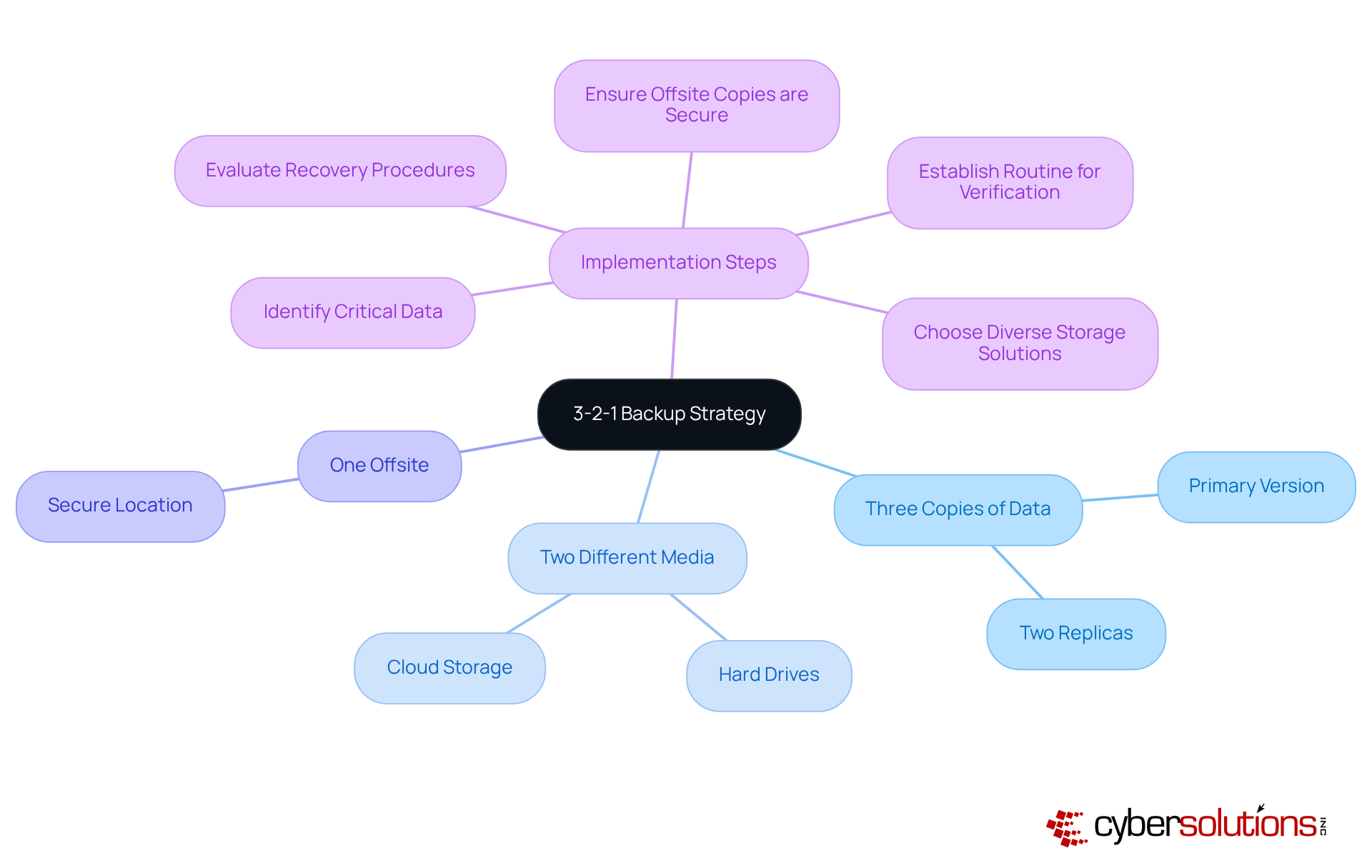
3-2-1 Backup Strategy: Three Copies of Data on Two Different Media with One Offsite
In today's digital landscape, the importance of data backup in healthcare cannot be overstated. With increasing threats from cyberattacks, healthcare organizations face unique challenges that demand immediate attention. The 3-2-1 backup strategy emerges as a vital framework for data protection, highlighting the importance of redundancy that require organizations to maintain three copies of their information: one primary version and two replicas. These copies should be stored on two distinct types of media, such as hard drives and cloud storage, with one version securely kept offsite. This approach significantly lowers the risk of information loss from hardware failures, natural disasters, or cyberattacks, enabling businesses to recover swiftly and effectively.
Statistics reveal a concerning trend: only 18% of organizations adhere to optimal procedures for information storage, particularly the 3-2-1 guideline. This gap highlights the pressing need for healthcare CFOs to prioritize data security. Implementing strategies like the 3-2-1 strategy can significantly enhance protection against data loss, ensuring that even if one copy is compromised, others remain secure. The financial implications are staggering; the typical cost of inactivity caused by ransomware incidents is estimated at $250,000 per hour, underscoring the necessity of strong recovery solutions.
Real-world examples further illustrate the effectiveness of the 3-2-1 approach. Organizations that adopted this strategy reported quicker recovery times and minimized operational disruptions during cyber incidents, such as ransomware attacks. For instance, following a recent incident, a healthcare provider enhanced its security measures, showcasing the tangible benefits of a structured response plan. Cyber Solutions' swift recovery capabilities exemplify how efficient recovery plans can bolster resilience and ensure business continuity. Information management professionals emphasize that routine verification of backup copies is crucial to guarantee they are free of errors and can be relied upon during critical times.
To implement the 3-2-1 backup strategy effectively, organizations should prioritize the following steps:
- Identify critical data that requires protection.
- Choose diverse storage solutions to meet the two-media requirement.
- Establish a routine for creating and verifying copies.
- Ensure that offsite copies are secure and accessible.
- Consistently evaluate processes to verify information integrity.
By adopting the 3-2-1 backup strategy, businesses can enhance their information resilience, safeguard against potential losses, and ensure operational stability in an increasingly complex digital environment.
Cloud Storage Solutions: Secure and Scalable Data Backup Options
Cloud storage solutions are essential for secure and scalable information preservation, enabling businesses to manage vast amounts of data without the burden of extensive on-premises infrastructure. Major providers like AWS, Google Cloud, and Microsoft Azure integrate security features, such as encryption and strict access controls, to protect sensitive information. In fact, 94% of businesses report enhanced security after migrating to the cloud, highlighting the effectiveness of these measures.
As organizations grow, cloud solutions are designed to scale seamlessly, making them an ideal choice for enterprises of all sizes. For example, companies like Skechers have effectively leveraged AWS for their data management, achieving greater reliability and cost savings through streamlined processes. However, as businesses increasingly adopt cloud technologies, the focus on security remains paramount. A staggering 95% of firms express concerns about data breaches, emphasizing the critical need for security measures in today’s digital landscape.
In this context, cybersecurity stands out as a vital strategy, proactively blocking unauthorized software from executing and significantly reducing the risk of malware and ransomware attacks. Moreover, compliance is instrumental in helping companies meet standards such as GDPR. C-suite leaders must evaluate cloud solutions by examining the latest security features, including data encryption, ensuring they align with their organization’s risk management strategies.

Incremental Backups: Efficient Data Management by Backing Up Changes Only
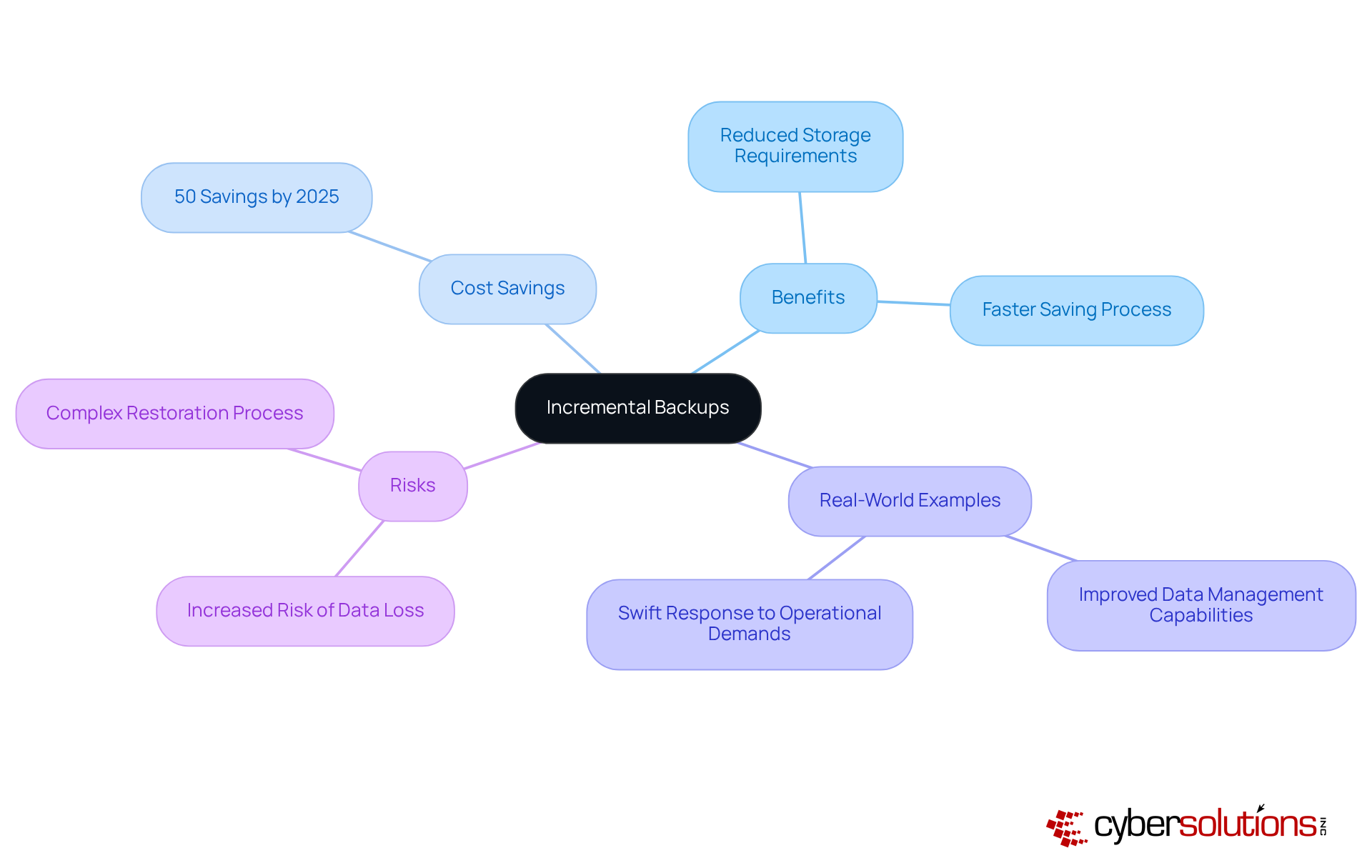
Incremental backups play a crucial role in modern data management by focusing on capturing only the information that has changed since the last save. This method not only significantly reduces storage requirements but also accelerates the saving process. For organizations managing large datasets that undergo frequent changes, this approach is invaluable. It allows for quicker recovery.
By consistently implementing incremental backups, companies can ensure their data remains current without straining their storage capabilities. In fact, projections for 2025 indicate that organizations could save as much as 50% on storage costs compared to traditional full copies. This substantial reduction in expenses highlights the financial benefits.
Real-world examples illustrate that firms utilizing incremental backups have improved their data management efficiency. They can recover data quickly while maintaining robust security. However, it’s essential to weigh the potential risks associated with this method. For instance, if any incremental copy in the sequence becomes corrupted, the risk of data loss increases.
As IT experts emphasize, strategies that include incremental backups are crucial for companies seeking to enhance their information management approaches while balancing cost and efficiency. This statement underscores the importance of adopting incremental backups as a strategic move in today’s data-driven landscape.
Scheduled Backups: Regularly Protecting Data to Minimize Loss
Creating a plan that incorporates scheduled backups is essential in reducing information loss. By utilizing strategies that involve automated copies on a daily, weekly, or monthly schedule, organizations can guarantee data protection without the drawbacks of manual methods. This regularity not only preserves data integrity but also supports recovery efforts in the event of a disaster and enabling businesses to restore operations swiftly.
In 2025, 90% of businesses adhere to the 3-2-1 backup strategy, which involves maintaining three copies of data on two different storage media, with one kept off-site. This indicates an increasing awareness of the significance of data backup in sustaining operational continuity. IT leaders stress that automating backups not only lowers the risk of human mistakes but also improves overall efficiency. As Yuman Chau notes, "Organizations must recognize backup strategies not just as routine protocol, but as critical evaluations that can reveal actionable insights."
Organizations that have adopted automated backups report increased efficiency and reduced downtime, highlighting the concrete advantages of these strategies. To establish automated backups as part of their data management practices, organizations should:
- Evaluate their current backup processes
- Choose suitable recovery software
- Configure the frequency and storage options that align with their operational requirements
This proactive approach to implementing backup solutions is essential for safeguarding sensitive information and ensuring business resilience.

Offsite Backups: Enhancing Data Security with Remote Storage Solutions
Establishing offsite storage is essential for a robust data backup strategy. In today's digital landscape, where threats loom large, these copies safeguard against local disasters like fires, floods, or theft, ensuring that vital information remains accessible even in dire situations. By leveraging remote storage solutions, organizations can maintain secure backups of their data, significantly enhancing resilience and compliance with industry regulations.
In 2025, approximately 90% of companies recognized the value of offsite backups, acknowledging their effectiveness in disaster recovery. Industry experts strongly advocate for remote storage, highlighting that it not only shields against local incidents but also enables faster recovery times. For instance, companies like Lyco Direct have successfully implemented offsite solutions, reducing their recovery times from over five hours to under one hour. This transition not only minimizes operational downtime but also underscores the critical need for data protection.
Ultimately, offsite backups are a vital component of any comprehensive data protection strategy for protecting information. They provide peace of mind and ensure business continuity in the face of unforeseen challenges. Are you prepared to safeguard your organization's data? Embrace offsite storage today and fortify your data security.

Backup Verification: Ensuring Data Integrity and Restorability
Backup Verification: Ensuring Data Integrity and Restorability
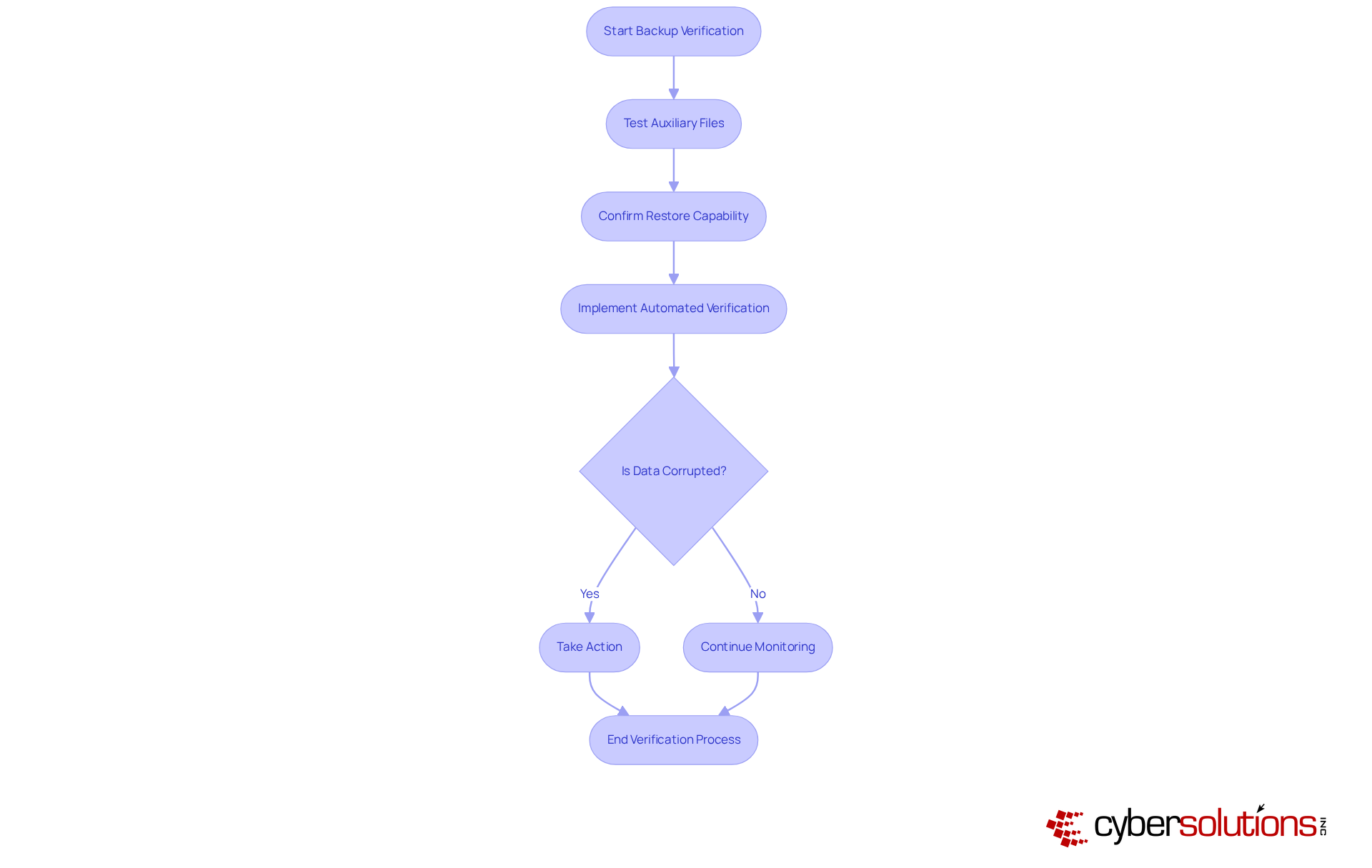
In today's digital landscape, consistently checking data copies is crucial for ensuring that information remains secure and retrievable. This process not only involves verifying the existence of backups but also confirming their ability to be restored successfully. Organizations must implement automated verification processes to minimize the risk of unnoticed information corruption. By ensuring that data copies are reliable, companies can avert costly downtime and data loss during restoration efforts.
The implications of neglecting this practice can be severe, especially in the healthcare sector where data integrity is paramount. Cyber threats are evolving, and healthcare organizations face unique challenges that require robust solutions. By prioritizing the verification of data copies, CFOs can safeguard their organizations against potential breaches and ensure compliance with regulatory standards.
Ultimately, investing in backup verification is not just a precaution; it's a necessity. Cyber Solutions can effectively address these challenges, providing the tools needed to maintain data integrity and security. Are you prepared to take action and protect your organization from the risks of data loss?
Automated Backup Solutions: Streamlining Data Protection Processes
In today's digital landscape, the importance of cybersecurity in healthcare cannot be overstated. Automated backup solutions are revolutionizing data protection by minimizing the need for manual involvement. These advanced systems can be programmed to execute at regular intervals, ensuring reliable data protection without relying on personnel to remember these critical tasks. This automation significantly reduces the risk of data loss, enabling IT teams to focus on more strategic initiatives, ultimately enhancing overall efficiency.
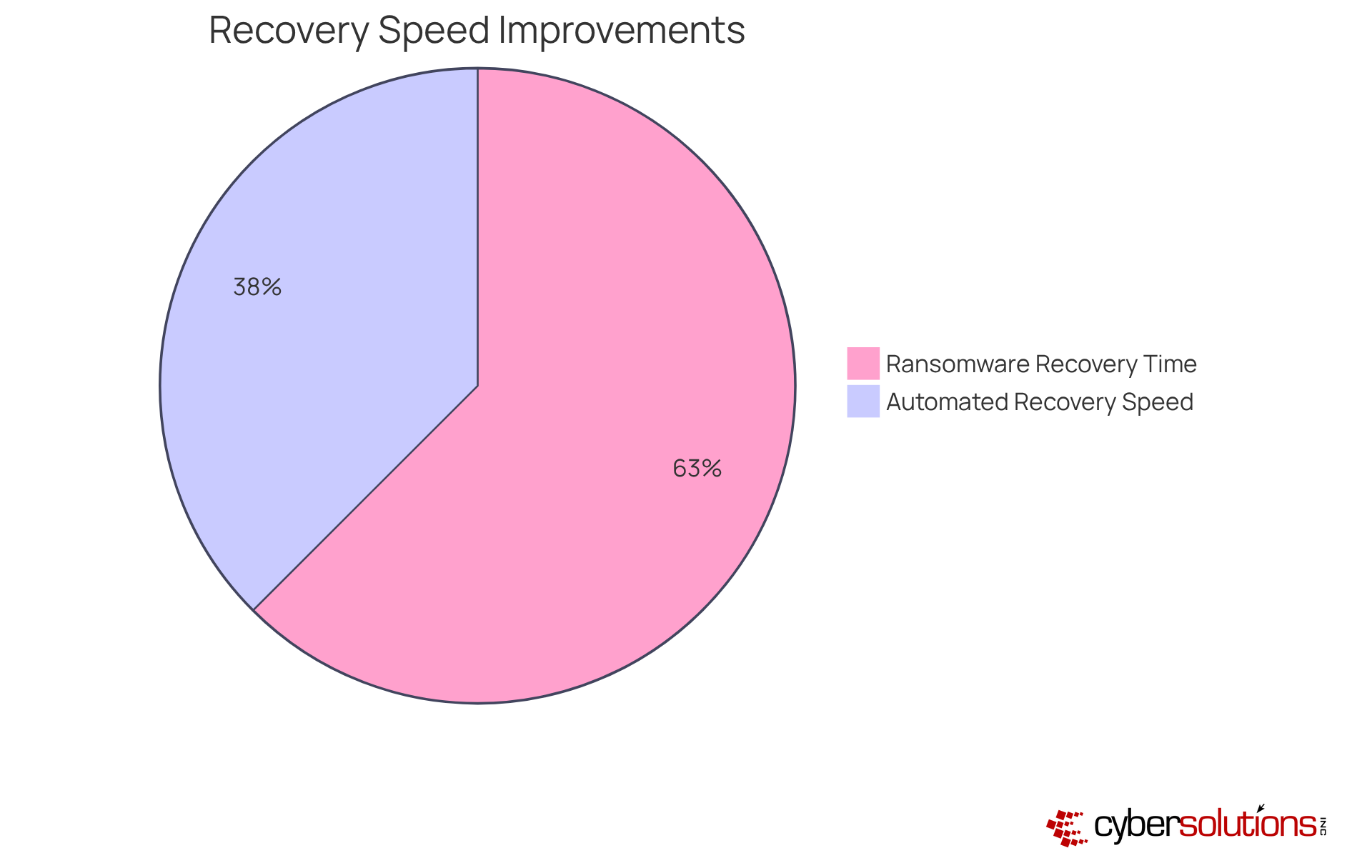
Statistics reveal that organizations employing automated recovery systems experience a notable decrease in downtime and operational disruptions. For example, companies that adopt these automated solutions report a remarkable 30% increase in productivity compared to those that depend on manual processes.
IT leaders emphasize the necessity of optimizing procedures through automation. As one expert aptly stated, "Automation is not just about efficiency; it's about creating a resilient infrastructure that can withstand evolving threats." Practical examples underscore this assertion: a healthcare provider recently implemented an automated recovery system, resulting in a 50% reduction in recovery time after a ransomware attack. This highlights the crucial role of automated solutions for data security.
Moreover, adhering to the traditional backup strategy—maintaining three copies of data on two different media, with one copy stored off-site—can further bolster data protection efforts. By integrating automation, healthcare organizations can significantly enhance their resilience against data breaches.
Data Encryption: Securing Backups Against Unauthorized Access
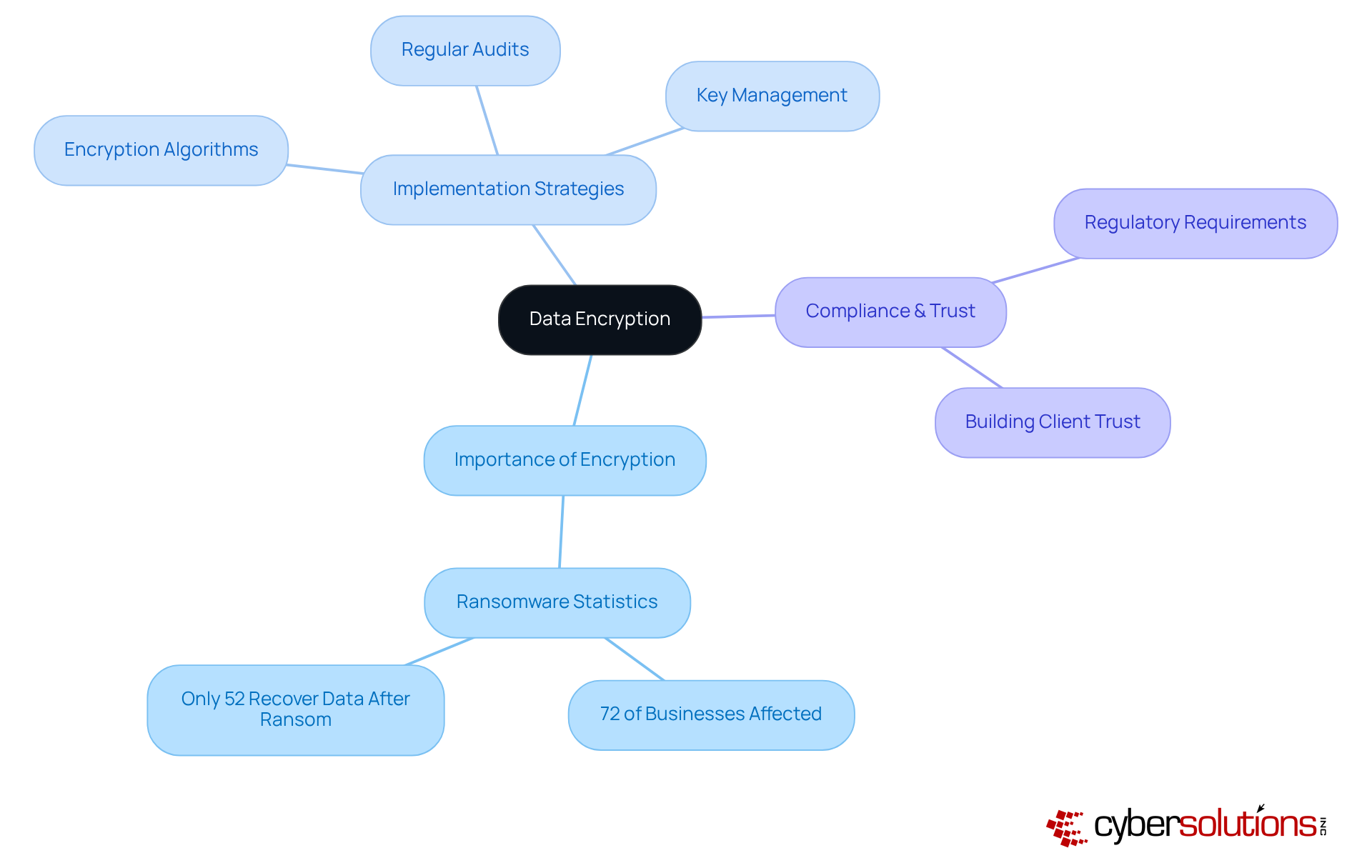
Data encryption is not just a precaution; it’s a necessity for safeguarding sensitive information from unauthorized access. By transforming data into a secure format that can only be accessed with the correct decryption key, organizations can effectively shield their files from cyber threats. The urgency of this measure is underscored by the fact that a staggering 72 percent of businesses faced ransomware attacks in 2023. This alarming statistic highlights the critical need for encryption strategies to mitigate such risks and protect valuable information.
To implement effective encryption, organizations must adopt best practices. This means selecting encryption algorithms that offer a high level of security and ensuring that encryption keys are managed with utmost care. Regular audits and updates to encryption protocols are essential to keep pace with evolving threats, ensuring that security measures remain effective.
Cybersecurity experts emphasize that data encryption is a cornerstone of a comprehensive security strategy. As one specialist aptly noted, "Data encryption isn’t solely about having an alternative solution; it’s about designing a layered strategy that prioritizes swift restoration and resilience." This layered approach not only bolsters data security but also aids in maintaining compliance, helping organizations maintain trust with clients and stakeholders.
Regular Review and Update of Backup Strategies: Adapting to Evolving Needs
Organizations must prioritize data backup to ensure effectiveness in a landscape marked by evolving business needs and technological advancements. This proactive approach involves assessing the sufficiency of current recovery solutions, updating schedules, and integrating new technologies as they emerge. By adjusting strategies, organizations not only bolster their resilience against data loss but also ensure business continuity.
Consider this: 30.2% of technology leaders assert that backup verification is the most critical step in preventing and recovering from data breaches. As one technology leader aptly noted, "Having a strong recovery plan is not just a precaution; it's essential for survival in today's digital environment." Furthermore, as companies increasingly rely on cloud solutions, it's projected that 75% of enterprises will adopt backup as a service (BaaS) by 2028. This shift allows organizations to outsource their data preservation processes, enhancing scalability and security.
Regularly revising backup strategies can significantly mitigate risks associated with data loss. Alarmingly, 93% of firms that experience downtime for over ten days face insolvency within a year. For instance, a mid-sized healthcare company suffered substantial operational disruptions and lost customer trust after failing to recover data lost due to a ransomware attack. By fostering a culture of continuous improvement in their backup processes, organizations can safeguard their operations and maintain customer confidence.
Moreover, businesses should consider the four types of backups—full, differential, incremental, and mirror—to develop comprehensive strategies tailored to their specific needs. This strategic approach not only enhances data protection but also fortifies the organization's overall resilience.

Conclusion
The importance of effective data backup strategies cannot be overstated, especially for C-suite leaders facing the complexities of modern cybersecurity threats. By prioritizing robust backup solutions, organizations not only protect sensitive information but also ensure operational continuity amid potential data loss incidents.
Various strategies stand out, including:
- The 3-2-1 backup approach
- Cloud storage solutions
- Incremental backups
- The necessity of offsite storage
Each method plays a vital role in a comprehensive data protection plan, enhancing resilience against cyberattacks and minimizing the financial repercussions of data breaches. Regular verification, automation, and encryption further emphasize the need for a proactive approach to safeguarding organizational data.
As the digital landscape evolves, businesses must adapt their backup strategies to meet emerging challenges. By embracing these best practices, C-suite leaders can strengthen their organizations against potential threats and cultivate a culture of resilience. Taking decisive action today will not only protect valuable data but also instill confidence among stakeholders and clients, ensuring a secure and sustainable future for the organization.
Frequently Asked Questions
What cybersecurity challenges do healthcare organizations face?
Healthcare organizations face significant cybersecurity challenges, including a high financial burden from breaches, which averaged $10.93 million in 2023, and a staggering 96% of ransomware attacks targeting storage sites.
What services does Cyber Solutions Inc. offer for data backup and disaster recovery?
Cyber Solutions offers a range of services including 24/7 help desk support, endpoint protection, and customized disaster recovery plans tailored to the specific needs of various industries.
How did a manufacturing client benefit from Cyber Solutions' services after a cyber incident?
The manufacturing client implemented a tailored recovery plan that included managed server support and cloud migration, enabling them to restore operations within one working day and minimize downtime.
What is the 3-2-1 backup strategy?
The 3-2-1 backup strategy requires organizations to maintain three copies of their data: one primary version and two replicas, stored on two different types of media, with one version kept offsite.
Why is the 3-2-1 backup strategy important for organizations?
This strategy significantly reduces the risk of data loss from hardware failures, natural disasters, or cyberattacks, ensuring businesses can recover swiftly and effectively.
What percentage of organizations adhere to optimal information storage procedures like the 3-2-1 guideline?
Only 18% of organizations follow optimal procedures for information storage, highlighting a gap that needs to be addressed.
What are the financial implications of ransomware incidents?
The typical cost of inactivity caused by ransomware incidents is estimated at $250,000 per hour, emphasizing the necessity for strong recovery solutions.
What steps should organizations take to implement the 3-2-1 backup strategy effectively?
Organizations should identify critical data for protection, choose diverse storage solutions, establish a routine for creating and verifying copies, ensure offsite copies are secure, and consistently evaluate recovery procedures.
What are the benefits of using cloud storage solutions for data backup?
Cloud storage solutions provide secure and scalable options for data preservation, enabling businesses to manage large amounts of data without extensive on-premises infrastructure.
How do major cloud providers enhance data security?
Major providers like AWS, Google Cloud, and Microsoft Azure implement advanced security features such as encryption and strict access controls to protect sensitive information.
What concerns do businesses have regarding cloud security?
A significant 95% of firms express concerns about cloud security, highlighting the critical need for robust protective measures.
What is application allowlisting and why is it important?
Application allowlisting is a strategy that proactively blocks unauthorized software from executing, significantly reducing the risk of malware and ransomware attacks, and helping companies meet compliance requirements for various standards.
List of Sources
- Cyber Solutions: Comprehensive Backup and Disaster Recovery Services
- Top Cybersecurity Statistics: Facts, Stats and Breaches for 2025 (https://fortinet.com/resources/cyberglossary/cybersecurity-statistics)
- kalamazooit.co.uk (https://kalamazooit.co.uk/case_studies/uk-precision-manufacturer)
- solutionsreview.com (https://solutionsreview.com/backup-disaster-recovery/storage-and-data-protection-news-for-the-week-of-october-31-updates-from-backblaze-immuta-vultr-more)
- 205 Cybersecurity Stats and Facts for 2026 (https://vikingcloud.com/blog/cybersecurity-statistics)
- 3-2-1 Backup Strategy: Three Copies of Data on Two Different Media with One Offsite
- hipaajournal.com (https://hipaajournal.com/only-one-in-five-organizations-follow-the-3-2-1-rule-for-data-backups)
- consilien.com (https://consilien.com/news/backup-strategies-for-immutable-data-guarding-against-ransomware-in-2025)
- solutionsreview.com (https://solutionsreview.com/backup-disaster-recovery/world-backup-day-quotes-from-experts-for-2024)
- Cloud Storage Solutions: Secure and Scalable Data Backup Options
- solutionsreview.com (https://solutionsreview.com/backup-disaster-recovery/storage-and-data-protection-news-for-the-week-of-september-5-updates-from-druva-varonis-zoom-backup-more)
- 55 Cloud Computing Statistics for 2026 (https://spacelift.io/blog/cloud-computing-statistics)
- n2ws.com (https://n2ws.com/blog/cloud-computing-statistics)
- cloudzero.com (https://cloudzero.com/blog/cloud-computing-statistics)
- sqmagazine.co.uk (https://sqmagazine.co.uk/cloud-adoption-statistics)
- Incremental Backups: Efficient Data Management by Backing Up Changes Only
- enterprisedb.com (https://enterprisedb.com/blog/postgresql-17-unveiled-key-highlights-data-backup-data-warehousing-and-more)
- portworx.com (https://portworx.com/knowledge-hub/incremental-vs-differential-backup)
- Scheduled Backups: Regularly Protecting Data to Minimize Loss
- isaca.org (https://isaca.org/resources/news-and-trends/industry-news/2024/ensuring-data-security-the-importance-of-cloud-backups-and-drill-testing)
- Offsite Backups: Enhancing Data Security with Remote Storage Solutions
- isaca.org (https://isaca.org/resources/news-and-trends/industry-news/2024/ensuring-data-security-the-importance-of-cloud-backups-and-drill-testing)
- thehackernews.com (https://thehackernews.com/2025/10/hackers-access-sonicwall-cloud-firewall.html)
- tpx.com (https://tpx.com/blog/7-critical-data-backup-and-recovery-statistics-for-2024)
- llcbuddy.com (https://llcbuddy.com/data/disaster-recovery-statistics)
- kalamazooit.co.uk (https://kalamazooit.co.uk/case_studies/lyco)
- Backup Verification: Ensuring Data Integrity and Restorability
- isaca.org (https://isaca.org/resources/news-and-trends/industry-news/2024/ensuring-data-security-the-importance-of-cloud-backups-and-drill-testing)
- thehackernews.com (https://thehackernews.com/2025/07/how-cyber-resilience-helps-it-defend-against-ransomwa.html)
- community.veeam.com (https://community.veeam.com/blogs-and-podcasts-57/data-backup-basics-xiii-the-role-of-testing-and-validating-backups-in-data-protection-solutions-7666)
- expertinsights.com (https://expertinsights.com/backup-and-recovery/cloud-backup-stats)
- nerdssupport.com (https://nerdssupport.com/dont-be-a-fool-backup-test-your-data)
- Automated Backup Solutions: Streamlining Data Protection Processes
- langate.com (https://langate.com/news-and-blog/healthcare-technology-trends-and-future-of-healthcare-it-in-2025)
- solutionsreview.com (https://solutionsreview.com/backup-disaster-recovery/world-backup-day-quotes-from-experts-for-2024)
- easeus.com (https://easeus.com/whitepapers/2025-data-storage-statistics-facts-and-trends.html?srsltid=AfmBOopJ3WBIzz2YxhIGyM2v0YVDgqw3tUF9mSQVXx862u7hCGxhZQbi)
- Data Privacy Week 2024: The Definitive Roundup of Expert Quotes (https://solutionsreview.com/backup-disaster-recovery/data-privacy-week-2024-the-definitive-roundup-of-expert-quotes)
- ntgit.com (https://ntgit.com/why-every-business-needs-a-smart-backup-and-disaster-recovery-strategy-in-2025)
- Data Encryption: Securing Backups Against Unauthorized Access
- solutionsreview.com (https://solutionsreview.com/backup-disaster-recovery/world-backup-day-quotes-from-experts-for-2024)
- acecloudhosting.com (https://acecloudhosting.com/blog/cybersecurity-quotes)
- Regular Review and Update of Backup Strategies: Adapting to Evolving Needs
- ntgit.com (https://ntgit.com/why-every-business-needs-a-smart-backup-and-disaster-recovery-strategy-in-2025)
- Data Loss Statistics In The US In 2025 / Infrascale (https://infrascale.com/data-loss-statistics-usa)
- electroiq.com (https://electroiq.com/stats/backup-statistics)
- cbs42.com (https://cbs42.com/business/press-releases/ein-presswire/854702957/adaptive-information-systems-enhances-data-backup-and-recovery-services-in-monterey-bay-area)
