

Introduction
Mastering the art of information retrieval is crucial in the fast-paced realm of local IT consulting. In this landscape, Google Search Operators emerge as powerful tools that can refine searches and elevate the quality of results. They enable professionals to quickly pinpoint the most relevant data. Yet, many IT consultants struggle to harness these operators effectively, often overlooking valuable insights that could significantly enhance their service delivery.
What strategies can transform a simple search into a targeted inquiry? How can consultants sidestep common pitfalls that lead to irrelevant outcomes? By addressing these questions, we can unlock the potential of information retrieval and empower IT consultants to deliver exceptional results.
Understand Google Search Operators and Their Importance in Local IT Consulting
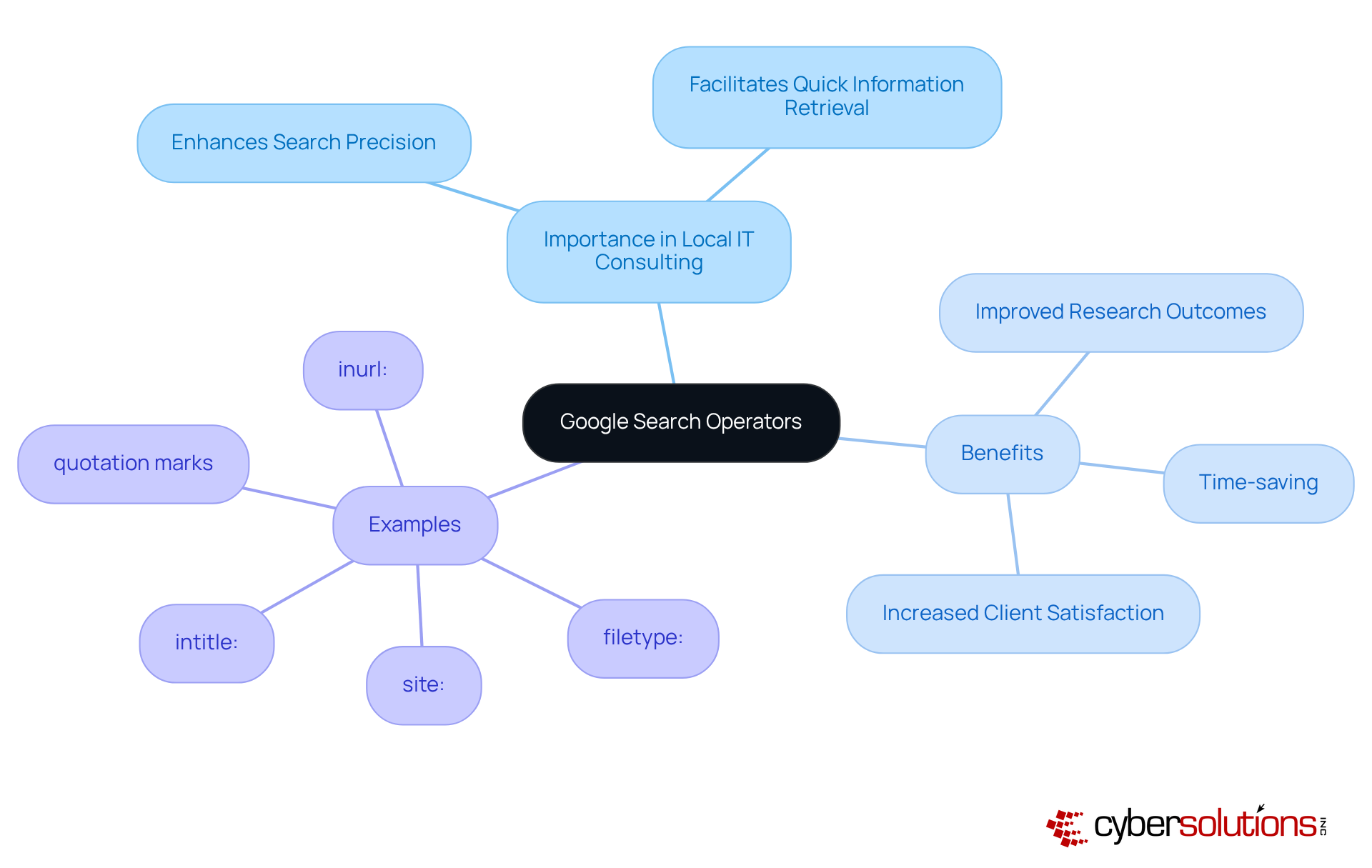
Google search operators are essential commands that significantly enhance the precision of inquiries on Google. Grasping these operators is crucial for local IT consulting. They empower professionals to find information quickly, ensuring they quickly locate the most relevant information. Operators like site:, intitle:, and filetype: are particularly advantageous for honing inquiries to specific domains, titles, or document types.
By mastering these techniques, IT professionals not only save time but also improve their search results. This mastery leads to better decision-making and heightened client satisfaction. Are you ready to leverage these powerful operators to improve your consulting services?
Utilize Key Google Search Operators for Enhanced Local Search Results
To enhance local search results, IT specialists must strategically leverage essential search operators. Consider this: the near: function is vital for pinpointing services within a specific geographical area, while the site: function hones inquiries to focus on local business directories or review platforms. By combining commands, such as intitle: with relevant keywords, advisors can generate highly targeted outcomes that resonate with prospective clients. For instance, a query like intitle:[IT consulting](https://discovercybersolutions.com/cyber-solutions-it-support) near:New York can unveil and highlight engagement opportunities.
Using these tools not only improves visibility but also positions consultants effectively within the local market, drawing in more relevant traffic to their services. It's crucial to recognize that 46% of Google inquiries are actively seeking local information, underscoring the significance of these strategies. As Chima Mmeje aptly states, "By utilizing query functions, you can enhance your retrieval outcomes and discover what you seek." However, advisors must exercise caution; misusing these operators can lead to irrelevant results.

Combine Google Search Operators for Targeted Information Retrieval
Combining search operators is crucial for IT professionals looking to enhance the specificity of their search results. By using parentheses to group terms, you can create complex queries like ([IT consulting](/cyber-security-news/10-benefits-of-network-managed-service-providers-for-c-suite-leaders) OR [managed services](https://discovercybersolutions.com/cybersecurity-services/managed-security-service-provider)) AND (New York OR California). This method enables consultants to uncover relevant articles, case studies, or competitor analyses that are essential.
Moreover, employing the - operator to exclude certain terms further refines your results, ensuring that only the most pertinent information is retrieved. Additionally, the as_rights parameter restricts inquiries to files with specific usage rights, which is essential for obtaining credible references. The nnn..yyyy parameter allows you to explore within numeric ranges, helping advisers locate products or information that meet specific criteria.
Mastering these combinations and utilizing Google's search features to construct custom inquiry strings can streamline your research processes and uncover valuable insights. For instance, a specialist might leverage the allintitle: operator to find pages with specific title keywords related to competitor evaluations, significantly enhancing the relevance of search results. By applying these advanced techniques, experts can dramatically improve their outcomes.

Overcome Challenges in Using Google Search Operators Effectively
hold immense power, yet they can pose significant challenges for users, especially in the field of IT consulting. Common pitfalls include:
- Overcomplicating queries
- Neglecting quotation marks for exact phrase matching
- Forgetting to capitalize 'OR' in searches
To overcome these hurdles, it’s wise to begin with straightforward inquiries, gradually incorporating more advanced techniques as confidence builds. For example, utilizing the filetype: command to find downloadable resources or the inurl: command to discover guest posting opportunities can clarify syntax and enhance usage. Resources showcasing best practices can further bolster understanding.
By proactively addressing these challenges, users can markedly enhance retrieval capabilities, resulting in more precise and relevant outcomes. Research indicates that individuals who adopt a systematic approach to query functions experience a notable increase in successful results, underscoring the necessity of effective strategies in a competitive landscape.
As Ray Day, an expert on search optimization, aptly states, 'When used correctly, search operators can save hours of scrolling and clicking, delivering exactly what you need on the first try.

Conclusion
Mastering Google Search Operators is not just beneficial; it’s a game-changer for local IT consulting. This skill empowers professionals to refine their search strategies and access pertinent information effortlessly. By understanding and applying these operators, IT consultants can significantly enhance their research efficiency and improve service delivery, ultimately leading to greater client satisfaction and a competitive edge.
Essential operators like site:, intitle:, and near: are highlighted as crucial tools for targeting local results effectively. Moreover, the article underscores the importance of combining operators and employing advanced techniques to sidestep common pitfalls. By addressing challenges and refining search queries, local IT consultants can dramatically boost their information retrieval capabilities, yielding more relevant and actionable insights.
Embracing the power of Google Search Operators streamlines research processes and positions IT consultants to thrive in a competitive landscape. By leveraging these strategies, professionals can ensure they remain at the forefront of their field, delivering exceptional value to clients while enhancing their own expertise. The journey to mastering these tools begins now-take the first step towards transforming your search capabilities and unlocking new opportunities in local IT consulting.
Frequently Asked Questions
What are Google Search Operators?
Google Search Operators are essential commands that enhance the precision of inquiries on Google, allowing users to filter results effectively.
Why are Google Search Operators important for local IT consulting?
They are crucial for local IT consulting as they help professionals quickly locate the most relevant information, improving research outcomes and service delivery.
Can you give examples of useful Google Search Operators?
Yes, operators like site:, intitle:, and filetype: are particularly advantageous for honing inquiries to specific domains, titles, or document types.
How do Google Search Operators benefit IT professionals?
By mastering these operators, IT professionals save time and elevate their research outcomes, leading to improved service delivery and heightened client satisfaction.
What is the overall impact of using Google Search Operators in IT consulting?
The use of Google Search Operators transforms search capabilities, enabling IT professionals to find information more efficiently and effectively.
List of Sources
- Understand Google Search Operators and Their Importance in Local IT Consulting
- The Ultimate Guide to Google Search Operators - Boomcycle Digital Marketing (https://boomcycle.com/blog/the-ultimate-guide-to-google-search-operators)
- reflectdigital.co.uk (https://reflectdigital.co.uk/blog/advanced-google-search-operators-a-complete-guide)
- Master Google Search Operators: Ultimate Guide (2026) (https://ignitevisibility.com/what-are-google-search-operators)
- Utilize Key Google Search Operators for Enhanced Local Search Results
- The Ultimate Guide to Google Search Operators - Boomcycle Digital Marketing (https://boomcycle.com/blog/the-ultimate-guide-to-google-search-operators)
- digitalseoland.com (https://digitalseoland.com/blog/local-seo-statistics)
- 20 Timeless Quotes From SEO Experts to Apply to Your SEO Campaign - Heroes of Digital (https://heroesofdigital.com/seo/seo-quotes-to-guide-your-seo-campaign)
- moz.com (https://moz.com/learn/seo/search-operators)
- 75 Local SEO Statistics for 2026 | SeoProfy (https://seoprofy.com/blog/local-seo-statistics)
- Combine Google Search Operators for Targeted Information Retrieval
- octaveagency.com (https://octaveagency.com/blog/unleash-the-power-of-google-advanced-search-operators-you-need-to-know)
- moz.com (https://moz.com/learn/seo/search-operators)
- Overcome Challenges in Using Google Search Operators Effectively
- reflectdigital.co.uk (https://reflectdigital.co.uk/blog/advanced-google-search-operators-a-complete-guide)
- Master Google Search Operators: Ultimate Guide (2026) (https://ignitevisibility.com/what-are-google-search-operators)
