

Introduction
Phishing emails represent a significant threat in today’s digital landscape, targeting businesses with increasingly sophisticated tactics aimed at deception and manipulation. The consequences of falling victim to these scams can be severe, leading to financial losses and potentially irreparable harm to an organization’s reputation. It’s crucial for businesses to understand the essential steps to take when encountering phishing emails, as this knowledge is vital for protecting sensitive information and preserving trust.
How can organizations effectively equip themselves against these deceptive attacks? Ensuring that employees are prepared to recognize and respond to phishing attempts is not just a precaution; it’s a necessity in safeguarding the integrity of the business.
Understand Phishing Emails and Their Risks
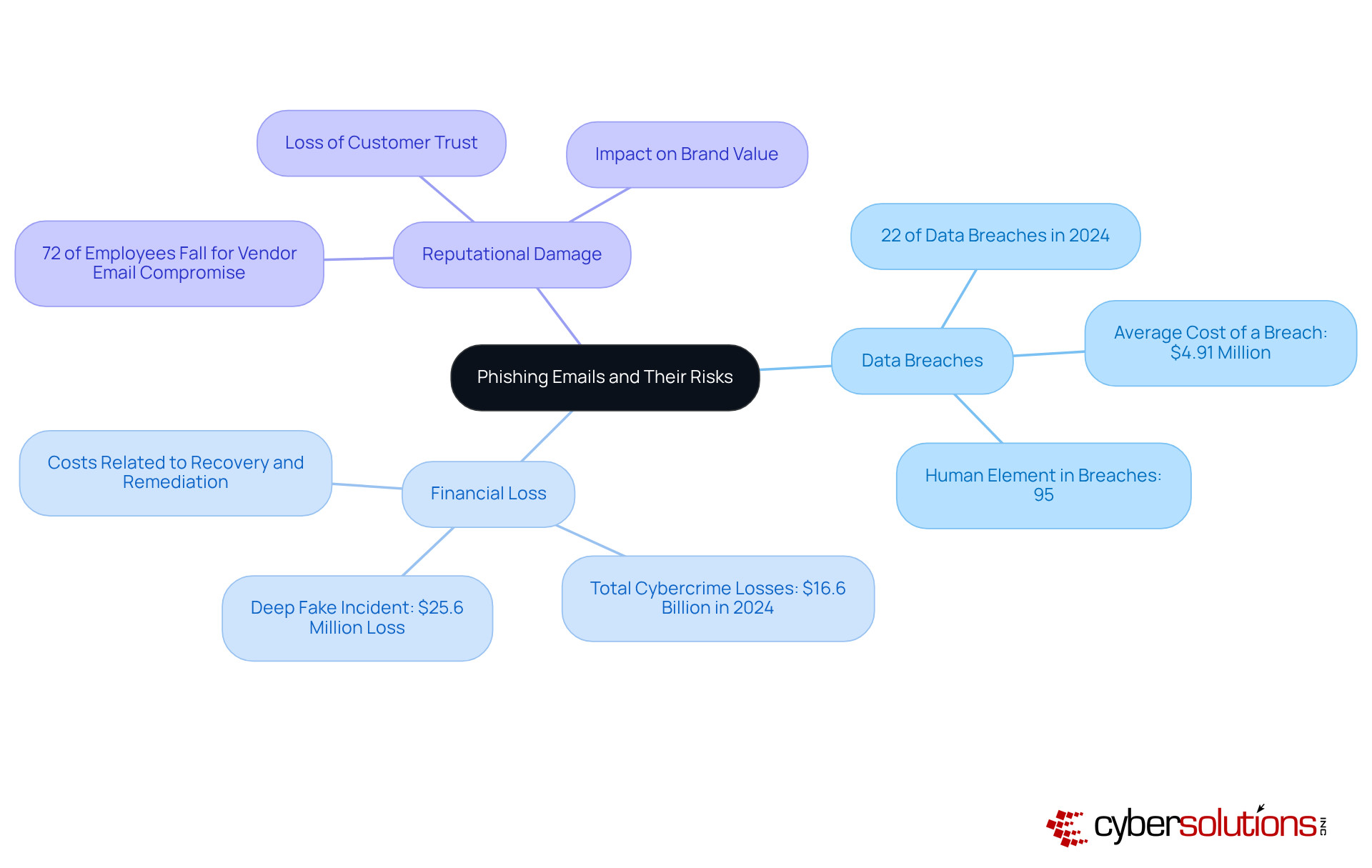
in today’s digital landscape. These misleading communications are crafted to deceive recipients into revealing sensitive information, such as passwords or financial details. Often disguised as legitimate correspondence, these emails pose significant risks, including:
- Unauthorized access to sensitive information can lead to substantial expenses and legal repercussions. In 2024 alone, data breaches are expected to cost businesses billions, with the average cost of a breach soaring to $4.91 million.
- Businesses may face direct financial theft or incur costs related to recovery and remediation. A notable incident involved a deep fake impersonation that resulted in a finance department employee transferring $25.6 million to overseas accounts.
- Reputational Damage: Victims of online fraud often endure reputational harm, eroding customer trust. A survey revealed that 72% of employees engaged in tests of vendor email compromise fell for the scam, underscoring the potential for long-term damage.
Understanding phishing emails is crucial for protecting against the pervasive threat of deceptive attacks. As cyber threats evolve, including AI-driven scams, organizations must remain vigilant.
Identify Key Indicators of Phishing Emails
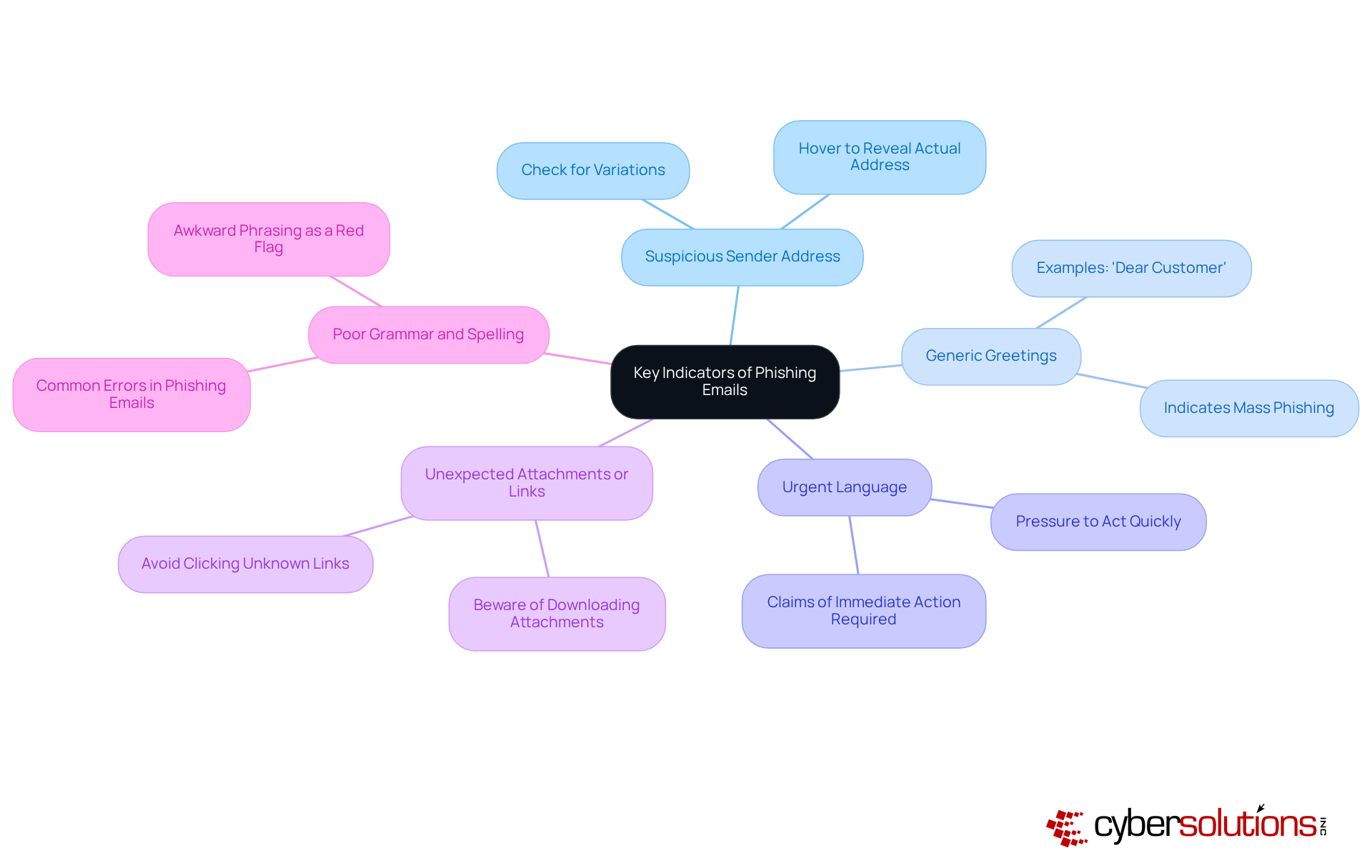
Recognizing the indicators of phishing emails is essential for protecting your business. In today’s digital landscape, where threats are increasingly sophisticated, understanding these indicators can safeguard your organization from deceptive attempts. Here are some key signs to watch for:
- Always check for slight variations in the sender's email address; these can indicate a spoofed account.
- Be wary of messages that use generic salutations like 'Dear Customer' instead of personal names.
- Messages that create a sense of urgency often aim to push you into hasty decisions - stay cautious.
- Avoid clicking on links or downloading attachments from unknown sources; they could be harmful.
- Many fraudulent messages contain grammatical errors or awkward phrasing, which can be a red flag.
By familiarizing yourself with these indicators, you can learn what to do with phishing emails to take appropriate action.
Take Immediate Action on Phishing Emails
If you suspect that you've received a phishing email, it's crucial to understand and act swiftly. Follow these steps to protect yourself and your organization:
- Avoid clicking any links or downloading attachments from the suspicious message, and learn about the risks. These actions can lead to malware installation or data theft.
- It is important to understand the steps to protect your personal information. To know if the email is fraudulent, report it by using your provider's reporting feature to mark it as fraudulent. In a significant number of cases, workers reported fraudulent messages, highlighting the need for vigilance and prompt reporting.
- It is important to know the best practices for handling phishing emails. One of the key actions in this process is to implement training to prevent accidental clicks in the future. This ensures the email doesn't pose a risk to you or your colleagues.
- Here are some tips on reporting phishing attempts. Inform your team about the threat by sharing the fraudulent attempt with your colleagues to raise awareness and prevent others from falling victim. Effective communication about such risks is vital for fostering a security-aware culture within your organization.
- Monitor Accounts: Regularly check your accounts for unusual activity. If you suspect any compromise, change your passwords immediately and enable two-factor authentication.
By taking these precautions, you can significantly reduce the likelihood of a successful scam attempt and protect your organization from potential harm.

Implement Preventive Strategies Against Phishing
To effectively combat phishing threats, it's crucial to implement preventive strategies that empower your employees by teaching them about risks while also protecting your assets.
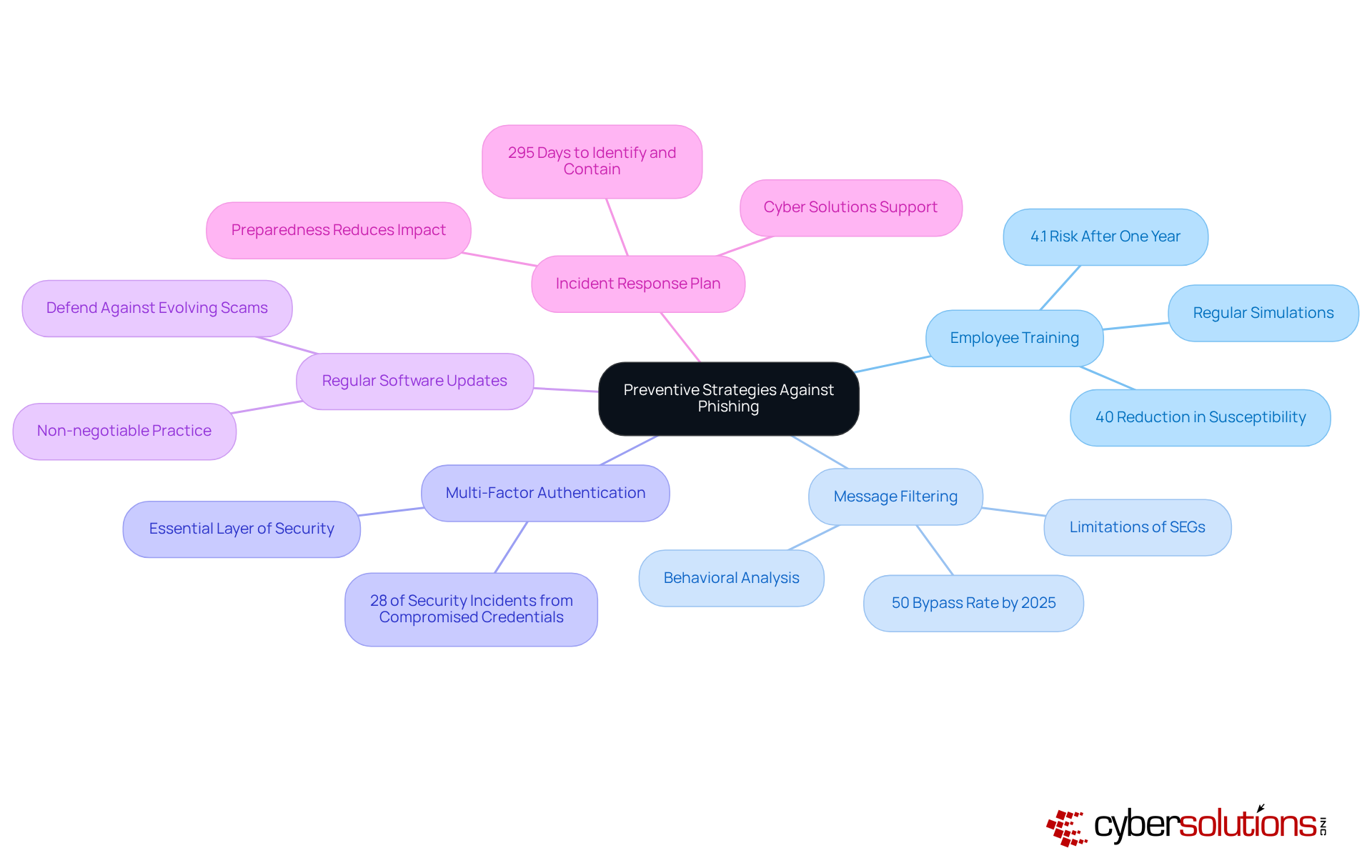
- Employee Training: Regularly educating employees about phishing threats is essential. Did you know that thorough training can reduce risks by over 40% within just 90 days? After a complete year, this risk can plummet to as low as 4.1%. Conducting simulations of fraudulent communications strengthens understanding and equips staff on recognizing phishing attempts, enabling them to recognize and report dubious messages, turning them into your first line of defense.
- Message Filtering: Advanced message filtering solutions are vital. By leveraging behavioral and contextual analysis, these tools can detect and block fraudulent messages before they even reach inboxes. While conventional Secure Email Gateways (SEGs) have been effective, their limitations are becoming apparent against modern deceptive email strategies, especially those utilizing AI-generated content. In fact, by 2025, nearly half of all phishing attacks will utilize AI, underscoring the need for more sophisticated filtering solutions.
- Multi-Factor Authentication: Implementing MFA for all accounts adds an essential layer of security. This measure significantly complicates unauthorized access attempts, especially since many attacks rely on stolen credentials.
- Regular Software Updates: Keeping all software, including email clients and security tools, consistently updated is non-negotiable. This practice is crucial in defending against evolving online scams and vulnerabilities.
- Incident Response Plan: Establishing a comprehensive incident response strategy is imperative. This plan should outline explicit actions regarding communication in the event of a spoofing attack. Cyber Solutions offers services that can help quickly identify, contain, and mitigate risks, ensuring business continuity. Preparedness can significantly reduce the impact of such incidents, which typically take an average of 295 days to identify and contain.
By adopting these strategies, businesses can significantly bolster their defenses against phishing threats. This proactive approach not only transforms employees into a robust line of defense but also enhances overall cybersecurity posture. Furthermore, leveraging Cyber Solutions' expertise for ongoing monitoring and risk assessments can further strengthen these defenses.
Conclusion
Understanding the complexities of phishing emails and their associated risks is crucial for any organization committed to protecting its digital assets. These deceptive communications can result in significant financial losses, data breaches, and lasting reputational harm. By recognizing the threats posed by phishing, businesses can take decisive steps to shield themselves from these widespread attacks.
Key strategies include:
- Identifying the signs of phishing emails, such as suspicious sender addresses and urgent language.
- Immediate action - reporting and deleting any dubious messages - is essential.
- Implementing preventive measures like employee training, advanced message filtering, and multi-factor authentication can greatly bolster an organization’s defenses.
- Having a robust incident response plan ensures that businesses are ready to address phishing attempts swiftly and effectively.
Ultimately, combating phishing demands a proactive and informed approach. By cultivating a culture of awareness and vigilance, organizations can empower their employees to become a formidable line of defense against cyber threats. These actions not only safeguard sensitive information but also maintain the trust and confidence of customers and stakeholders. Embracing these best practices is vital for any business serious about securing its future in an increasingly digital landscape.
Frequently Asked Questions
What are phishing emails?
Phishing emails are misleading communications designed to deceive recipients into revealing sensitive information, such as passwords or financial details.
What risks do phishing emails pose to organizations?
Phishing emails can lead to data breaches, financial loss, and reputational damage for organizations.
How can phishing emails lead to data breaches?
Unauthorized access to sensitive information from phishing attacks can result in significant financial losses and legal repercussions. In 2024, deceptive attacks accounted for nearly 22% of all data breaches, with the average cost of a breach reaching $4.91 million.
What are the financial impacts of phishing attacks on businesses?
Businesses may experience direct financial theft or incur costs related to recovery and remediation. For example, a deep fake impersonation incident caused a finance department employee to transfer $25.6 million to overseas accounts.
How do phishing attacks affect a company's reputation?
Victims of phishing attacks often suffer reputational harm, which can erode customer trust. A survey indicated that 72% of employees tested with vendor email compromise fell for the scam, highlighting the potential for significant reputational fallout.
Why is it important to understand how to deal with phishing emails?
Understanding how to handle phishing emails is crucial for safeguarding businesses against the threats posed by deceptive attacks, especially as cybercriminals use increasingly advanced tactics, including AI-driven scams.
List of Sources
- Understand Phishing Emails and Their Risks
- soti.net (https://soti.net/resources/blog/2025/biggest-cybersecurity-threats-businesses-face-in-2026-soti)
- integrisit.com (https://integrisit.com/blog/email-phishing-scams-2026)
- finance.yahoo.com (https://finance.yahoo.com/news/threats-cyber-experts-break-down-141600829.html)
- 81 Phishing Attack Statistics 2026: The Ultimate Insight (https://getastra.com/blog/security-audit/phishing-attack-statistics)
- 205 Cybersecurity Stats and Facts for 2026 (https://vikingcloud.com/blog/cybersecurity-statistics)
- Identify Key Indicators of Phishing Emails
- aag-it.com (https://aag-it.com/the-latest-phishing-statistics)
- brightdefense.com (https://brightdefense.com/resources/phishing-statistics)
- consumer.ftc.gov (https://consumer.ftc.gov/articles/how-recognize-avoid-phishing-scams)
- security.org (https://security.org/digital-safety/scams/phishing)
- 81 Phishing Attack Statistics 2026: The Ultimate Insight (https://getastra.com/blog/security-audit/phishing-attack-statistics)
- Take Immediate Action on Phishing Emails
- kaspersky.com (https://kaspersky.com/resource-center/threats/handling-phishing-attacks)
- 81 Phishing Attack Statistics 2026: The Ultimate Insight (https://getastra.com/blog/security-audit/phishing-attack-statistics)
- buffalo.edu (https://buffalo.edu/ubit/service-guides/safe-computing/managing/recognizing-a-phishing-attempt/what-to-do-if-you-received-a-phishing-attempt.html)
- aag-it.com (https://aag-it.com/the-latest-phishing-statistics)
- Top Cybersecurity Statistics for 2026 | Cobalt (https://cobalt.io/blog/top-cybersecurity-statistics-for-2026)
- Implement Preventive Strategies Against Phishing
- Security Awareness Training: USA 2025 Statistics | Infrascale (https://infrascale.com/security-awareness-training-statistics-usa)
- 81 Phishing Attack Statistics 2026: The Ultimate Insight (https://getastra.com/blog/security-audit/phishing-attack-statistics)
- guardz.com (https://guardz.com/blog/40-security-awareness-statistics-msps-cant-ignore-in-2025)
- guardz.com (https://guardz.com/blog/33-phishing-statistics-every-msp-should-know-about)
- knowbe4.com (https://knowbe4.com/resources/reports/phishing-by-industry-benchmarking-report)
